Issues with updating segment UI | Community
Skip to main content
Level 6
October 18, 2024
Solved

Issues with updating segment UI

  • October 18, 2024
  • 1 reply
  • 468 views

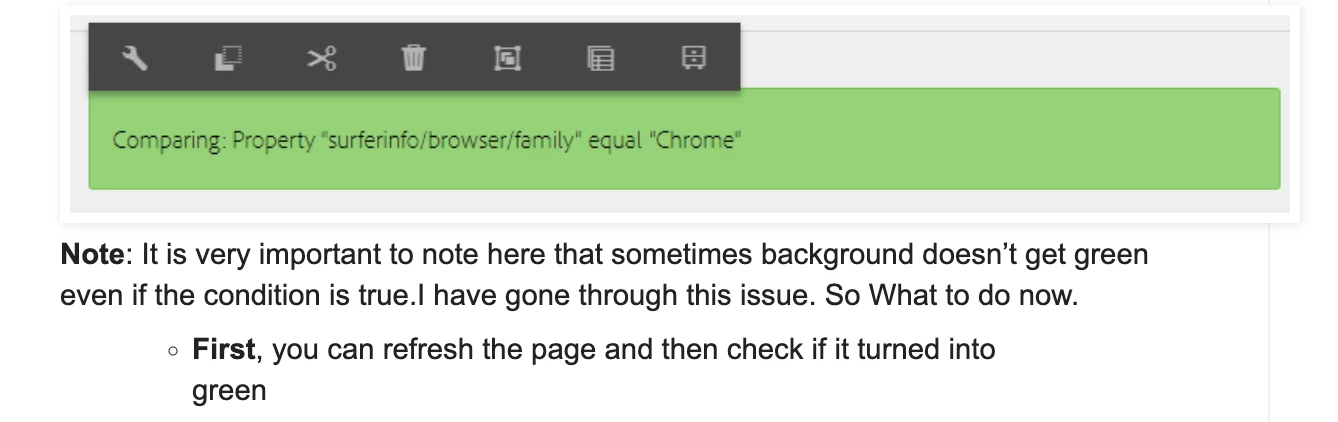
Hello, we have implemented Context Hub in our project (6.5) and found some issues related to updating the segment UI. Once the segment is created, if you author segmentation components with the values, even though the segment is resolved, the UI does not turn green. We had to refresh the browser to see if the segment is resolved or not. The same issue has been reported in the forum below as well. Basically, rather than refreshing or checking in the browser console, we would like to fix the issue. Please let me know if anyone has encountered a similar issue and what the fix was for it.

http://www.sgaemsolutions.com/2018/12/personalization-using-contexthub-in-aem.html


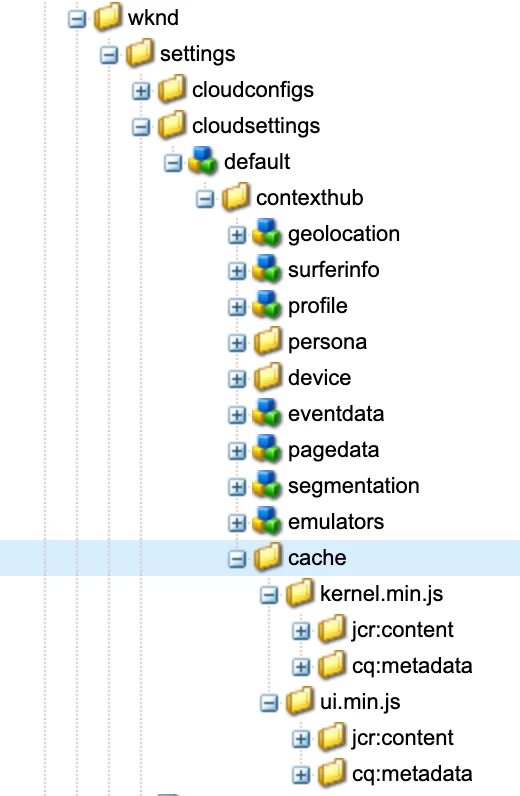
Another observation: I see a cache folder (/conf/wknd/settings/cloudsettings/default/contexthub/cache) in the WKND site. I'm just checking if this is required for custom configuration. If so, what is the purpose of it?



This post is no longer active and is closed to new replies. Need help? Start a new post to ask your question.
Best answer by TarunKumar

Hi @test1234567 ,

This is something which is common in AEM as per the Adobe "All traits are resolved immediately, though most only change on page reload."
For further validation you can look into the network call in browser console which is happening on page load and may be missing during updating the segment.
In he below link you can find a note section where this observation has been added.
https://experienceleague.adobe.com/en/docs/experience-manager-cloud-service/content/sites/authoring/personalization/contexthub-segmentation#:~:text=To%20define%20your%20new%20segment,necessary%20and%20then%20select%20Create.

For cache node creation in CRX, the system automatically creates a cache node, which saves the generated kernel.min.js and ui.min.js. 

-Tarun

1 reply

TarunKumar
Community Advisor
TarunKumarCommunity AdvisorAccepted solution
Community Advisor
October 18, 2024

Hi @test1234567 ,

This is something which is common in AEM as per the Adobe "All traits are resolved immediately, though most only change on page reload."
For further validation you can look into the network call in browser console which is happening on page load and may be missing during updating the segment.
In he below link you can find a note section where this observation has been added.
https://experienceleague.adobe.com/en/docs/experience-manager-cloud-service/content/sites/authoring/personalization/contexthub-segmentation#:~:text=To%20define%20your%20new%20segment,necessary%20and%20then%20select%20Create.

For cache node creation in CRX, the system automatically creates a cache node, which saves the generated kernel.min.js and ui.min.js. 

-Tarun