Issue with Experience Fragments Layout | Community
Skip to main content
gayathiri_s_kum
March 10, 2018
Solved

Issue with Experience Fragments Layout

  • March 10, 2018
  • 5 replies
  • 3165 views

I have created an experience fragment on AEM-6.3 as below: 2 layout containers inside the 'root layout container'. Each layout container inturn has an image from dam and some text. The layout containers are placed next to each other - (we retail web variant selected while creating). The experience fragment page looks good as expected.
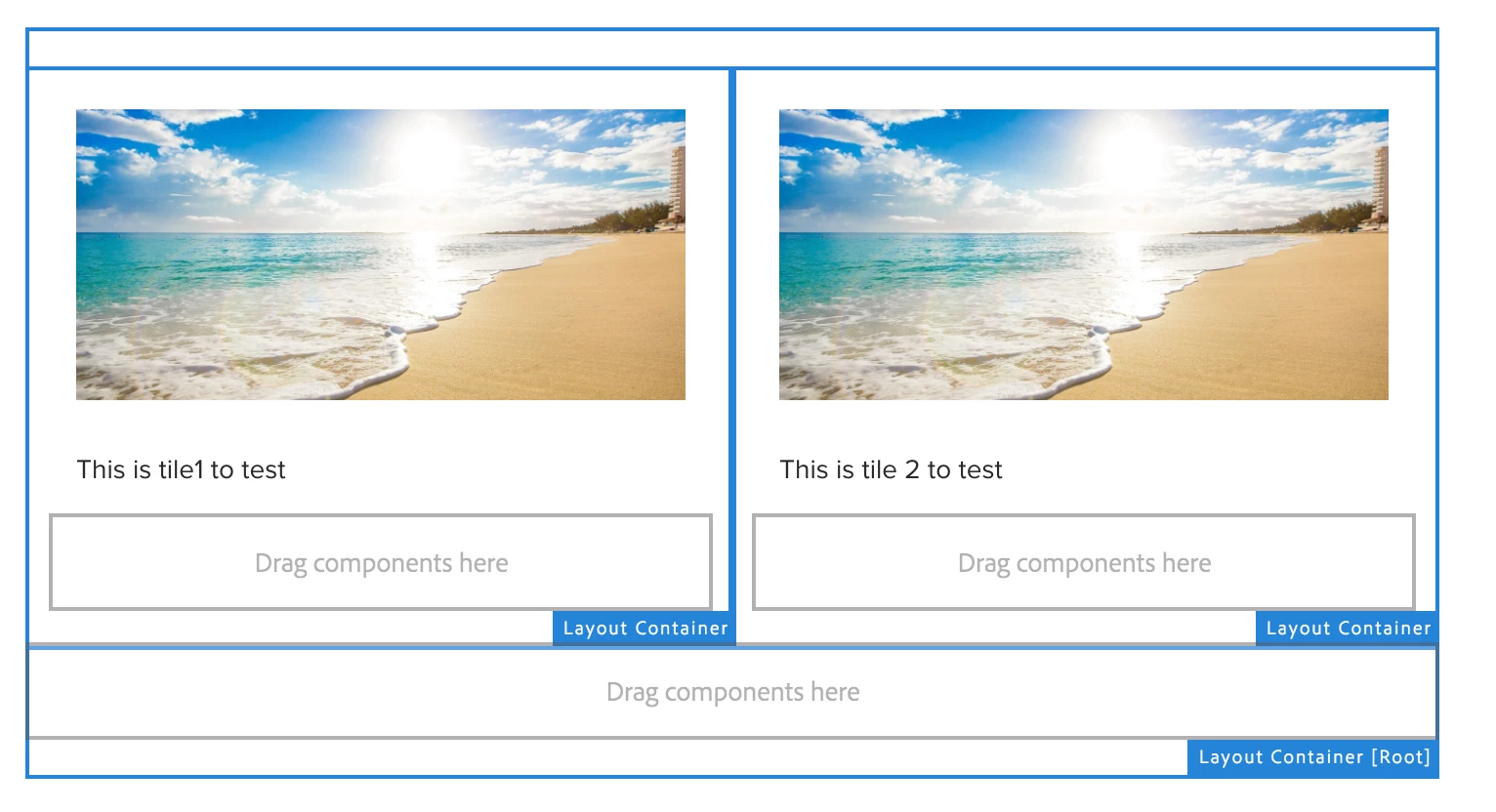
Now, when i try to consume this experience fragment into a page, the page looks as below:

Images are missing and the Layout is not retained as above. Always the layout container drop one below the other.
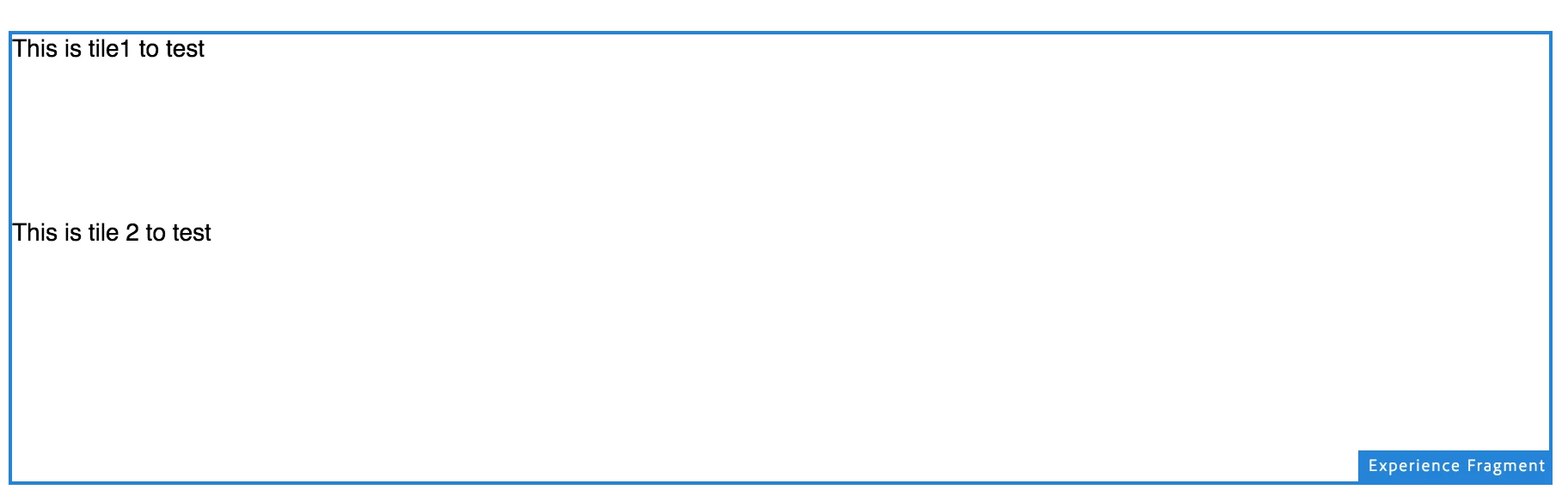
This is my dialog box while consuming XF in my page:
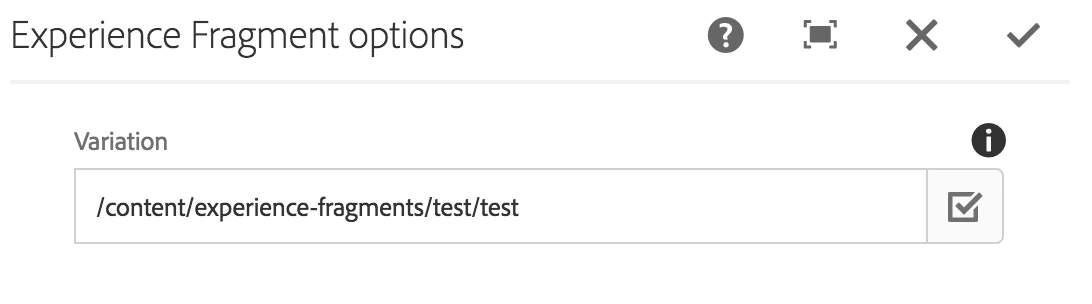
Any help is appreciated.

Thanks,

Gayathiri
This post is no longer active and is closed to new replies. Need help? Start a new post to ask your question.
Best answer by smacdonald2008

That is your issue. When you drop a layout container - you need to configure it -- see this doc - we talk about here:

Creating an Adobe Experience Manager project using Lazybones

See this section. Add Structural Components to the Page

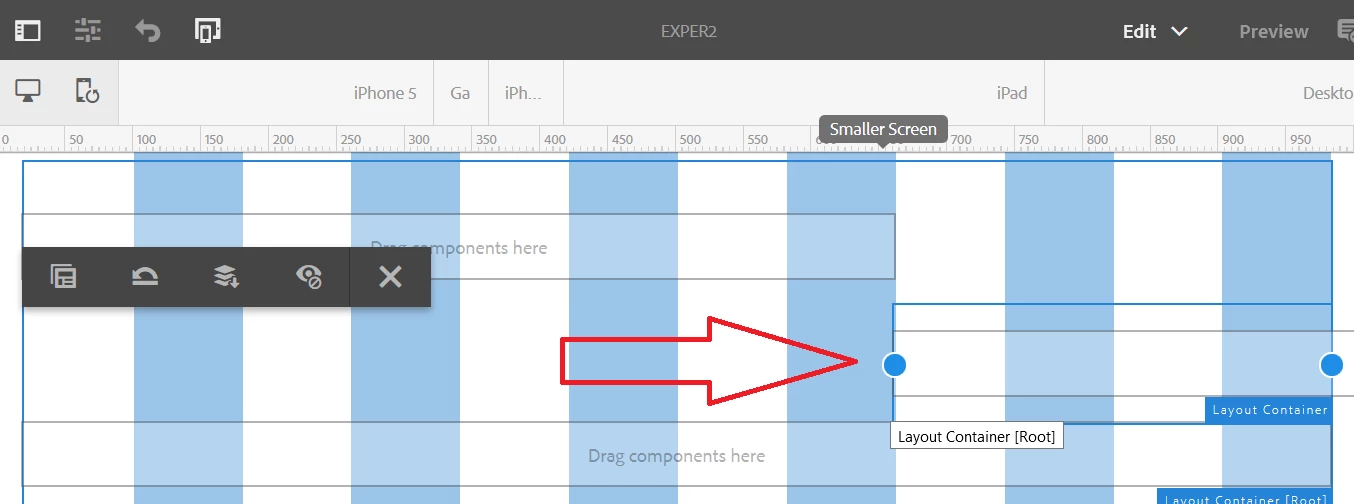
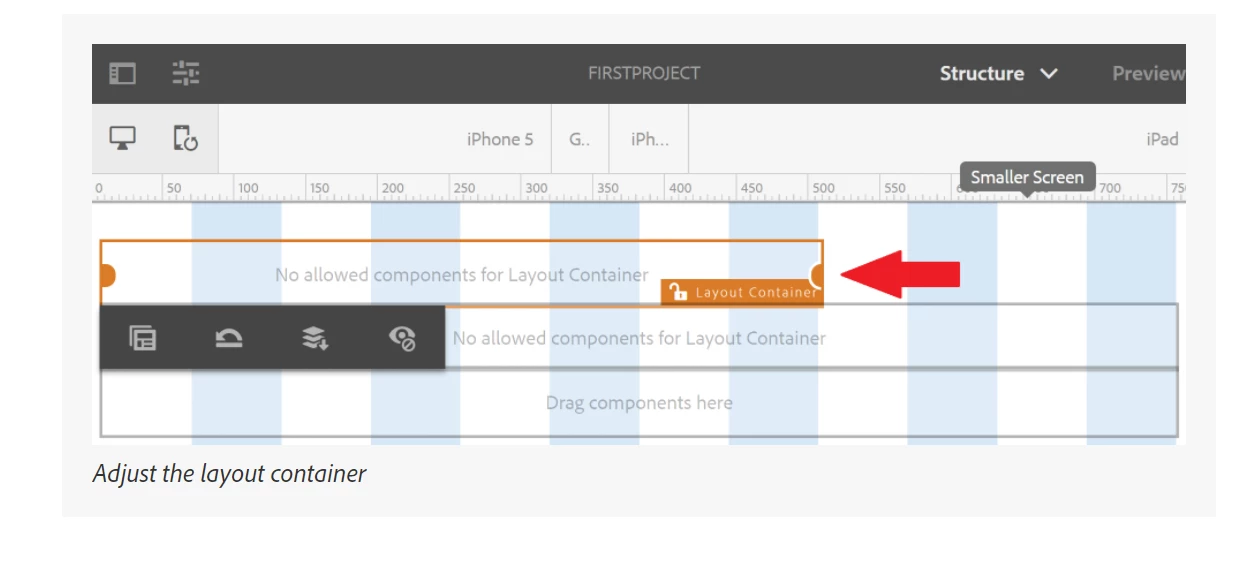
You need to drop 2 layout components onto the page and resize it - as shown here:

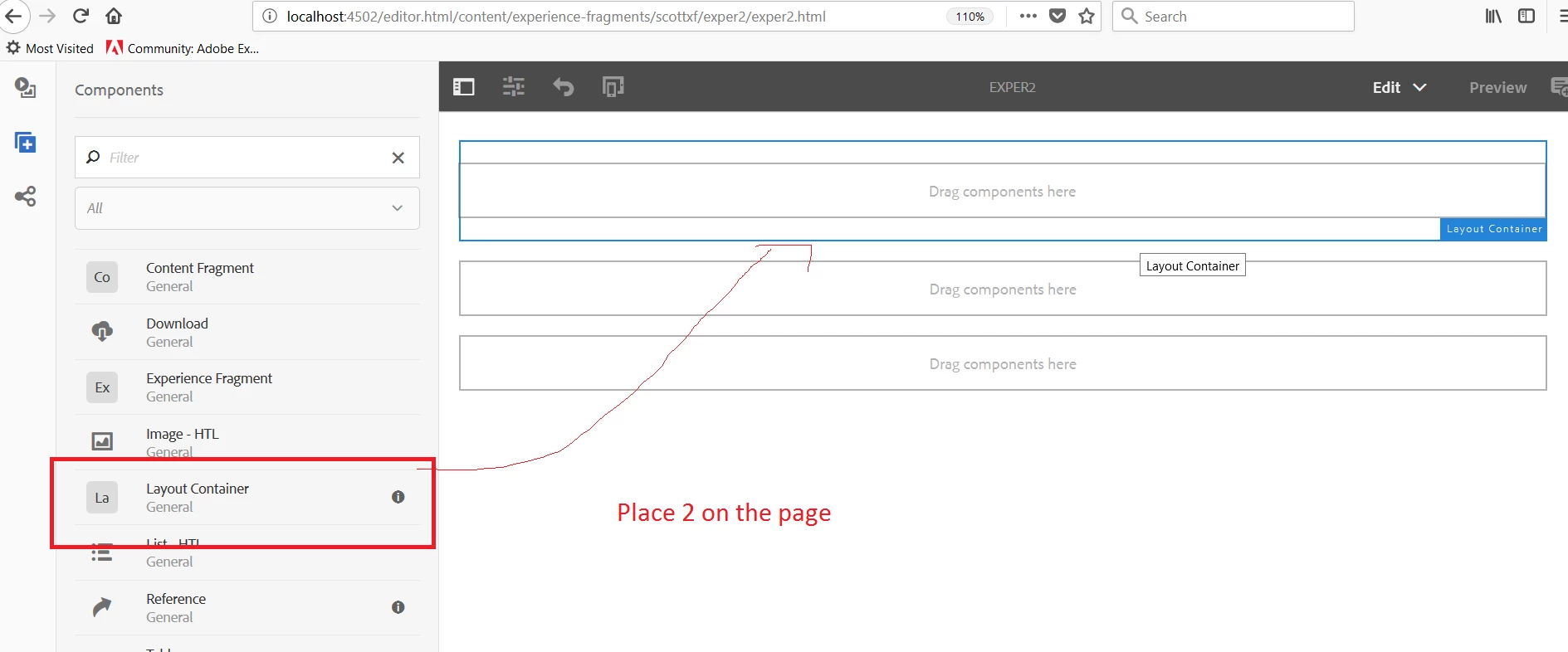
Do this - place two layout onto a new EX

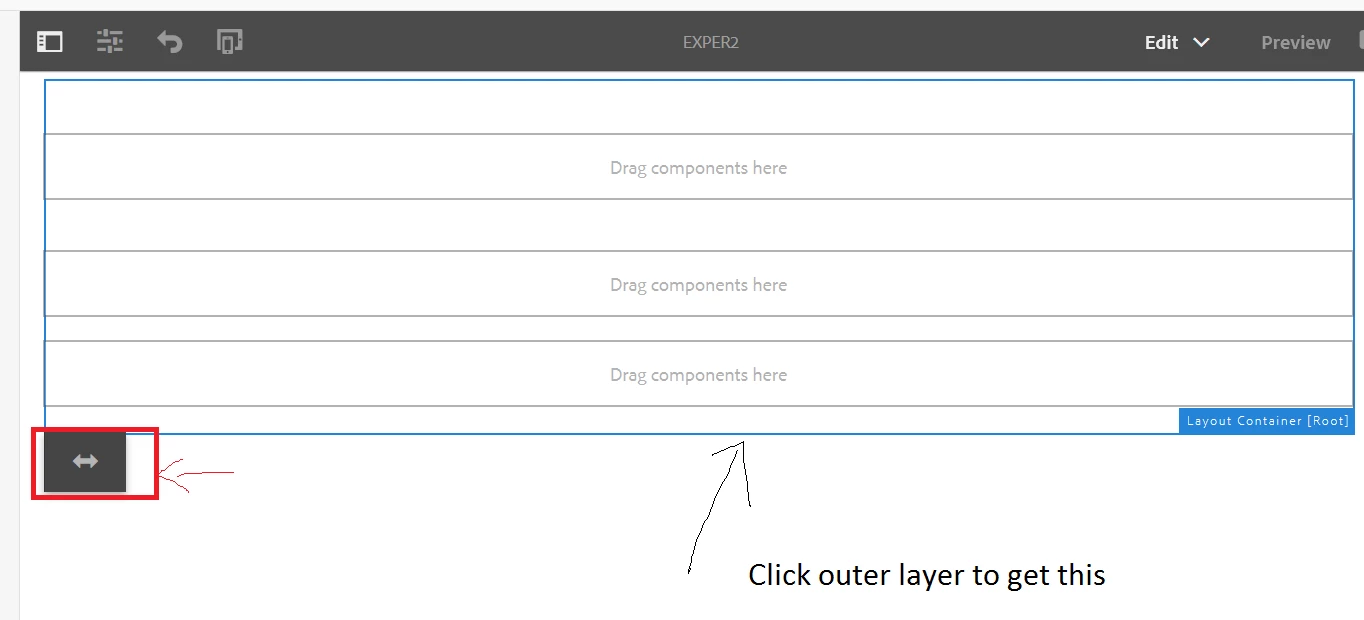
Then  clicker the outer layer and then the double arrow

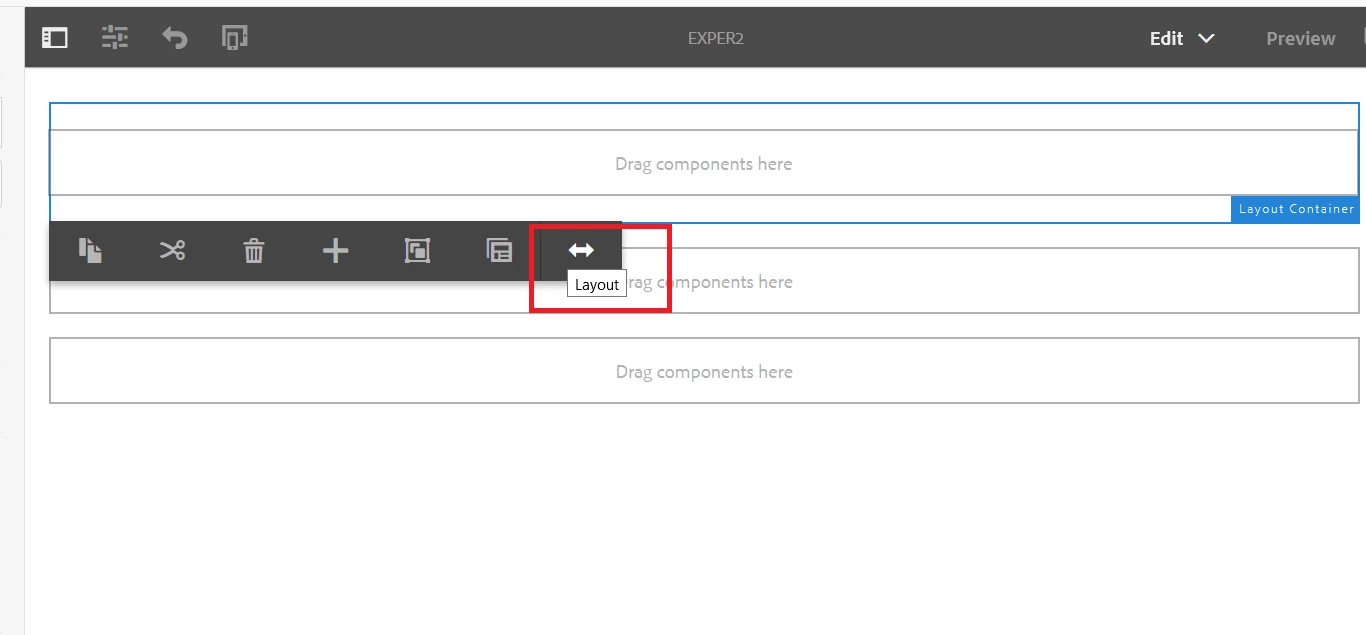
Then that brings you to the layout view. Click the 1st layout and the the double arrow.

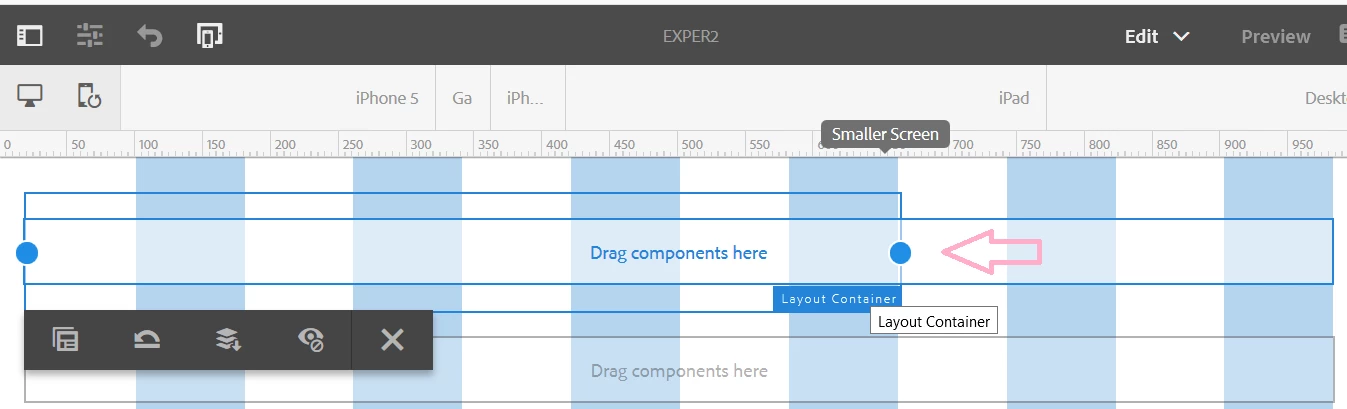
Then you can drag the 1st layout by cicking the ball icon- drag four to the left

Do the same for the 2nd layout and drag 8 to the right

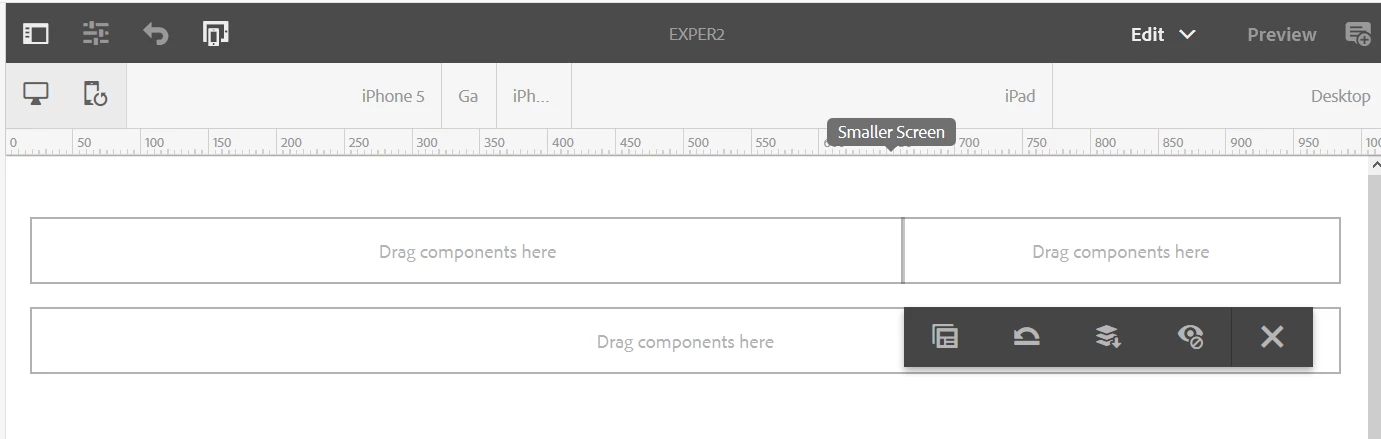
Now they will lineup:

Now you can drop components into each column and they will keep the style - this is what you missed.

5 replies

smacdonald2008
Level 10
March 12, 2018

Here is a video - watch this and see if you maybe missed a step: Adobe Experience Manager Help | Understanding AEM Experience Fragments

smacdonald2008
Level 10
March 12, 2018

I just tested this - i built my experience fragment with a layout container with two columns:

As you can see - left has a pic from dam and text and the right has an image from the dam.

When i place the Experience Fragment in a page - it renders perfectly --

smacdonald2008
Level 10
March 12, 2018

I recommend attempting this on a fresh AEM instance to see 1 of 2 things:

1 - you made a mistake in setting up the layout component

2 - the original instance you used was somehow corrupt.

This works as shown in the above pics.

gayathiri_s_kum
March 12, 2018

Thanks for the response.

I tried this on a fresh instance.. Getting the same issue as before. Like you mentioned, it has to do with the layout container then.

How did you get the 2 columns in the root - layout container?

I tried to drop 2 layout containers inside the root container and then drop the images and text inside them?

Could you please clarify?

Thanks

smacdonald2008
smacdonald2008Accepted solution
Level 10
March 12, 2018

That is your issue. When you drop a layout container - you need to configure it -- see this doc - we talk about here:

Creating an Adobe Experience Manager project using Lazybones

See this section. Add Structural Components to the Page

You need to drop 2 layout components onto the page and resize it - as shown here:

Do this - place two layout onto a new EX

Then  clicker the outer layer and then the double arrow

Then that brings you to the layout view. Click the 1st layout and the the double arrow.

Then you can drag the 1st layout by cicking the ball icon- drag four to the left

Do the same for the 2nd layout and drag 8 to the right

Now they will lineup:

Now you can drop components into each column and they will keep the style - this is what you missed.