issue with docx to pdf conversion | Community
Skip to main content
December 28, 2023

issue with docx to pdf conversion

  • December 28, 2023
  • 2 replies
  • 908 views

Hello,


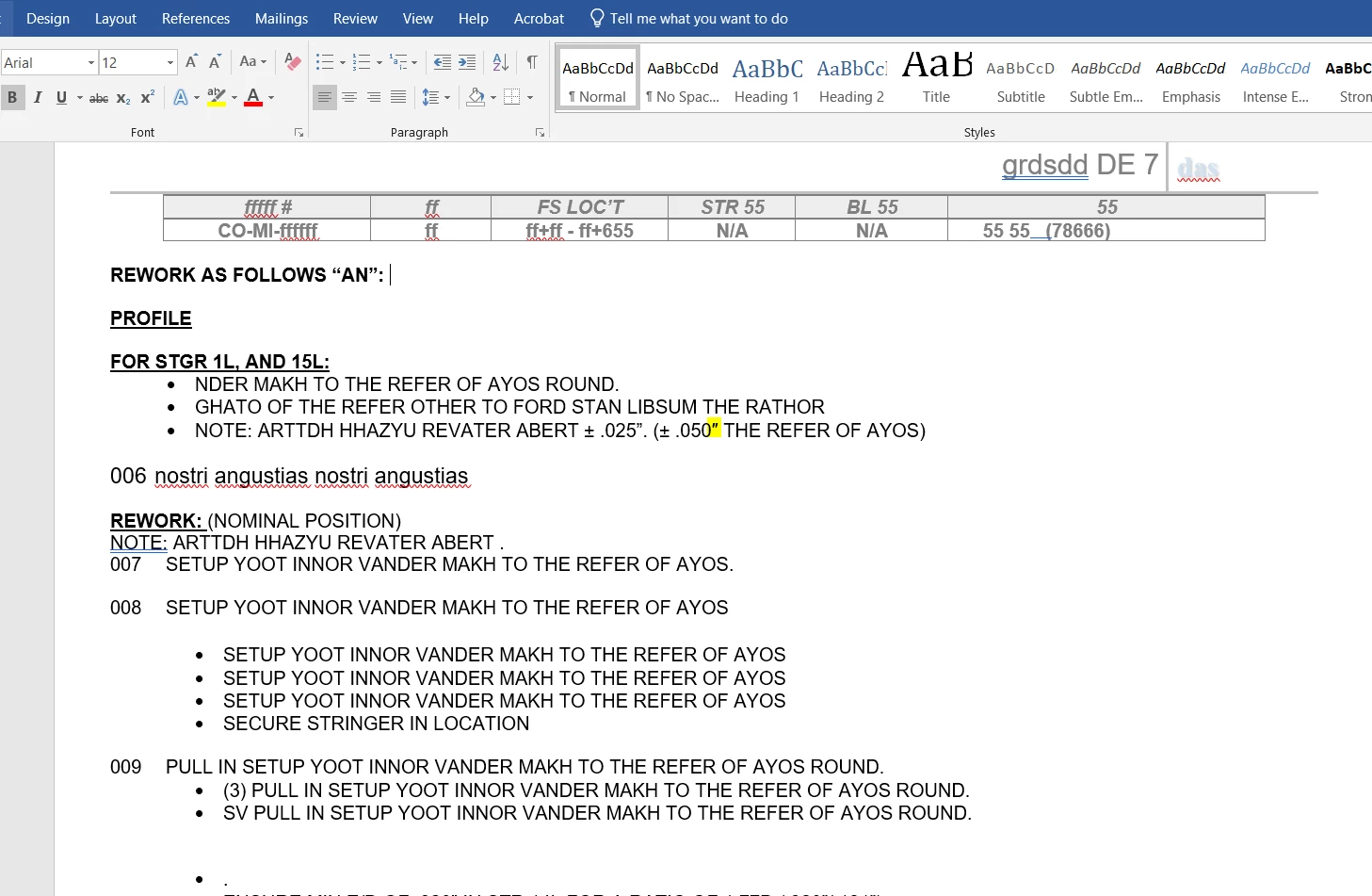
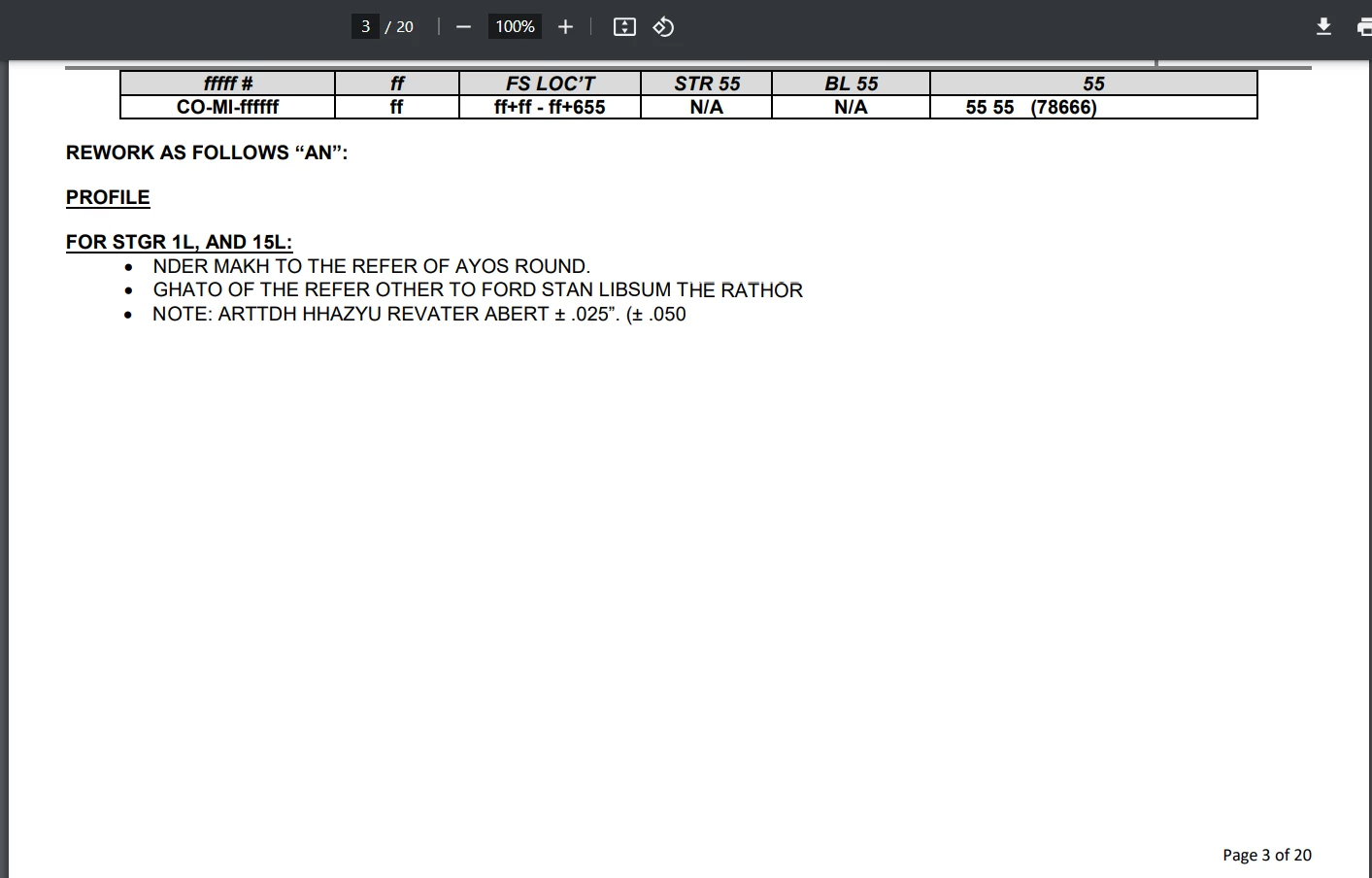
We are currently facing a problem while converting a docx document to a PDF format using Adobe Experience Manager 6.5, The issue arises when the word document contains a double prime symbol (″). As a result, the generated PDF is corrupted, and the content following this special character is not fully displayed. For visual reference, please refer to the attached images above:


Word:
PDF : 
thanks in advance for your help.


2 replies

B_Sravan
Community Advisor
Community Advisor
January 1, 2024

Hi @imadaa 

May I know how exactly you are doing the conversion? Have you written any custom code for it?

-Sravan

ImadAaAuthor
January 2, 2024

hello @b_sravan,

Thank you for your response. Here are the actions we take for the conversion:


Home > Services >PDF Generator > Create PDF


here is the configuration we did :

'Home', 'Services', 'PDF Generator' then 'File type settings'

Standard => Standard_MC:

In Microsoft Excel :

  •  ncheck ‘Try OpenOffice as fallback converter’
  • Add the xlsm extension
  • Check 'Convert entire workbook'

In Microsoft Word:

  • Uncheck ‘Try OpenOffice as fallback converter’
  • Add .docm extension
  • Uncheck ‘Add bookmarks to Adobe PDF’
  • Uncheck ‘Convert document information’
  • Check ‘Keep annotations…’

Go to Home > Settings > Core System Settings > Configurations :

  • Change the value of ‘Default maximum document input line size’ to 10485760
  • Change the value of 'Default delay before deleting the document' to 3600


Go to Home > Services > Applications and services > Service management

Click on ConvertPdfService

  • Modify the value of ‘Transaction Time Out’ to 3600 

Go to Home > Services > Applications and services > Service management

Click on PDFGConfigService (page 3)

  • Change the value of 'Server Conversion Timeout' to 3600
  • Change the value of 'Server Global Timeout' to 3600

We also utilize a Java code to generate the PDF, and we have the same isue.

Thank you for your help.


kautuk_sahni
Community Manager
Community Manager
September 2, 2025

@imadaa just checking in! Were you able to get this resolved? If you found a different way to fix it, sharing your approach would be a great contribution to the community. Your follow-up not only helps close the loop but also ensures others benefit from your experience. Thanks so much for being part of the conversation!

Kautuk Sahni