
Issue in quick publish using aem sites console | Community
Skip to main content
Nandheswara
Level 4
September 16, 2024
Solved

Issue in quick publish using aem sites console

  • September 16, 2024
  • 3 replies
  • 910 views

Hi all,

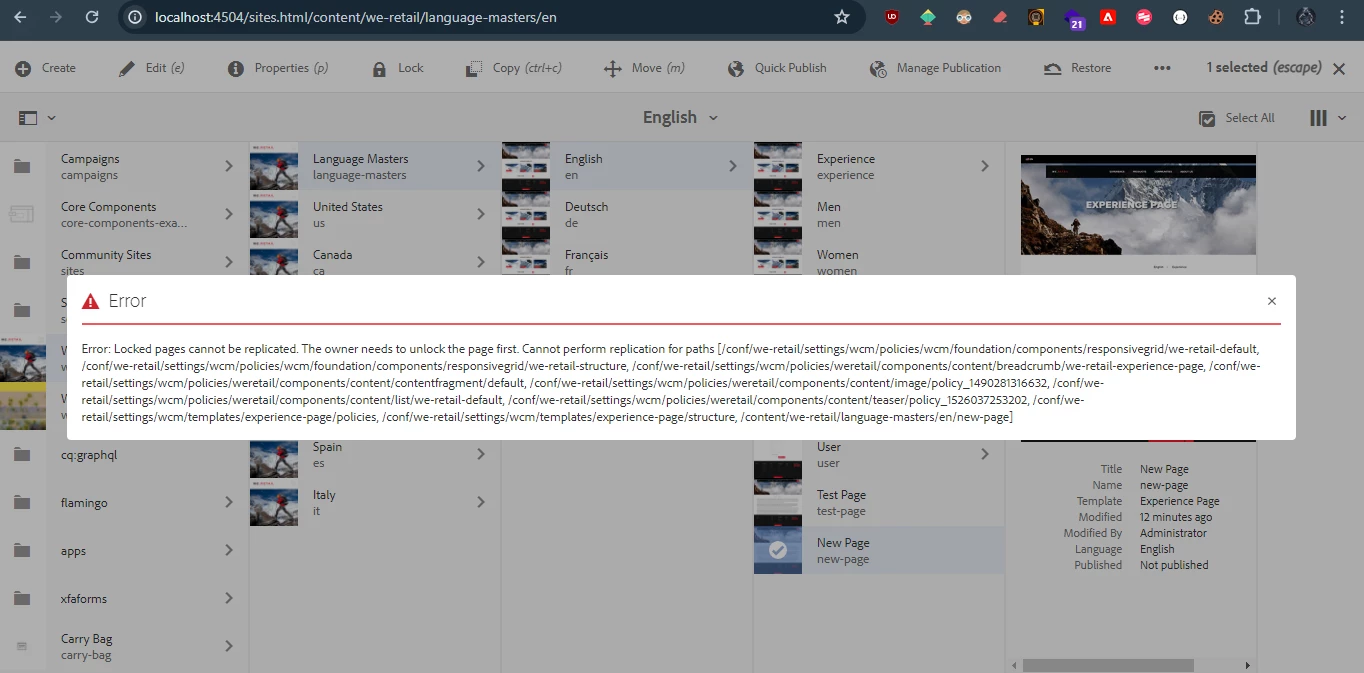
I'm currently using the AEM 6.5.17 and trying to publish the page via sites console by using the quick publish option but when i try to publish a page i'm getting this below error, and the current page is in locked state is it possible to publish the page without unlocking it? or is it the default behaviour of aem?


Thanks

Nandheswara

This post is no longer active and is closed to new replies. Need help? Start a new post to ask your question.
Best answer by Himanshu_Jain

Hi @nandheswara ,

Lock page feature is to prevent any modifications by other users ( apart from owner) to get published.

So you need to either ask the owner or person who locked the page to publish it or unlock it .

Ref : https://experienceleague.adobe.com/en/docs/experience-manager-65/content/sites/classic-ui/authoring/classic-page-author-edit-content#:~:text=Locking%20a%20Page,page%20for%20a%20short%20while.


Thanks

3 replies

Himanshu_Jain
Community Advisor
Himanshu_JainCommunity AdvisorAccepted solution
Community Advisor
September 16, 2024

Hi @nandheswara ,

Lock page feature is to prevent any modifications by other users ( apart from owner) to get published.

So you need to either ask the owner or person who locked the page to publish it or unlock it .

Ref : https://experienceleague.adobe.com/en/docs/experience-manager-65/content/sites/classic-ui/authoring/classic-page-author-edit-content#:~:text=Locking%20a%20Page,page%20for%20a%20short%20while.


Thanks

Himanshu Jain
ManviSharma
Adobe Employee
Adobe Employee
September 16, 2024

Hi Team,

Permissions:
- Ensure the user has the necessary permissions (e.g., replicate and modify).
- Check page node permissions in CRX/DE for the relevant users or groups.


 Locked by another user:
- If the page is locked by another user, only that user or an administrator can unlock it.
- Inspect the lock status through the page properties or the `jcr:lockOwner` property in CRX/DE.

Force Unlock:
- If the page is stuck in a locked state (due to a process crash or other issues), an administrator can manually remove the lock by:
- Navigating to the page node in CRX/DE.
- Deleting the `jcr:lockIsDeep` and `jcr:lockOwner` properties from the node.

Regards,

Manvi Sharma

Santhosh_Talepalle
Level 2
September 16, 2024

Hi @nandheswara , There could be a multiple trouble-shooting steps you can try:

1) Ask the page owner to publish the page.

2) Ask owner to unlock it, Make sure you have replicate permissions for template -> then  you can publish page as well as template policies.

3) Or else get Modify permissions to the page to unlock and publish it.


Try anyone of these steps to fix your issue.