
Issue displaying saved value on Autocomplete
Hello,
I am using the coral autocomplete (granite/ui/components/foundation/form/autocomplete) and a custom datasource for filling the options to be displayed. I am using this on a custom component, on the author dialog.
This is the code used on the datasource.jsp for sending the options to be displayed:
List<APIOption> apiOptions = optionsService.getOptions(data, source);
if (apiOptions != null) {
   apiOptions.forEach(option -> {
   ValueMap valueMap = new ValueMapDecorator(new HashMap<>());
   valueMap.put("value", option.getValue());
   valueMap.put("text", option.getLabel());
   optionsToDisplay.add(new ValueMapResource(resolver, new ResourceMetadata(), "nt:unstructured", valueMap));
  });
}request.setAttribute(DataSource.class.getName(), new SimpleDataSource(optionsToDisplay.iterator()));
This is the xml definition for the autocomplete field I am using:
<course
   jcr:primaryType="nt:unstructured"
   sling:resourceType="granite/ui/components/foundation/form/autocomplete"
   fieldLabel="Course"
   name="./course"
   forceSelection="{Boolean}true"
   mode="contains">
  <datasource
   jcr:primaryType="nt:unstructured"
   sling:resourceType="aristotle/datasources/formapioptions"
   source="mock"
   data="course"/>
  <options
   jcr:primaryType="nt:unstructured"
   sling:resourceType="granite/ui/components/foundation/form/autocomplete/list"/>
</course>
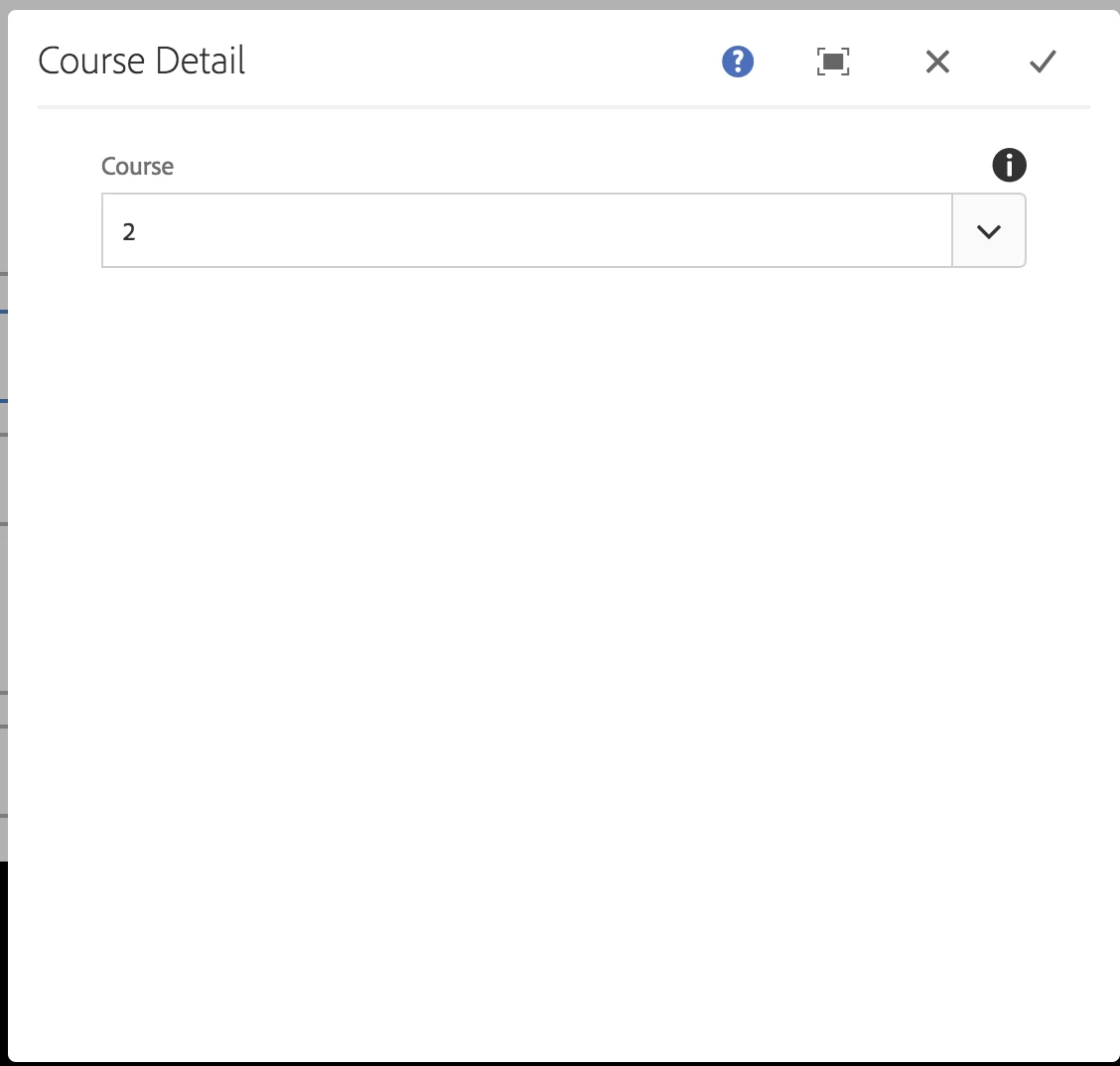
The most of it is working fine: the options are displayed correctly, the text property is displayed for the user and the value property is what is saved on the related node. But once the info is saved and I reopen the dialog for the component, the field is displayed but the value displayed as selected is the value property no the text one. Which is confusing because for the user which should be displayed always is the text property no the value, the value should be only for internal purposes.
This screenshot shows how the options are displayed correctly:
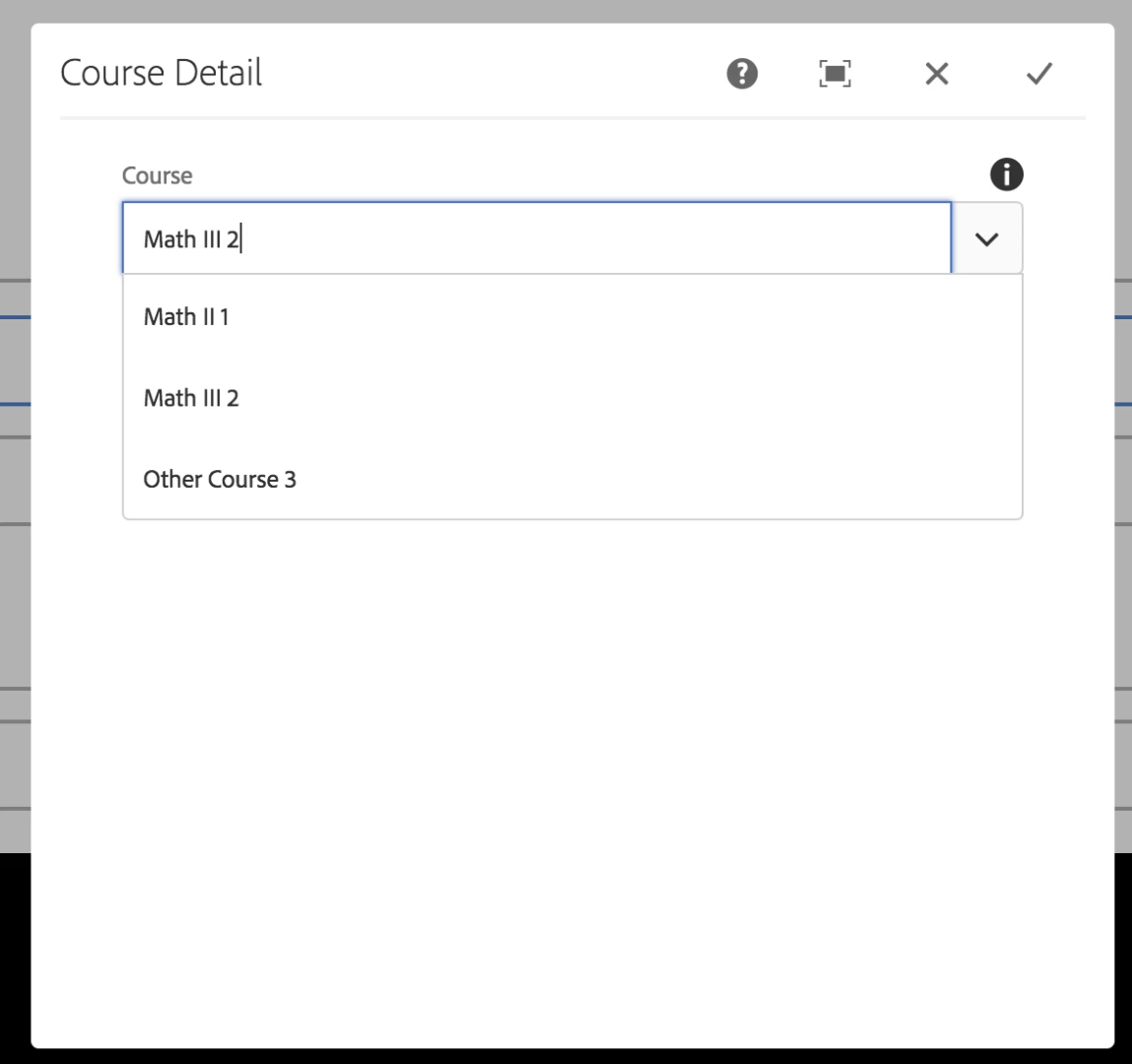
This screenshot shows how the text for the option selected is displayed correctly before saving the info:

This screenshot shows how the value property is displayed instead of the text one when the author dialog is reopened:
I tried using the select field and it works fine, it seems to be an issue only with the autocomplete field. I highly doubt that I am the first person seeing this issue and even more, that the correct behavior is not already implemented(find the match option and display the text property instead of the stored value).
I would appreciate any help I can receive because I already tried a lot of things and I ran out of options.