Is there any OOTB way to exclude XFs while publishing the pages. | Community
Skip to main content
Level 2
May 24, 2023
Solved

Is there any OOTB way to exclude XFs while publishing the pages.

  • May 24, 2023
  • 3 replies
  • 1053 views

Hi,


I have made partial changes to an experience fragment and authored it within a page. Now, I am attempting to publish the page using the quick publish option, but I do not want the experience fragment to be included in this replication. Is there any OOTB feature available to accomplish this?


Thanks,

Raja

This post is no longer active and is closed to new replies. Need help? Start a new post to ask your question.
Best answer by Siva_Sogalapalli

Hi Raja,

There are two ways you can try:

Option 1:


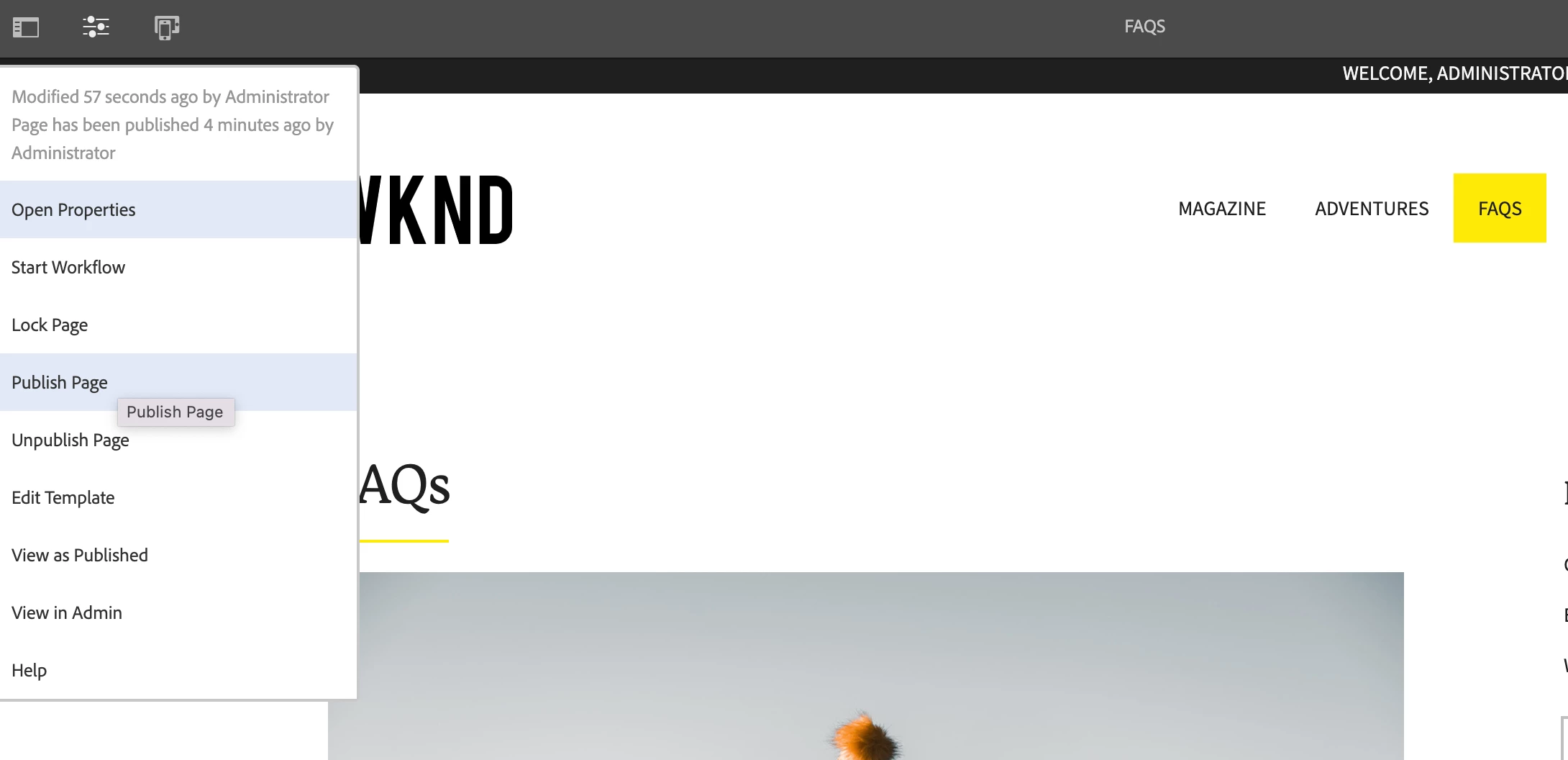
1. Use the 'Publish page' option from page itself.


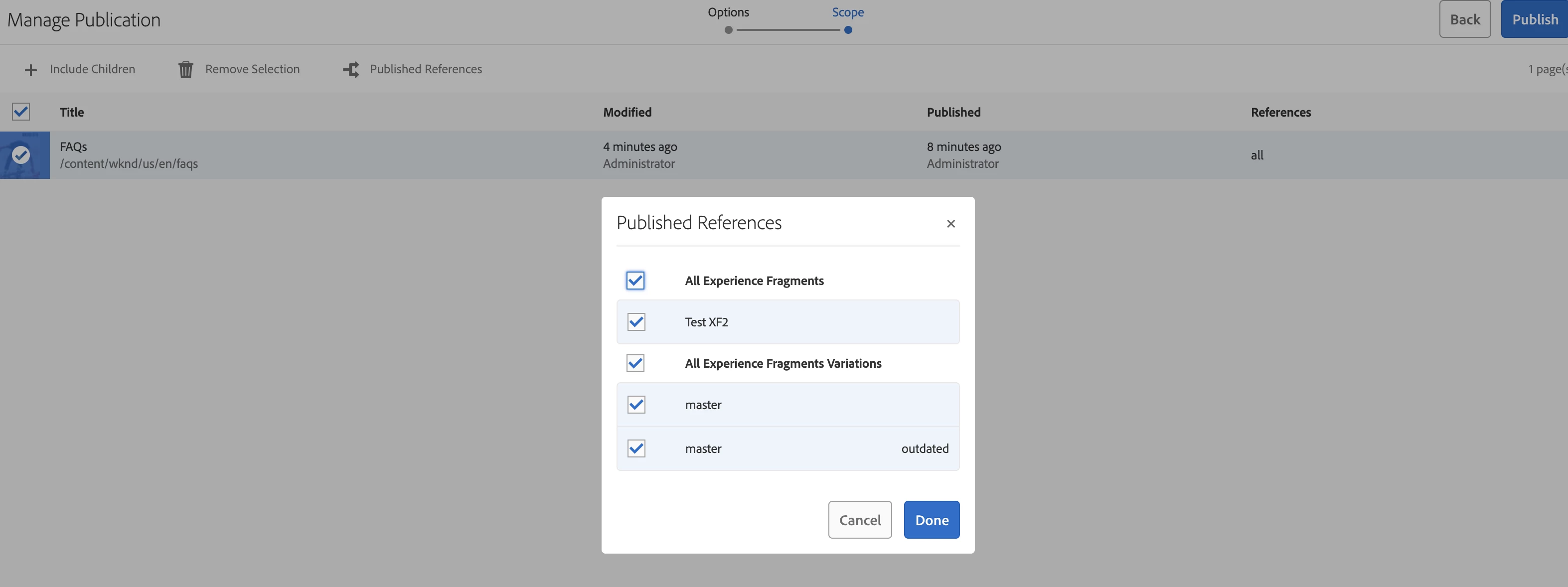
2. Then it will pop additional screen where you can disable XFs/references which you don't want to publish.


Option 2:  Using Manage Publication options from sites

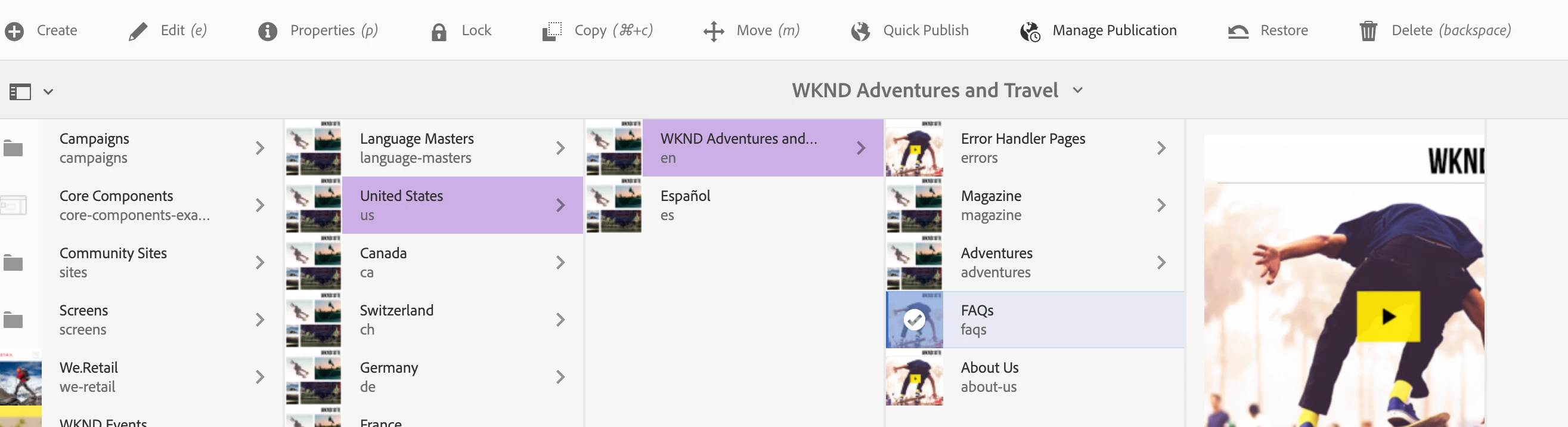
1.  Click Manage Publication 


2. Disable the XF which you don't want to publish. 

Hope this helps. 

3 replies

Umesh_Thakur
Community Advisor
Community Advisor
May 24, 2023

I think you can remove replication permission for the replicating user on the experience fragment path.

aanchal-sikka
Community Advisor
Community Advisor
May 24, 2023

Please try "Manage publication" option. Since, XF is a separate resource than the page, you should get a pop-up to choose which references to publish. Just exclude the XF from publish.

Aanchal Sikka
Siva_Sogalapalli
Community Advisor
Siva_SogalapalliCommunity AdvisorAccepted solution
Community Advisor
May 25, 2023

Hi Raja,

There are two ways you can try:

Option 1:


1. Use the 'Publish page' option from page itself.


2. Then it will pop additional screen where you can disable XFs/references which you don't want to publish.


Option 2:  Using Manage Publication options from sites

1.  Click Manage Publication 


2. Disable the XF which you don't want to publish. 

Hope this helps.