Invalidate Cache Error | Community
Skip to main content
This post is no longer active and is closed to new replies. Need help? Start a new post to ask your question.

5 replies

November 21, 2024

@binaryalchemy11  it doesnt seem to have enough access to delete the folders. Try running 

chkdsk <yourdrive> /f

which might fix IO error while trying to delete a file in windows. 

PRATHYUSHA_VP
Community Advisor
Community Advisor
November 21, 2024

Hi @binaryalchemy11 


Did you run it using admin credentials ?

BinaryAlchemy11
Level 3
November 21, 2024

Yes using admin credential.

ArpitVarshney
Community Advisor
Community Advisor
November 22, 2024

Hi @binaryalchemy11 

Could you try running your AEM instance in admin or sudo mode?


If you're using Linux or Mac, try executing the start script with the following command:


sudo ./start.sh


For Windows, right-click on the batch file, select "Properties, then go to the "Compatibility" tab and check the box that says "Run this program as an administrator."

sherinregi-1
Community Advisor
Community Advisor
November 26, 2024

hi @binaryalchemy11 

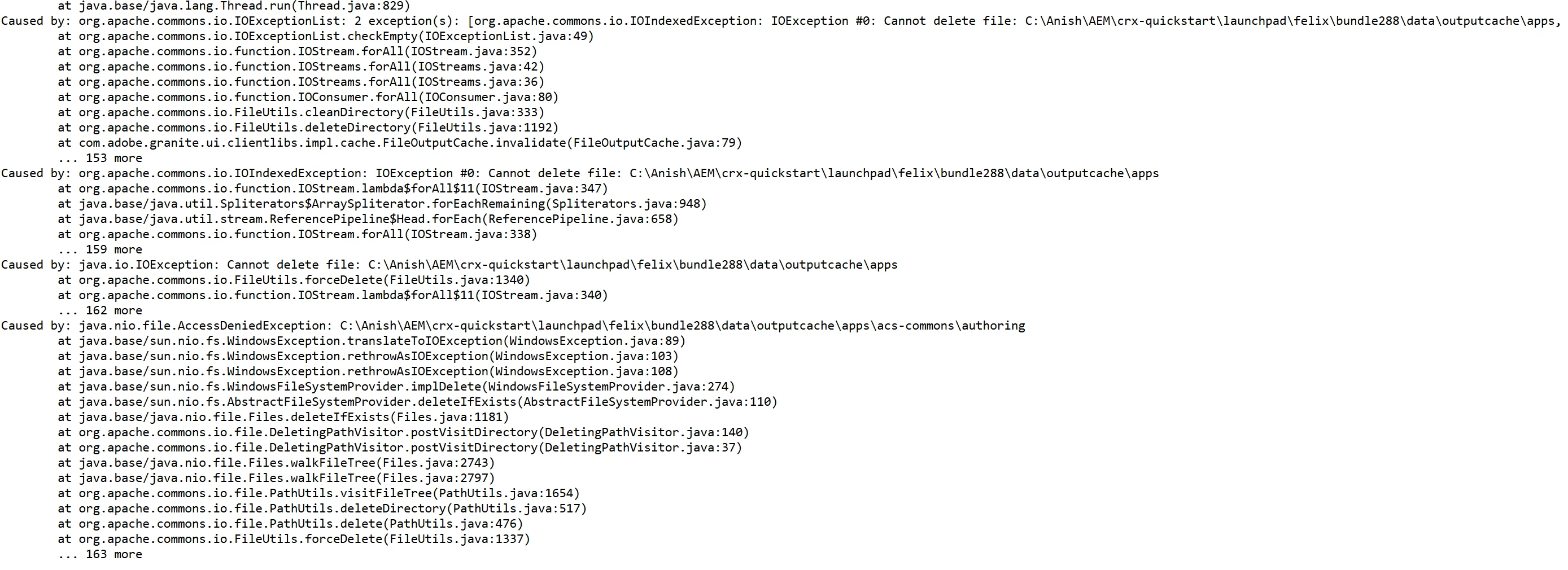
Its a permission issue on your local machine where you have aem instance running.

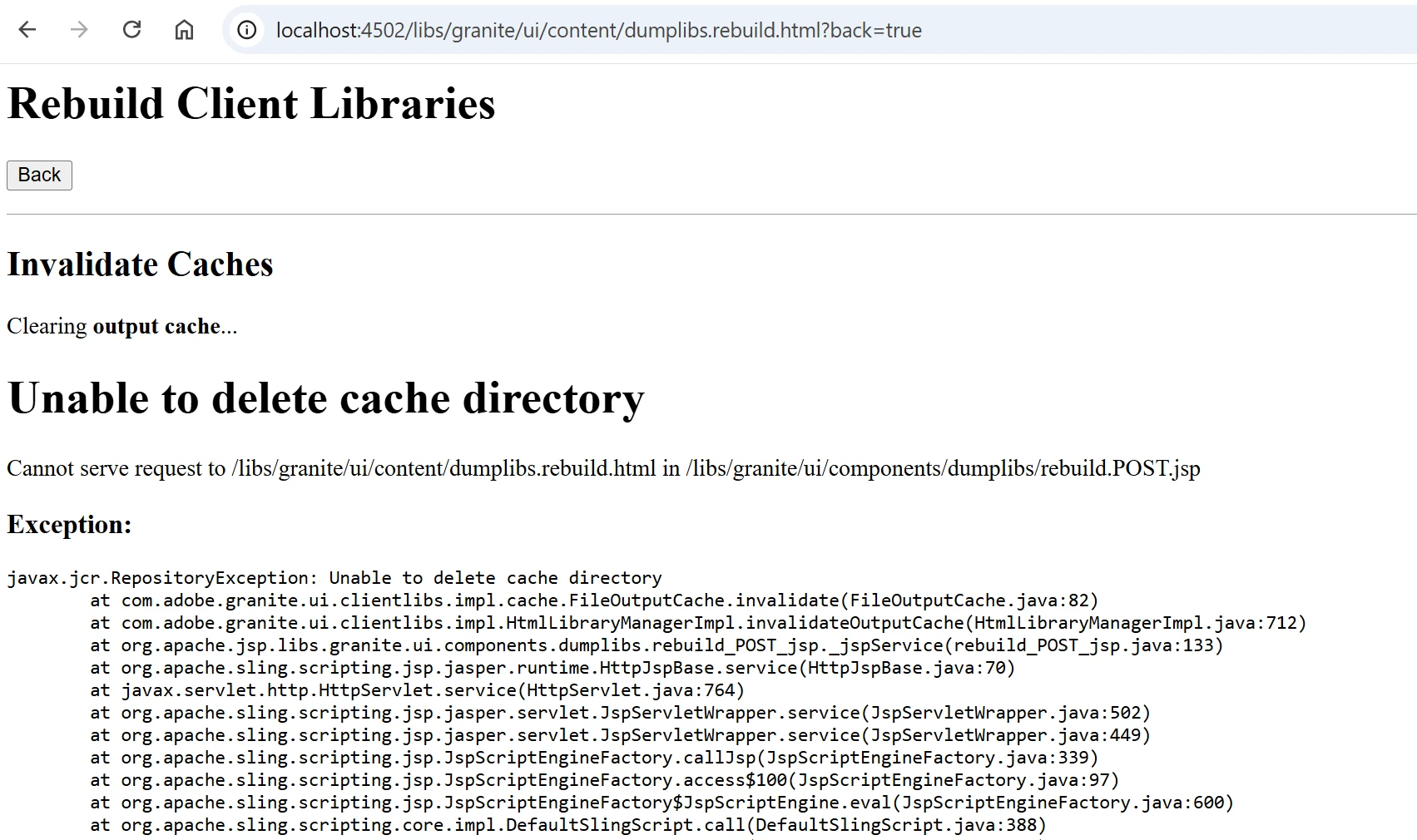
can you navigate to the location manually and try to see if you have perms to remove the folder , navigate to you c:path to bundles as given in the error screenshot and try to clear the content of the folder manually and see if that is working . Also check the properties of the folder under security tab and ensure you have full control eg: 

if not try to add that and rerun that should help here 

kautuk_sahni
Community Manager
Community Manager
November 26, 2024

@binaryalchemy11 Did you find the suggestions helpful? Please let us know if you require more information. Otherwise, please mark the answer as correct for posterity. If you've discovered a solution yourself, we would appreciate it if you could share it with the community. Thank you!

Kautuk Sahni