Integration Tests are ignored when executed with Intellij | Community
Skip to main content
Level 2
June 12, 2024
Solved

Integration Tests are ignored when executed with Intellij

  • June 12, 2024
  • 3 replies
  • 2337 views

Good afternoon, I just created an aem project based on the latest archetype.

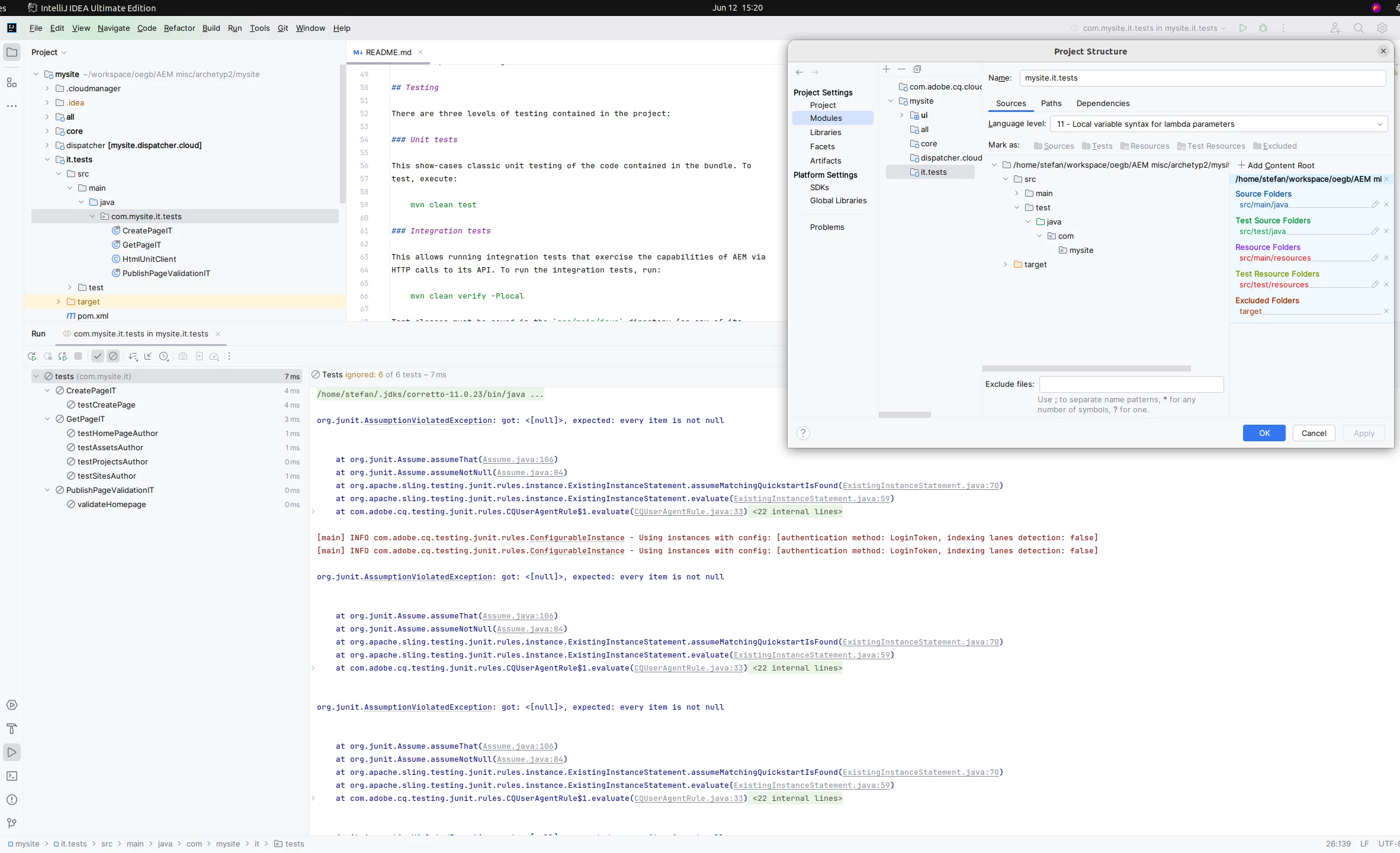
When I press the green run button for the integration tests intellij tell me they are ignored.
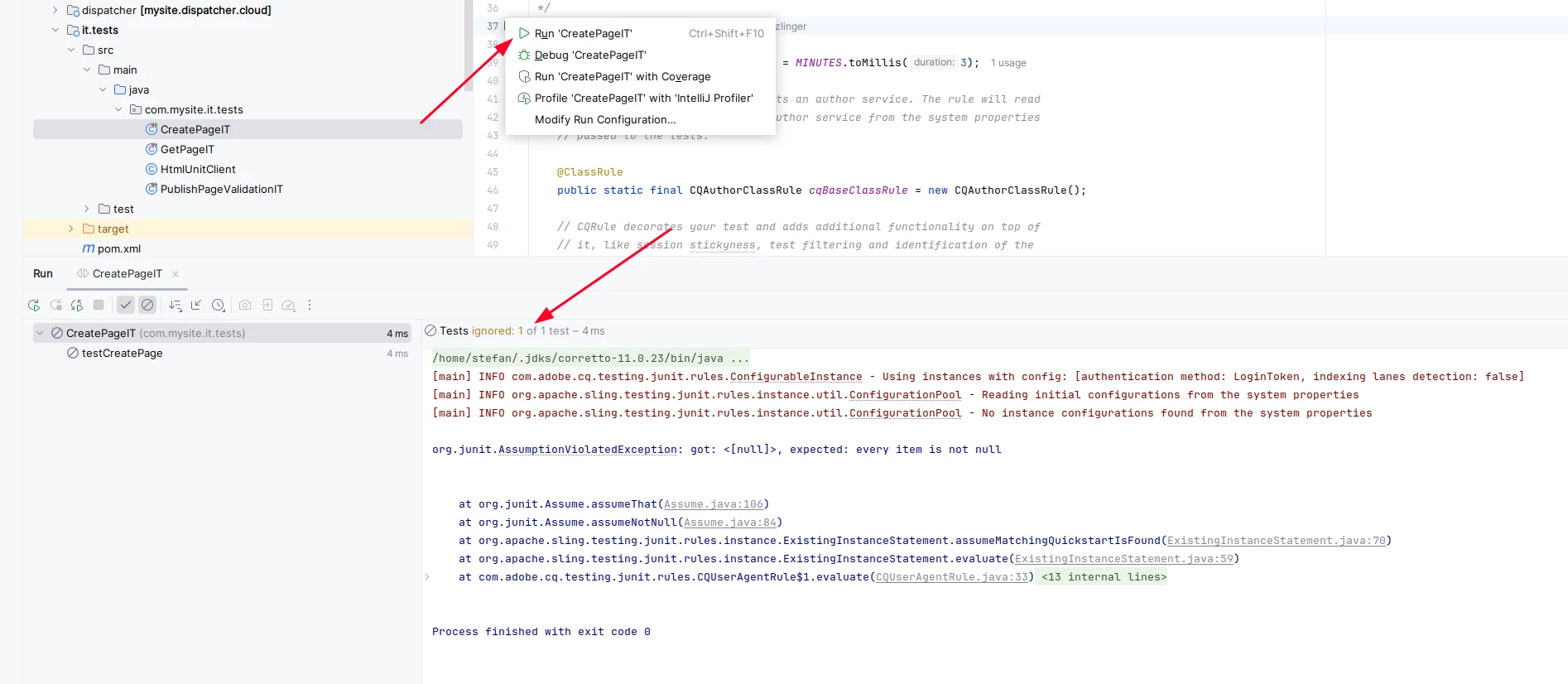


The test work perfectly fine when executed with the maven command, but I want to debug them in Intellij.

I did not change anything about the project Structure.


I would highly appreciate if someone can tell me if this works for him and with what setup.

Thank you
 

This post is no longer active and is closed to new replies. Need help? Start a new post to ask your question.
Best answer by h_kataria

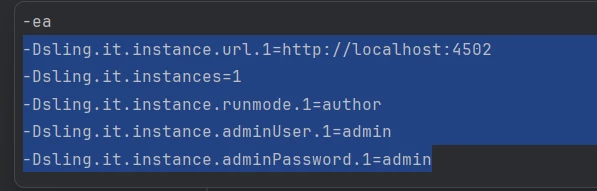
You will have to pass the environment details in system properties before running.
Something like 

Check this link as well https://experienceleague.adobe.com/en/docs/experience-manager-cloud-service/content/implementing/using-cloud-manager/test-results/functional-testing/java-functional-testing#local-test-execution 
Hope this helps

3 replies

abhishekanand_
Community Advisor
Community Advisor
June 12, 2024

Hi @satzlinger 


not sure but you can try to unlink maven once then it automatically links it back , unlinking and then re-linking Maven in IntelliJ IDEA could potentially fix your issue with the integration tests being ignored.

Ensure that the directory containing your integration tests is configured as a test source folder in IntelliJ IDEA.

Abhishek Anand
h_kataria
Community Advisor
h_katariaCommunity AdvisorAccepted solution
Community Advisor
June 12, 2024

You will have to pass the environment details in system properties before running.
Something like 

Check this link as well https://experienceleague.adobe.com/en/docs/experience-manager-cloud-service/content/implementing/using-cloud-manager/test-results/functional-testing/java-functional-testing#local-test-execution 
Hope this helps

Level 2
June 13, 2024

Thank you very much @h_kataria 

This is exactly what I needed.

Here are screenshots of how I had to set it up:

Out of the box they are ignored

Adjusting the runner resulted in a proper execution


I used

-ea
-Dsling.it.instances=2
-Dsling.it.instance.url.1=http://localhost:4502
-Dsling.it.instance.runmode.1=author
-Dsling.it.instance.adminUser.1=admin
-Dsling.it.instance.adminPassword.1=admin
-Dsling.it.instance.url.2=http://localhost:4503
-Dsling.it.instance.runmode.2=publish
-Dsling.it.instance.adminUser.2=admin
-Dsling.it.instance.adminPassword.2=admin


make sure you press the rerun button so the config is used


arunpatidar
Community Advisor
Community Advisor
June 13, 2024

Hi @satzlinger 
What maven profile are you using when running the test

you need to check the run configuration and there need to use local as profile, similar to below maven command


mvn clean install -Plocal

Arun Patidar