No stress, there are 2 ways to do it:
1. Theme Editor
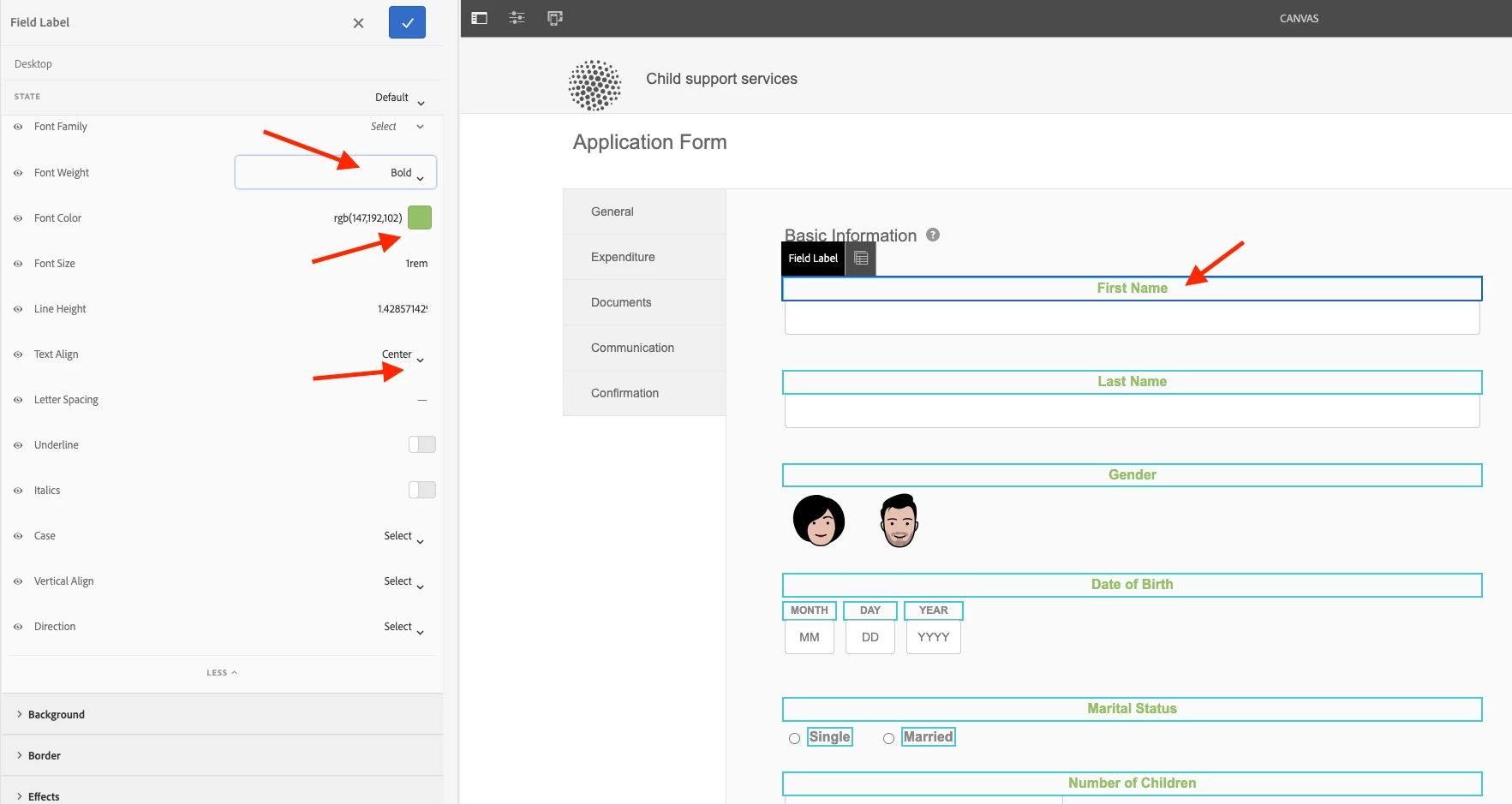
Themes are a set of styles applied to adaptive forms. Theme editor which allows an author to change styles of the form and its components. As an example, see screenshot below where I updated the styles of the label of the textfield component. This is just a simple example, you can do a LOT with the theme editor.
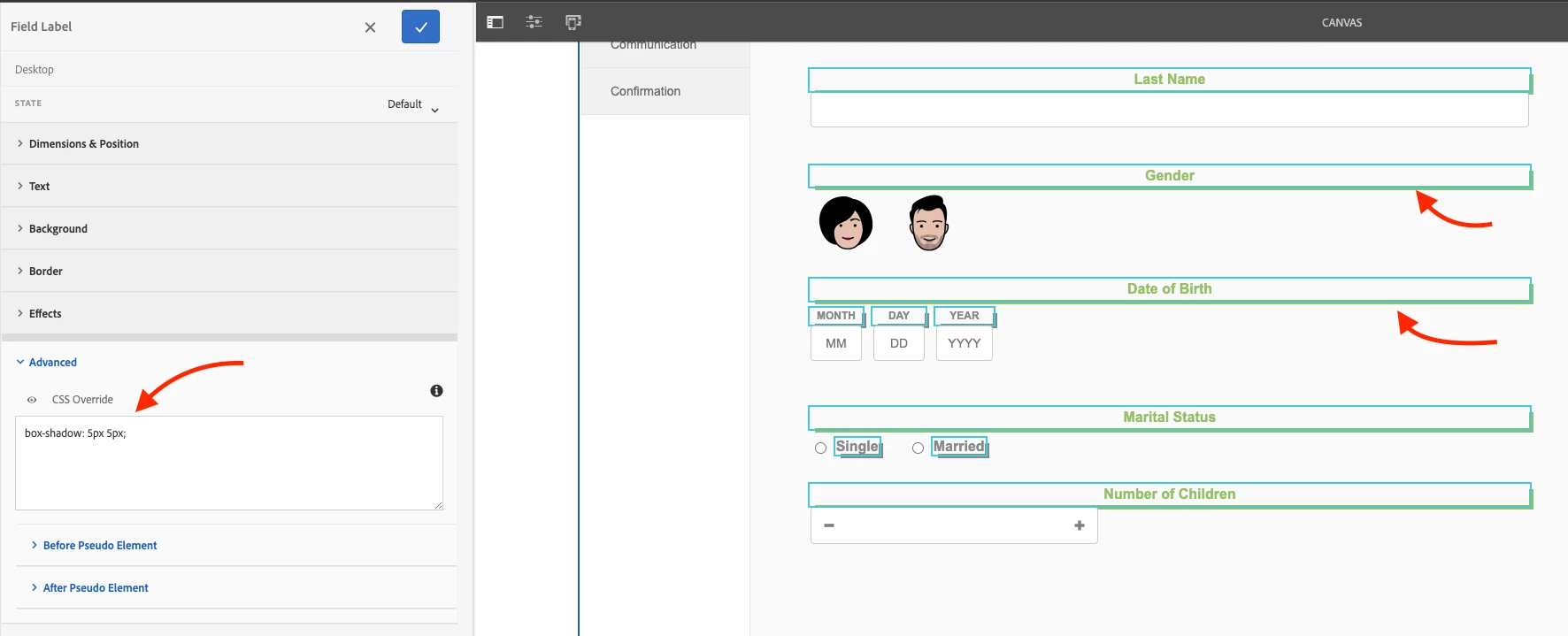
If the GUI provided properties are not sufficient, you can add your own CSS code:
Highly recommend reading more about it:
https://experienceleague.adobe.com/docs/experience-manager-65/forms/adaptive-forms-advanced-authoring/themes.html?lang=en
https://experienceleague.adobe.com/docs/experience-manager-learn/forms/adaptive-forms/theme-editor-improvements-feature-video-use.html?lang=en
2. Client Library
Other way is the typical way of handling styles in AEM, that is Client Library. Write your own CSS files where you have full flexibility to do whatever you want. Downside? Not as author friendly as themes.
https://experienceleague.adobe.com/docs/experience-manager-65/developing/introduction/clientlibs.html?lang=en
And btw, as @b_sravan mentioned, AEM Forms community is the best place to post Forms related questions 🙂