In AEmaaCS CSS not applying to experience fragments in author mode. | Community
Skip to main content
Level 2
October 29, 2024
Solved

In AEmaaCS CSS not applying to experience fragments in author mode.

  • October 29, 2024
  • 2 replies
  • 574 views

Hello Adobe Community,

I’m encountering an issue in 
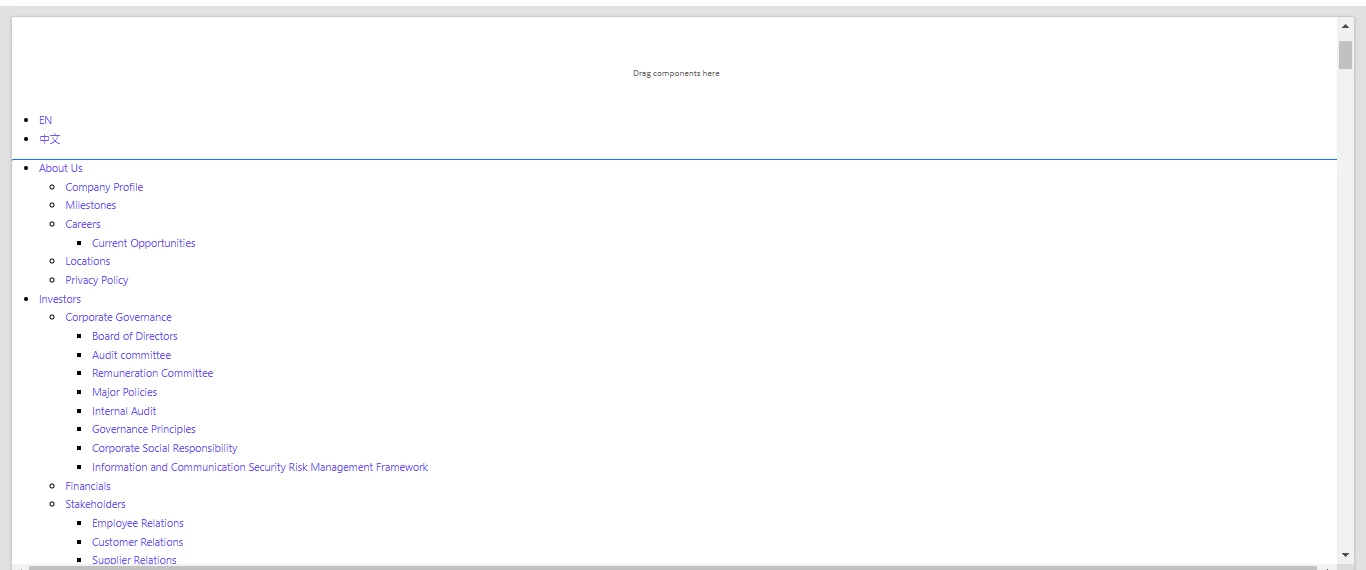
Adobe Experience Manager as a Cloud Service (AEMaaCS) where CSS is not applying to my Experience Fragments (XFs) in authoring environment, it looks broken as shown below. But when I add the Experience Fragment to a page and check, the CSS loads correctly.Is there a way to improvise the authoring experience for the XFs?


In Author mode:
When added on page:



This post is no longer active and is closed to new replies. Need help? Start a new post to ask your question.
Best answer by daniel-strmecki

Hi @src_aem_dev,

ensure you add the Client Lib containing your CSS to the XF Page component. I assume it has only been added to the main page which is not loaded when you edit the XF.


Good luck,

Daniel

2 replies

daniel-strmecki
Community Advisor and Adobe Champion
daniel-strmeckiCommunity Advisor and Adobe ChampionAccepted solution
Community Advisor and Adobe Champion
October 29, 2024

Hi @src_aem_dev,

ensure you add the Client Lib containing your CSS to the XF Page component. I assume it has only been added to the main page which is not loaded when you edit the XF.


Good luck,

Daniel

arunpatidar
Community Advisor
Community Advisor
October 30, 2024
