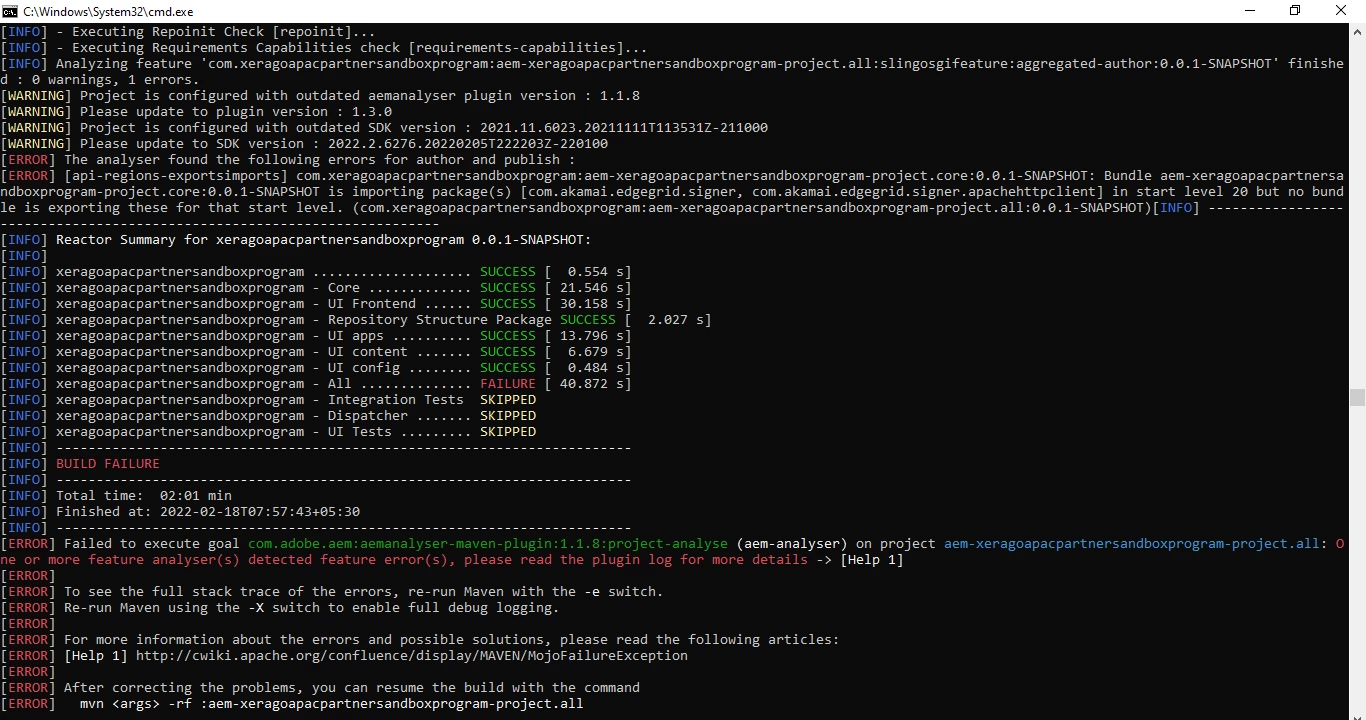
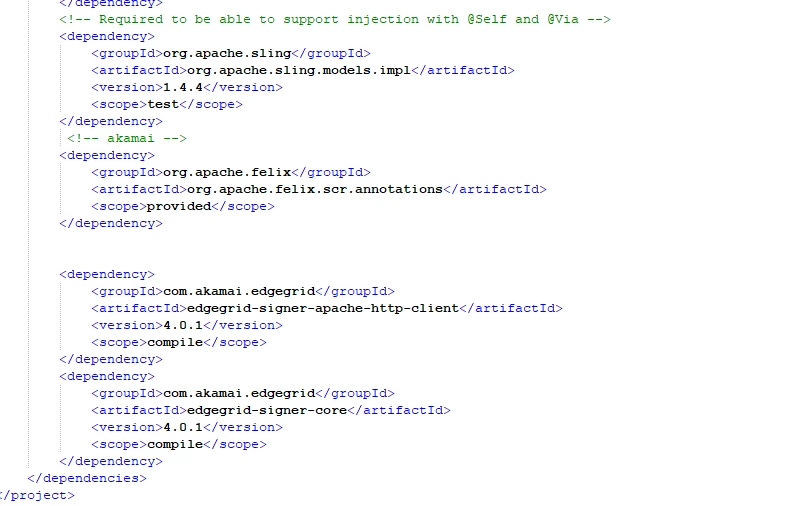
As in Adobe cloud bundle need to satisfied.so you need to add whatever third party dependency in core pom add embedded section and put your dependency name.
This is because of the version discrepancy. please update the version of your project that matches to your SDK version.
If you still face the error, re create the project with archetype command and make sure you mention the right version (not latest, be it in respective with the SDK version you have).
I have added dependencies associated with com.akamai.edgergrid.singer com.akamai.edgergrid.singer.apachehttpclient in parent pom.xml as shown below and initiated build and build was successful.
I have created this demo project with maven archetype 26 and using AEM 6.5.9.
Could you please give a try to build your project from IDE(eclipse) and check.
In AEM default start level of bundle is 20. I don't think you have made any change at bundle start level.
As in Adobe cloud bundle need to satisfied.so you need to add whatever third party dependency in core pom add embedded section and put your dependency name.