I archived a page when deleting it from AEM - It is in crx but not in AEM sites screen. How to bring it to AEM sites screen? | Community
Skip to main content
Level 4
December 1, 2023
Solved

I archived a page when deleting it from AEM - It is in crx but not in AEM sites screen. How to bring it to AEM sites screen?

  • December 1, 2023
  • 1 reply
  • 1430 views

I archived a page when deleting it from AEM - It is in crx but not in AEM sites screen. I selected this option :
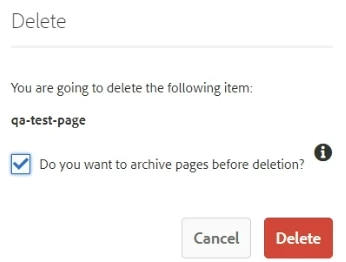
This node is showing in crx. I want to put it back to AEM sites screen. How can I do that?

Best answer by Harwinder-singh

@arindam6600  you can do the following : 


  1. Select the parent page for this page in the sites screen.
  2. You should see an option at the top rail called 'restore'
  3. select restore tree option
  4. It opens a new dialog with the page tree structure.
  5. Select your page from this content tree and click restore.

That should bring your page back.

1 reply

Harwinder-singh
Community Advisor
Harwinder-singhCommunity AdvisorAccepted solution
Community Advisor
December 2, 2023

@arindam6600  you can do the following : 


  1. Select the parent page for this page in the sites screen.
  2. You should see an option at the top rail called 'restore'
  3. select restore tree option
  4. It opens a new dialog with the page tree structure.
  5. Select your page from this content tree and click restore.

That should bring your page back.