This post is no longer active and is closed to new replies. Need help? Start a new post to ask your question.
B_Sravan
B_SravanAccepted solution
Community Advisor
November 30, 2021

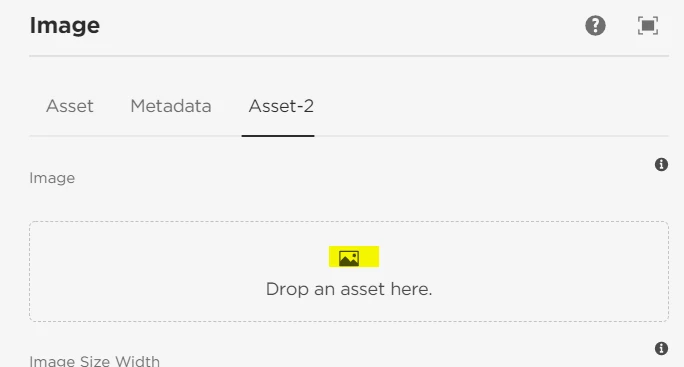
By clickable you mean, make the placeholder icon to be clickable or you need options like browse,clear and pick?

For the former one, I am afraid that is not feasible with the existing resourceType - you might need to overwrite the css for it and write some necessary actions for the post click events.


For the latter part, make sure that you are using all necessary resourceType properties. 

if you would like to see the all available properties of the file upload resourceType, check here /libs/cq/gui/components/authoring/dialog/fileupload/render.jsp.


Note: Please do not edit or delete any files under libs.

2 replies

B_Sravan
Community Advisor
B_SravanCommunity AdvisorAccepted solution
Community Advisor
November 30, 2021

By clickable you mean, make the placeholder icon to be clickable or you need options like browse,clear and pick?

For the former one, I am afraid that is not feasible with the existing resourceType - you might need to overwrite the css for it and write some necessary actions for the post click events.


For the latter part, make sure that you are using all necessary resourceType properties. 

if you would like to see the all available properties of the file upload resourceType, check here /libs/cq/gui/components/authoring/dialog/fileupload/render.jsp.


Note: Please do not edit or delete any files under libs.

Translate
arunpatidar
Community Advisor
Community Advisor
December 1, 2021

Hi,

what is the functioanlity behind click?

Currently this buton is clickable to upload asset from local file system. To enable this you need to add 

allowUpload (Boolean) = true


/**
* Indicates whether upload from local file system is allowed.
*/
- allowUpload (Boolean) = 'true'

Translate
Arun Patidar