How to use a simple HTML component dynamically | Community
Skip to main content
June 17, 2022
Solved

How to use a simple HTML component dynamically

  • June 17, 2022
  • 3 replies
  • 1315 views

I created a simple HTML component also I entered the embed google map HTML iframe script, But i have to use in dynamically in multiple pages. Could you please suggest a way.

This post is no longer active and is closed to new replies. Need help? Start a new post to ask your question.
Best answer by BipinCh1

Hi @sanzstark ,


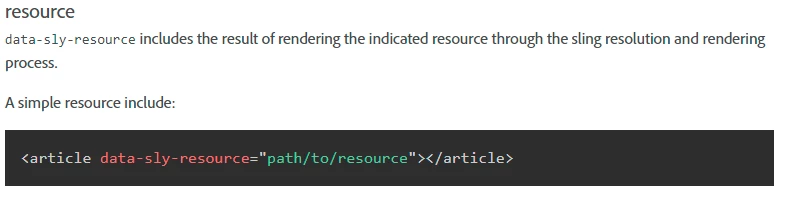
  One of the easiest way to do this to create an content wrapper/include component that uses data-sly-resource to render the resource and take resource path(page path) as an input. 


You had to create an page with just your map iframe in AEM and pass the page path to the wrapper/include component. You can either include(path/to/resource) till resource at root(can be useful for the rendering other pages content Disadvantage: Components becomes authorable in the wrapper/include component) or at the component level(yours's map iframe component resource path Advantage: Component is not authorable in wrapper/include components). You can customize the same as per your requirements.

3 replies

Level 3
June 17, 2022

@sanzstark  hi Sanz 

 hope this link helps you : https://experienceleague.adobe.com/docs/experience-manager-htl/using/getting-started/getting-started.html?lang=en

If you are not sure how deep your content structure is, you can use infinity.json to get data at all level.

It looks like current implementation returns all level response instead of actual data (Which could be huge).

For performance reason and security reason avoid using .infinity.json.

arunpatidar
Community Advisor
Community Advisor
June 17, 2022

You can try to build using experience fragment and reuse it using ajax call or directly included using Experience Fragment component in the page

Arun Patidar
BipinCh1Accepted solution
Level 3
June 17, 2022

Hi @sanzstark ,


  One of the easiest way to do this to create an content wrapper/include component that uses data-sly-resource to render the resource and take resource path(page path) as an input. 


You had to create an page with just your map iframe in AEM and pass the page path to the wrapper/include component. You can either include(path/to/resource) till resource at root(can be useful for the rendering other pages content Disadvantage: Components becomes authorable in the wrapper/include component) or at the component level(yours's map iframe component resource path Advantage: Component is not authorable in wrapper/include components). You can customize the same as per your requirements.