How to upload custom thumbnail and renditions using JAVA servlet | Community
Skip to main content
satyambansal
Level 2
December 26, 2017
Solved

How to upload custom thumbnail and renditions using JAVA servlet

  • December 26, 2017
  • 2 replies
  • 1636 views

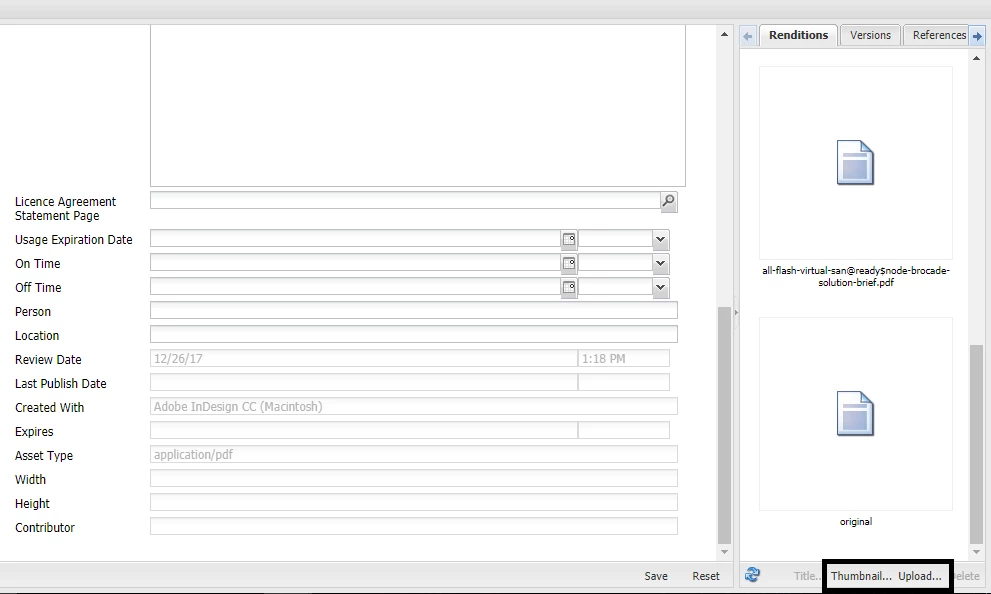
In DamAdmin, select an asset, right click open it , there we have an option to upload custom thumbnail and renditions.

Same thing I need to do using java servlet for any type of asset.

Any help will be appreciated.

Thanks in Advance!!
This post is no longer active and is closed to new replies. Need help? Start a new post to ask your question.
Best answer by VeenaVikraman

Hi Satya

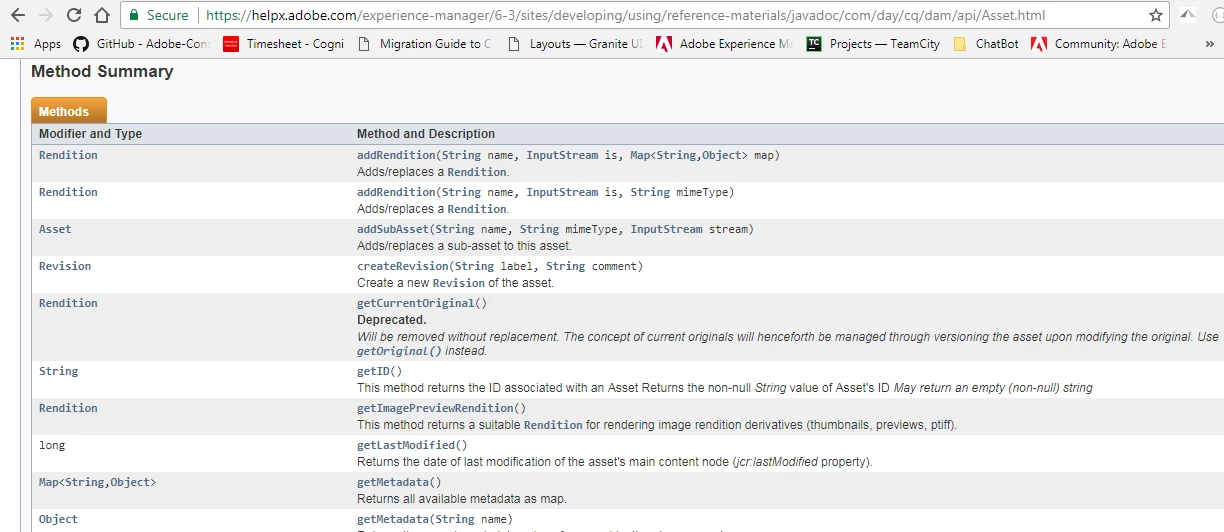
      You can add renditions to any image using AssetManager/Asset API . Please refer the below API for more help Asset ("The Adobe AEM Quickstart and Web Application.")

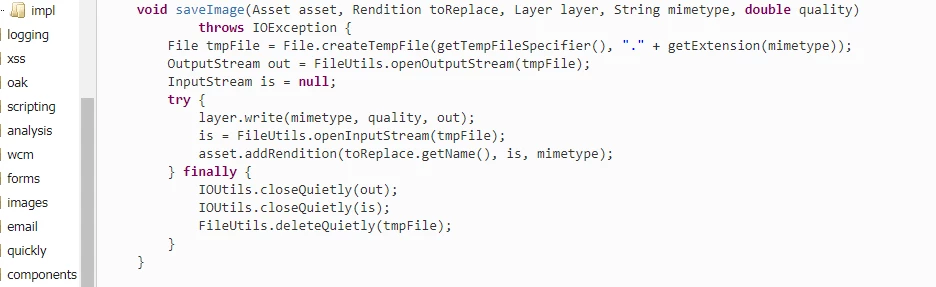
    A sample code might help Java Code Example

Thanks

Veena

2 replies

VeenaVikraman
Community Advisor
VeenaVikramanCommunity AdvisorAccepted solution
Community Advisor
December 26, 2017

Hi Satya

      You can add renditions to any image using AssetManager/Asset API . Please refer the below API for more help Asset ("The Adobe AEM Quickstart and Web Application.")

    A sample code might help Java Code Example

Thanks

Veena

satyambansal
Level 2
January 2, 2018

Also for custom thumbnail we can use RenditionMaker or Asset Handler.

By RenditionMaker, we can associate an Asset "X" with Asset "Y" as a thumbnail.

// Create the Rendition Template for thumbnail

RenditionTemplate[] templates = createRenditionTemplates(tempThumbnailAsset);

// Generate thumbnail

renditionMaker.generateRenditions(asset, templates);

private RenditionTemplate[] createRenditionTemplates(Asset tempThumbnailAsset) {

        ThumbnailConfig[] thumbnails = new ThumbnailConfig[1];

        ThumbnailConfig thumbnail = new ThumbnailConfigImpl(48,48,false);


        RenditionTemplate[] templates = new RenditionTemplate[thumbnails.length];

        for (int i = 0; i < thumbnails.length; i++) {

            ThumbnailConfig thumb = thumbnails[i];

            templates[i] = renditionMaker.createThumbnailTemplate(tempThumbnailAsset,thumb.getWidth(),

                                thumb.getHeight(),thumb.doCenter());

        }

        return templates;

}