
How to see complete logs of system/console/event | Community
Skip to main content
NaziyaP
Level 2
August 31, 2019
Solved

How to see complete logs of system/console/event

  • August 31, 2019
  • 5 replies
  • 4217 views

Dear All,

We want to analyze files(all files in all folders including apps/) that are being updated through publisher instance crxde Lite editor.
We can see events being logged under http://localhost:4502/system/console/event tab. but not able to see complete events, just the events of one hour .

Where or how can we see the complete logs of all events that are present.
Nothing is getting printed in our Audit log.

Thank you.
This post is no longer active and is closed to new replies. Need help? Start a new post to ask your question.
Best answer by Hamid1350

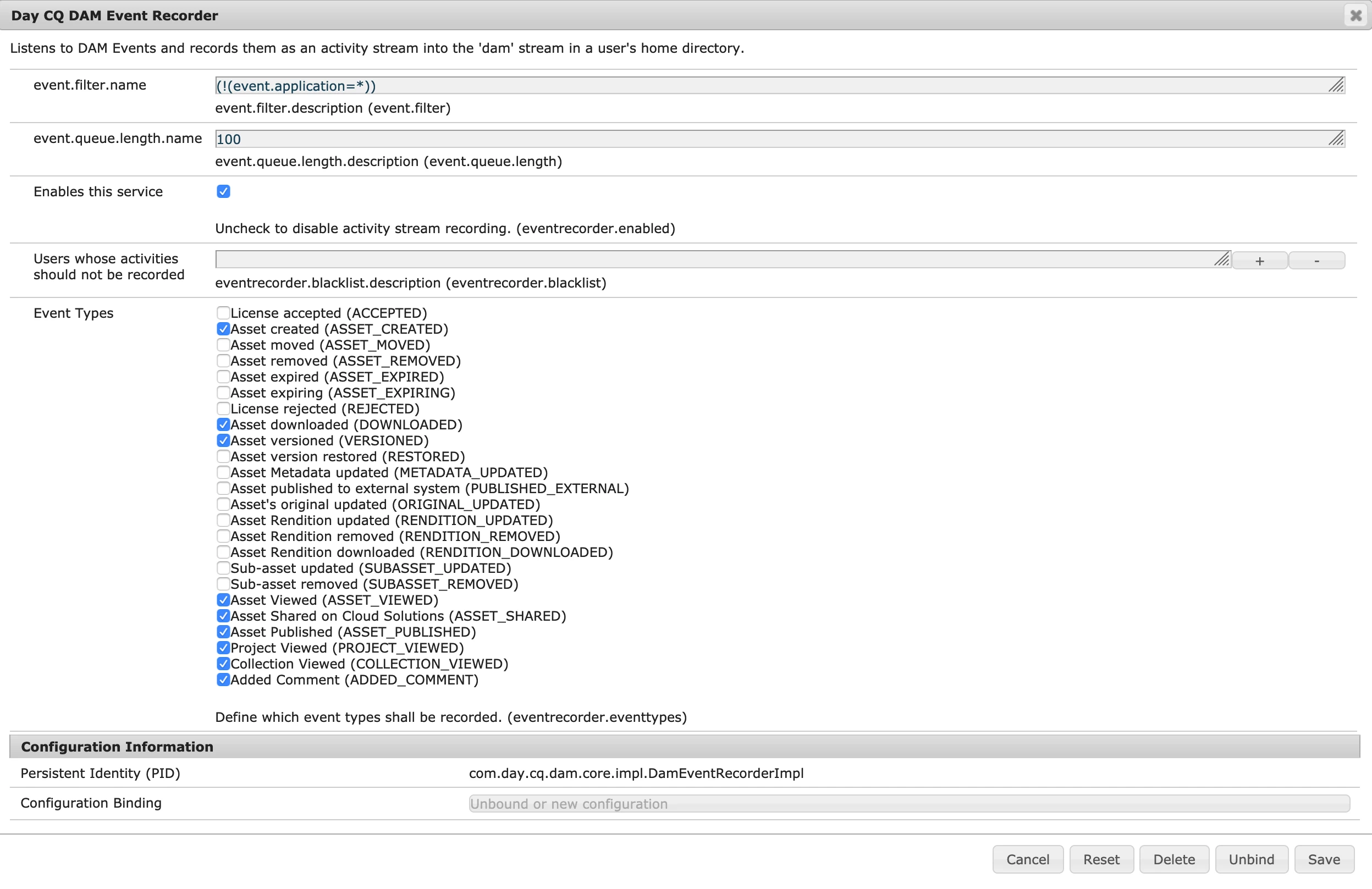
I do not believe there is an all-inclusive switch to enable audit logs for "all" activities. You can enable audit log on demand for specific activities. For instance  to enable auditing of DAM activities you have to configure the relevant OSGi component i.e. “Day CQ DAM Event Recorder”.

5 replies

Umesh_Sondhi
Level 4
September 2, 2019

Hi naziyap131007

You can get all the logs here access the tools in aem click on replication or search for replication on your search bar and Double-click the link to agents for the appropriate environment ,Click the appropriate agent name (which is a link) to show detailed information on that agent:

and for the logs click on View logs as highlighted .

Thanks

Hamid1350Adobe EmployeeAccepted solution
Adobe Employee
September 2, 2019

I do not believe there is an all-inclusive switch to enable audit logs for "all" activities. You can enable audit log on demand for specific activities. For instance  to enable auditing of DAM activities you have to configure the relevant OSGi component i.e. “Day CQ DAM Event Recorder”.

Adobe Employee
September 2, 2019

Try setting up a DEBUG logger on the following class and it should capture all the events. You can parse the logs to further process the information.

org.apache.sling.event

joerghoh
Adobe Employee
Adobe Employee
September 3, 2019

The CRXDE Lite application itself is not able to log changes performed throuhg it, so you have to log ALL changes to the repository. Which is cumbersome and nearly impossible to analyze. See [1] for a way to trace really write activities to the JCR repository.

In the other hand: Why do you allow people to perform changes through CRXDE Lite? They should rather use the standard authoring UI to perform content changes. And any change to /apps during runtime (by people which are not admin) should be prevented via ACL.  You should never be in need to log changes performed via CRXDE Lite, in NO environment. Either it's a test environment (and therefor irrelevant) or PROD where it should never be allowed.

Jörg

[1] What is writing to my Oak repository? | Things on a content management system

NaziyaP
NaziyaPAuthor
Level 2
September 4, 2019

Thank you for all your responses.