How to retrieve the bootstrapCloudConfg after 6.4 | Community
Skip to main content
Level 2
January 18, 2021
Solved

How to retrieve the bootstrapCloudConfg after 6.4

  • January 18, 2021
  • 1 reply
  • 817 views

I would like to retrieve the information that saved into the translation config profile.

Unfortunately, the code on GIT is outdated and did not update the sample with the new getCloudConfigObjectFromPath.

Can you please give me an example, how can I get the BootstrapTranslationCloudConfig in environment AEM 6.5


Thanks in advance

This post is no longer active and is closed to new replies. Need help? Start a new post to ask your question.
Best answer by Vijayalakshmi_S

Hi @nszolnoki921,

As you mentioned, the code with updated method is not available in GitHub and could see an open issue related to it. 

I was able to dig on how the new method can be used, added the details below - see if it helps.

Per the updated method description in below link, value for Resource should be the site root page in which cloud config is applied. 

Example :

Per the latest set up, cloud configs are available in /conf/customproject/settings/cloudconfigs/translation/translationcfg/ and in Sites -> Root page path -> Page properties Advanced tab -> Cloud Service -> We would have located this project specific /conf path.

So it is the root page or page where this /conf is located. 

https://helpx.adobe.com/experience-manager/6-5/sites/developing/using/reference-materials/javadoc/com/adobe/granite/translation/core/TranslationCloudConfigUtil.html#getCloudConfigObjectFromPath-org.apache.sling.api.resource.Resource-java.lang.Class-java.lang.String-
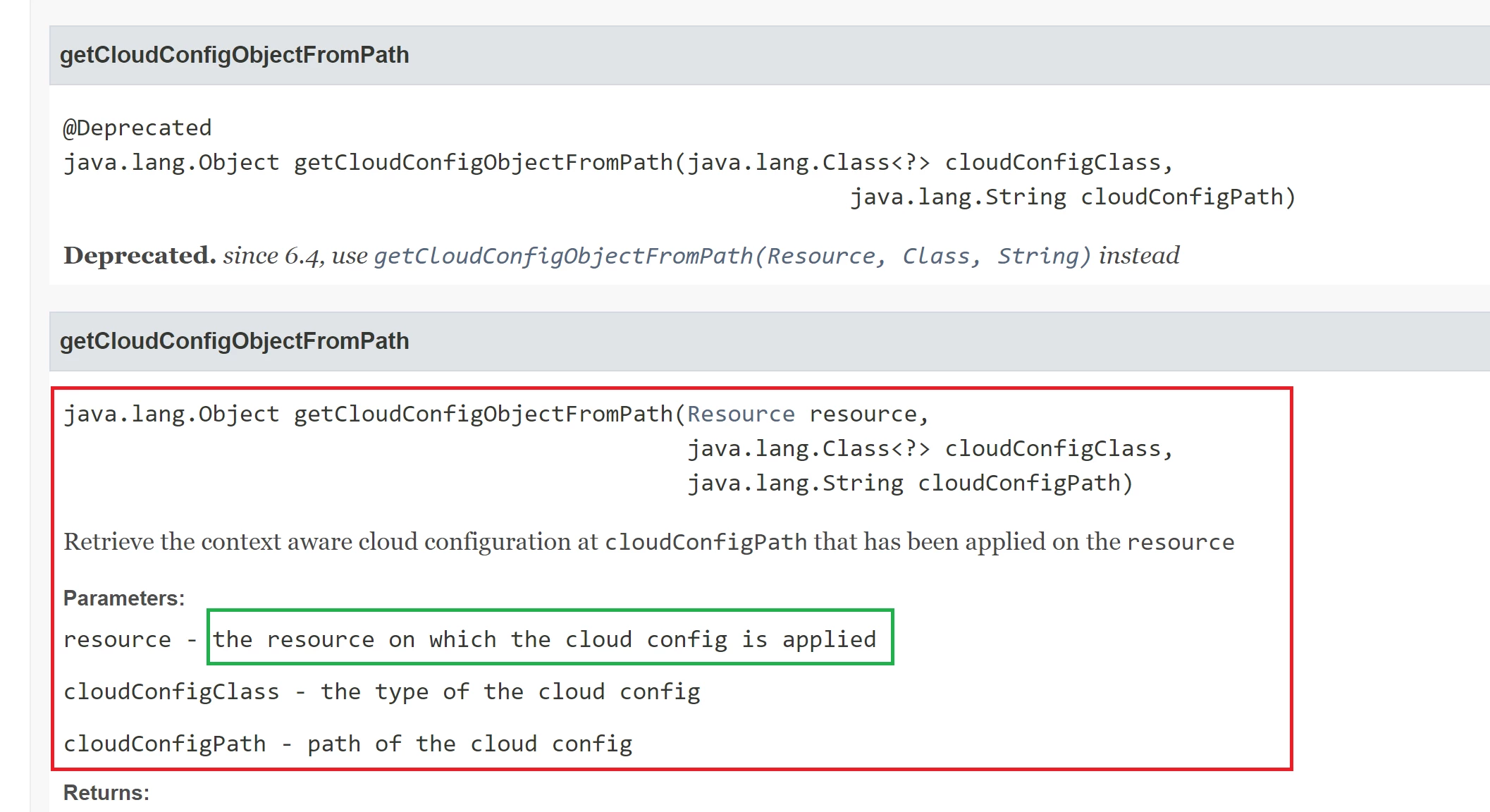
 

This new method implementation handles the scenario for context aware cloud config if cloudConfig object is unable to be retrieved from cloudConfigPath

1 reply

Vijayalakshmi_S
Vijayalakshmi_SAccepted solution
Level 10
January 20, 2021

Hi @nszolnoki921,

As you mentioned, the code with updated method is not available in GitHub and could see an open issue related to it. 

I was able to dig on how the new method can be used, added the details below - see if it helps.

Per the updated method description in below link, value for Resource should be the site root page in which cloud config is applied. 

Example :

Per the latest set up, cloud configs are available in /conf/customproject/settings/cloudconfigs/translation/translationcfg/ and in Sites -> Root page path -> Page properties Advanced tab -> Cloud Service -> We would have located this project specific /conf path.

So it is the root page or page where this /conf is located. 

https://helpx.adobe.com/experience-manager/6-5/sites/developing/using/reference-materials/javadoc/com/adobe/granite/translation/core/TranslationCloudConfigUtil.html#getCloudConfigObjectFromPath-org.apache.sling.api.resource.Resource-java.lang.Class-java.lang.String-


This new method implementation handles the scenario for context aware cloud config if cloudConfig object is unable to be retrieved from cloudConfigPath