How to remove a redundant custom index from oak:index? | Community
Skip to main content
Level 3
February 11, 2025
Solved

How to remove a redundant custom index from oak:index?

  • February 11, 2025
  • 2 replies
  • 623 views

Hello,

We are facing an issue where a custom index we created is conflicting with an OOTB index and we want to remove it and replace it with a more suitable index. 

We have removed the custom index from our _oak_index/content.xml but it remains in our environment after deployment. 

Is there a way to force this out of our environment?

Kindest Regards,
Reece
Best answer by ayush-anand

Hi @roorue ,


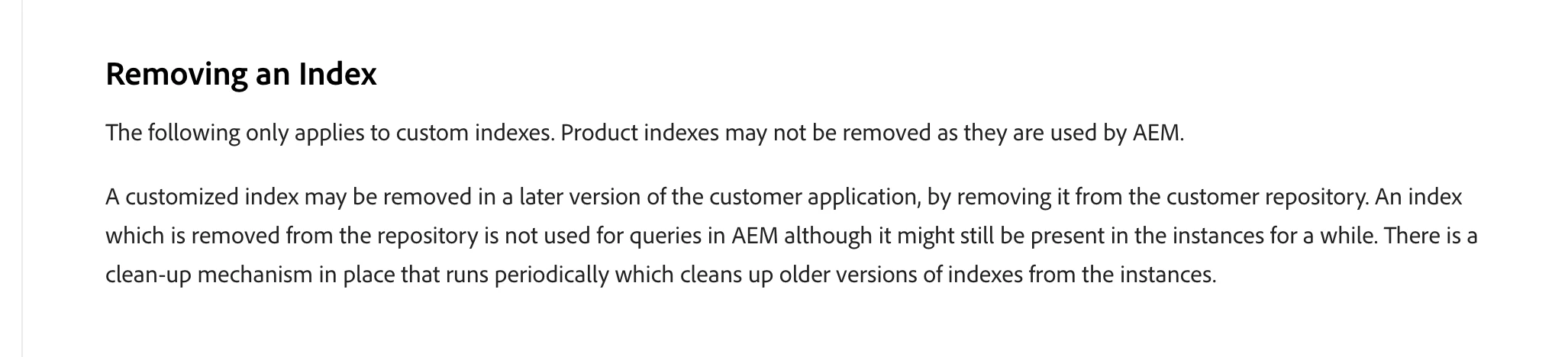
I found this information in the AEMaaCS documentation (https://experienceleague.adobe.com/en/docs/experience-manager-cloud-service/content/operations/indexing). Hope it helps. Sharing the screenshot below.


Regards,

Ayush

2 replies

ayush-anand
ayush-anandAccepted solution
Level 4
February 11, 2025

Hi @roorue ,


I found this information in the AEMaaCS documentation (https://experienceleague.adobe.com/en/docs/experience-manager-cloud-service/content/operations/indexing). Hope it helps. Sharing the screenshot below.


Regards,

Ayush

Level 2
February 11, 2025

If you are creating custom index then you need to include under filter.xml and after every update to custom index we need to update the version and increment it by 1.

After installation it should remove the old index