How to programmatically control the status of Uploaded Asset? | Community
Skip to main content
Level 3
January 27, 2022

How to programmatically control the status of Uploaded Asset?

  • January 27, 2022
  • 5 replies
  • 1274 views

We have a custom Workflow where it move the asset from one location of the dam to other. Once after the move even workflow Status is completed. Asset Status would display as "In workflow" not "New"
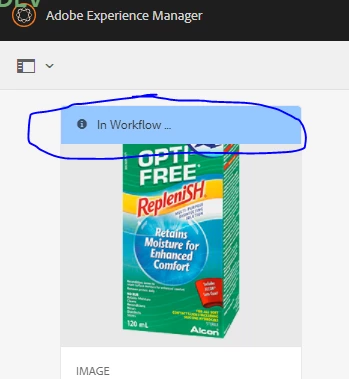
Added purge event for workflow payload after the completion of the process. Still no go. 

Any idea how to get rid of "In workflow" Status?

Workflow workflow = workItem.getWorkflow();
String workflowId = workflow.getId();
Dictionary<String, Object> properties = new Hashtable<>();
properties.put("EventType", "WorkflowPurgedEvent");
properties.put("WorkflowInstanceId", workflowId);
properties.put("payloadPath", runPath);
Event event = new Event("com/adobe/granite/workflow/event_purge", properties);
eventAdmin.postEvent(event);

Regards, 
Mrudul

This post is no longer active and is closed to new replies. Need help? Start a new post to ask your question.

5 replies

Ravi_Pampana
Community Advisor
Community Advisor
January 27, 2022

Hi,


Can you check whether "Handler advance" is checked for all the process step in your workflow to proceed to "Flow End"? 

Also, add deactivate method to your process implementation class with empty block and check.This should complete entire service life cycle.

MrudulMoAuthor
Level 3
January 31, 2022

Hi @ravi_pampana - Thanks for the suggestion. 
Yes, handler Advance is checked for all the Process steps in the workflow. 
What is that deactivate method you are talking about ? Could you please give more insight on this?

milind_bachani
Adobe Employee
Adobe Employee
January 27, 2022

Hi @mrudulmo ,


Generally, this shows up when the workflow is still doing some job on the asset. Have a look at the Archives and Failures in workflow console.


This will give you idea that what task is still in progress, and you can achieve them programatically by steps mentioned by Ravi.

Please keep us posted if it does not work for you.

Thanks

antoniom5495929
Level 7
January 28, 2022

HI @mrudulmo ,

some question to clarify the issue:

1. It was working fine before the introduction of the purge event?

2. Are you facing some error into the error log


This kind of error could happens also in case you didn't "finish" the workflow instance into your code, since as far as I understood you are talking about a custom implementation.

So, it will be useful if you can share the javaclass where you are doing this activites.

Thanks,

Antonio

MrudulMoAuthor
Level 3
February 1, 2022

Hi @antoniom5495929  @milind_bachani  @ravi_pampana ,

Just to add on to this. We dont see any workflow instances running and only the status is showing as in workflow. Do we need to set any property to show it as new?

Nitin_laad
Community Advisor
Community Advisor
February 3, 2022

@mrudulmo have you resolved this issue?

Are you closing all the newly created/open objects propely ie, session, resourceResolver?

are you getting this message for all the uploaded assets and asset types (jpg,pdf) or for any particular asset?

Are you sensing anythig in the logs, can you share the logs if issue still persits?