
Solved
How to overcome boxing
I set up my designs in 2014 to be horizontal scrolls for some longer pages. 2015 i'm getting boxing on the sides. Is there a way to overcome this so it fills the screen?

I set up my designs in 2014 to be horizontal scrolls for some longer pages. 2015 i'm getting boxing on the sides. Is there a way to overcome this so it fills the screen?
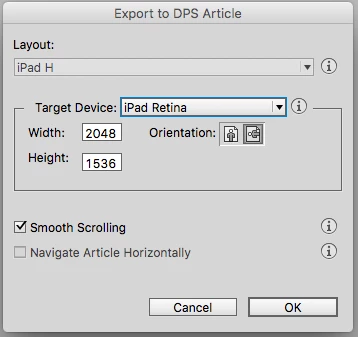
brobeldesign tip did work. When you export out of indesign, depending your final display size your going for, Im working specifically with iPad retina. I exported with the standard iPad retina dimension option with smooth scrolling selected a and this works.
Enter your E-mail address. We'll send you an e-mail with instructions to reset your password.