how to manage different asset type for different metadata in aem cloud | Community
Skip to main content
djohn98390536
Level 4
May 14, 2024
Solved

how to manage different asset type for different metadata in aem cloud

  • May 14, 2024
  • 1 reply
  • 572 views

I hv three different asset type for eg - jpeg,png,ttf  and for all three hv their different metadata.

Can some one help me how to manage metadata so that  i can see different asset metadata properties for different asset type.


Thanks.

This post is no longer active and is closed to new replies. Need help? Start a new post to ask your question.
Best answer by EstebanBustamante

Hi, 


You can manage this scenario using granite:renderconditions.

1. Create a metadata that contains the metadata for all of the different type of assets

2. Go to your metadata definition, (usually under: /conf/global/settings/dam/adminui-extension/metadataschema)

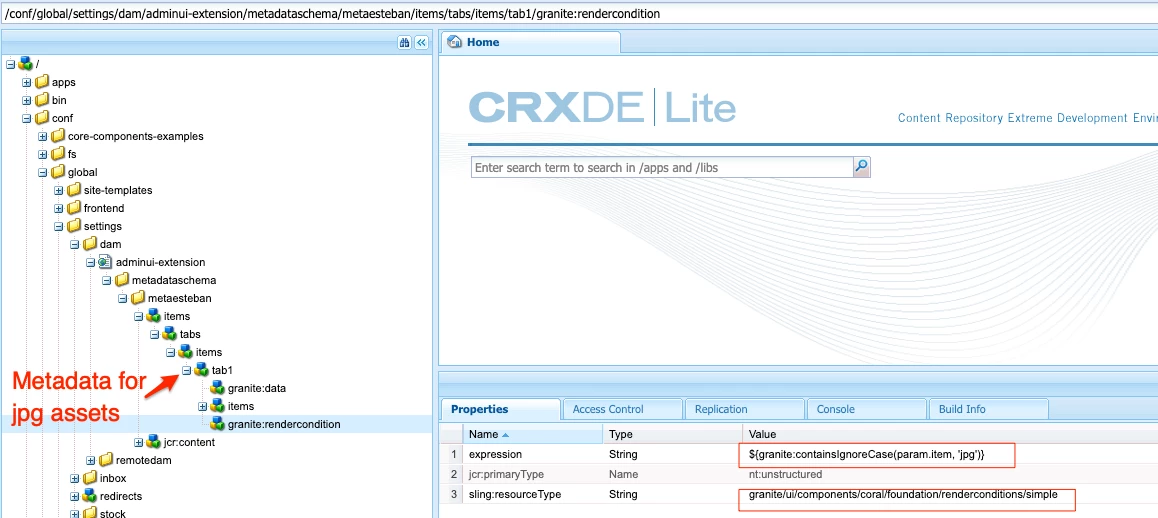
3. Add a granite render condition that checks the asset type opened on each of the metadata tabs.


This worked for me:

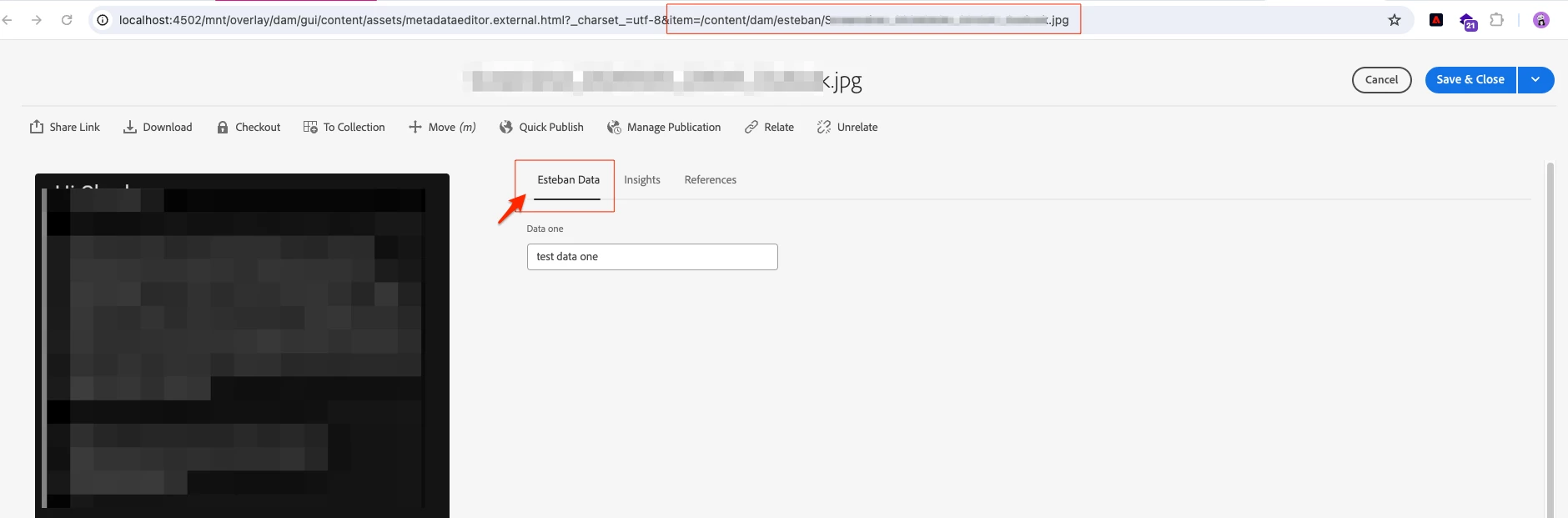
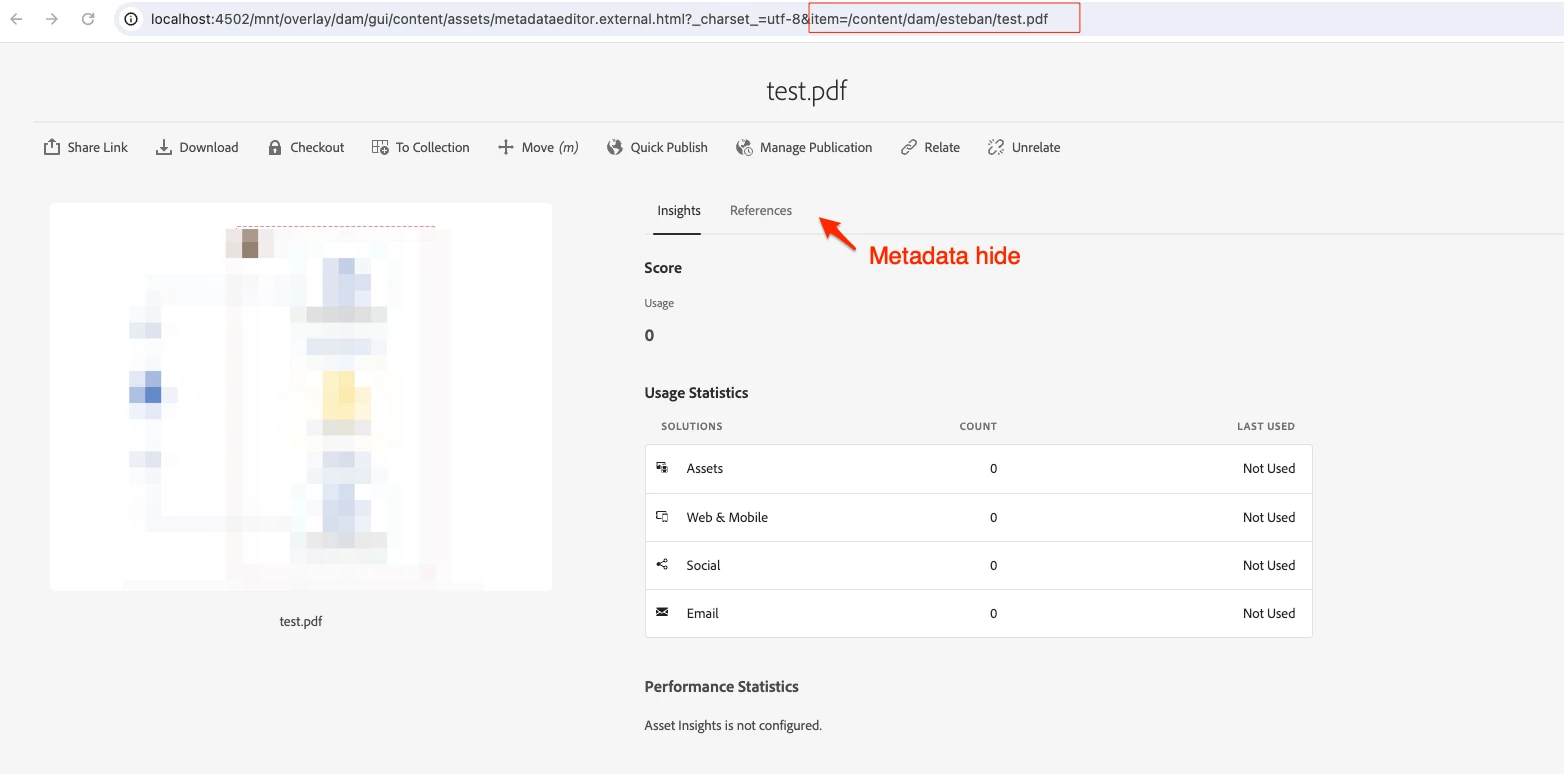
Result:

Hope this helps


1 reply

EstebanBustamante
Community Advisor and Adobe Champion
EstebanBustamanteCommunity Advisor and Adobe ChampionAccepted solution
Community Advisor and Adobe Champion
May 15, 2024

Hi, 


You can manage this scenario using granite:renderconditions.

1. Create a metadata that contains the metadata for all of the different type of assets

2. Go to your metadata definition, (usually under: /conf/global/settings/dam/adminui-extension/metadataschema)

3. Add a granite render condition that checks the asset type opened on each of the metadata tabs.


This worked for me:

Result:

Hope this helps


Esteban Bustamante