how to load unminified version of cq.authoring.dialog in AEM 6.5.5 | Community
Skip to main content
ankura42614959
May 21, 2021
Solved

how to load unminified version of cq.authoring.dialog in AEM 6.5.5

  • May 21, 2021
  • 1 reply
  • 1525 views

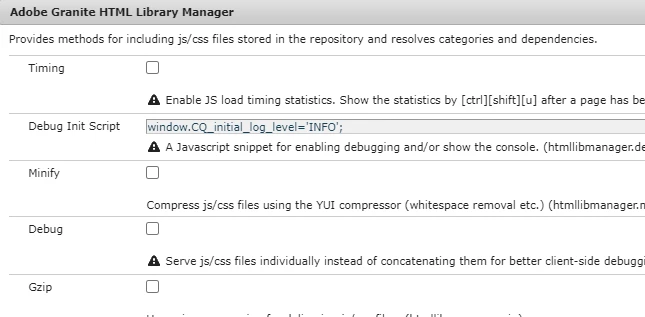
Currently the  cq.authoring.dialog library which is all.js is coming minified, even though minify is off in following
 

and it looks like below in pretty print
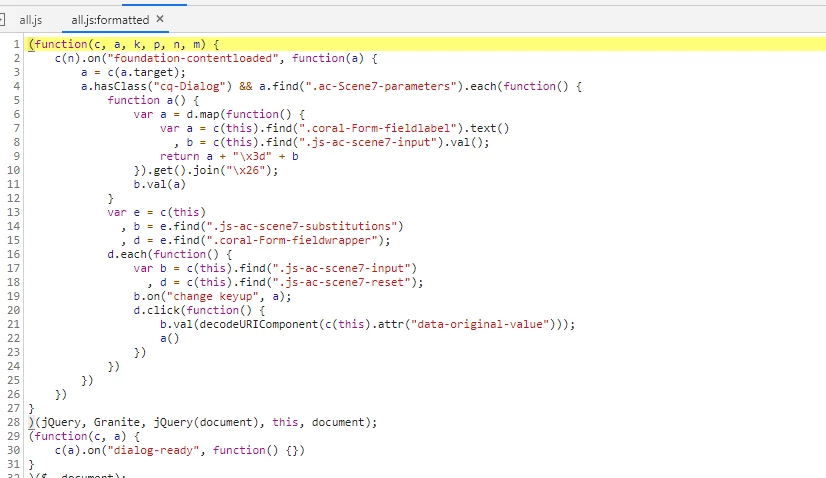
 

we want to debug issue of AEM author dialogs.

Thanks
This post is no longer active and is closed to new replies. Need help? Start a new post to ask your question.
Best answer by Asutosh_Jena_

Hi @ankura42614959 


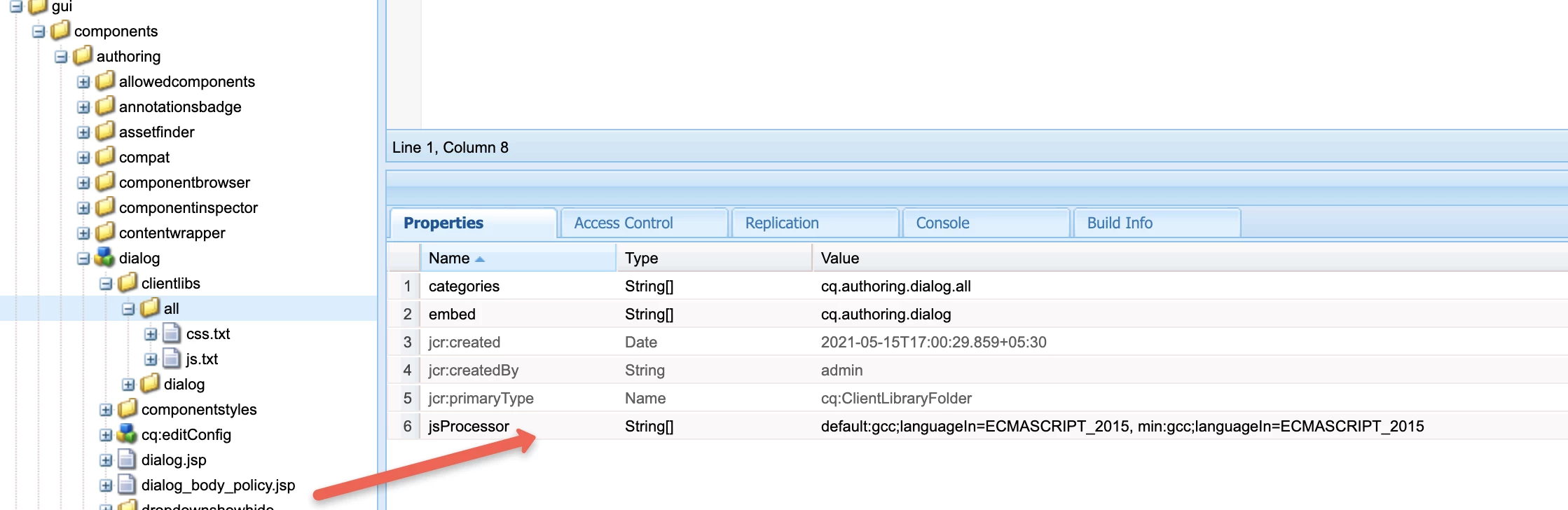
Navigate to "/libs/cq/gui/components/authoring/dialog/clientlibs/all" on your local instance and remove "jsProcessor" property from the node.

Now access http://localhost:4502/libs/cq/gui/components/authoring/dialog/clientlibs/all.js which will show the unminified file.


After debugging, make sure to revert it back to the original state as it's the OOTB functionality.


Hope this helps!

Thanks


1 reply

Asutosh_Jena_
Community Advisor
Asutosh_Jena_Community AdvisorAccepted solution
Community Advisor
May 21, 2021

Hi @ankura42614959 


Navigate to "/libs/cq/gui/components/authoring/dialog/clientlibs/all" on your local instance and remove "jsProcessor" property from the node.

Now access http://localhost:4502/libs/cq/gui/components/authoring/dialog/clientlibs/all.js which will show the unminified file.


After debugging, make sure to revert it back to the original state as it's the OOTB functionality.


Hope this helps!

Thanks


ankura42614959
May 26, 2021
Thanks, how can we overlay this, so we dont need to change the OOB code, ?