How to hide header row on the first page if there is no space for body content (Adobe Lifecycle Designer) | Adobe Experience League Community
Skip to main content
August 9, 2023

How to hide header row on the first page if there is no space for body content (Adobe Lifecycle Designer)

  • August 9, 2023
  • 1 reply
  • 809 views

Hello everyone,

I have an issue with my table.
I would like to be able to hide the header row on the first page (during pagination) when there is no more space for the content.

I have tried many things, but I haven't found a solution yet.

 

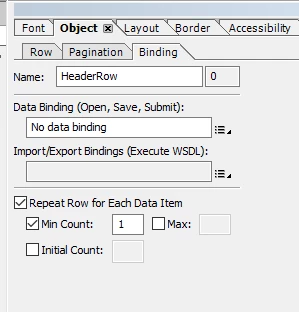
These are my settings:
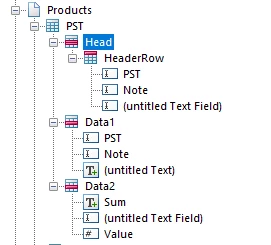
 

Head Pagination:
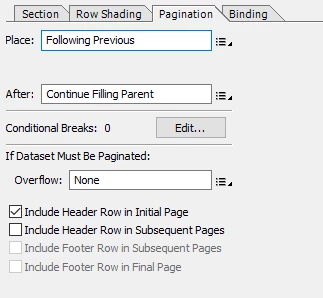
Head Binding:
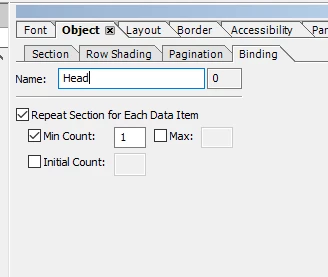

HeaderRow Pagination:
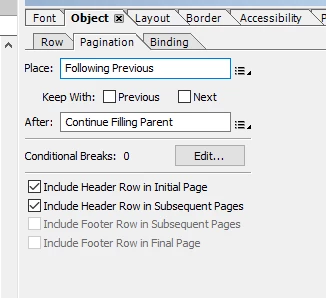

HeaderRow Binding:

Thanks in Advance!
anna_tech


This post is no longer active and is closed to new replies. Need help? Start a new post to ask your question.

1 reply

Kiran_Vedantam
Community Advisor
Community Advisor
August 9, 2023

Hi @anna_tech 


Can you please confirm if this issue is related to AEM? If not can you please post it in the appropriate channel for a quick response?


Thanks,

Kiran Vedantam