January 30, 2024

How to hide all the XF templates and allow only specific XF templates to display while creating Experience fragments.

Hi
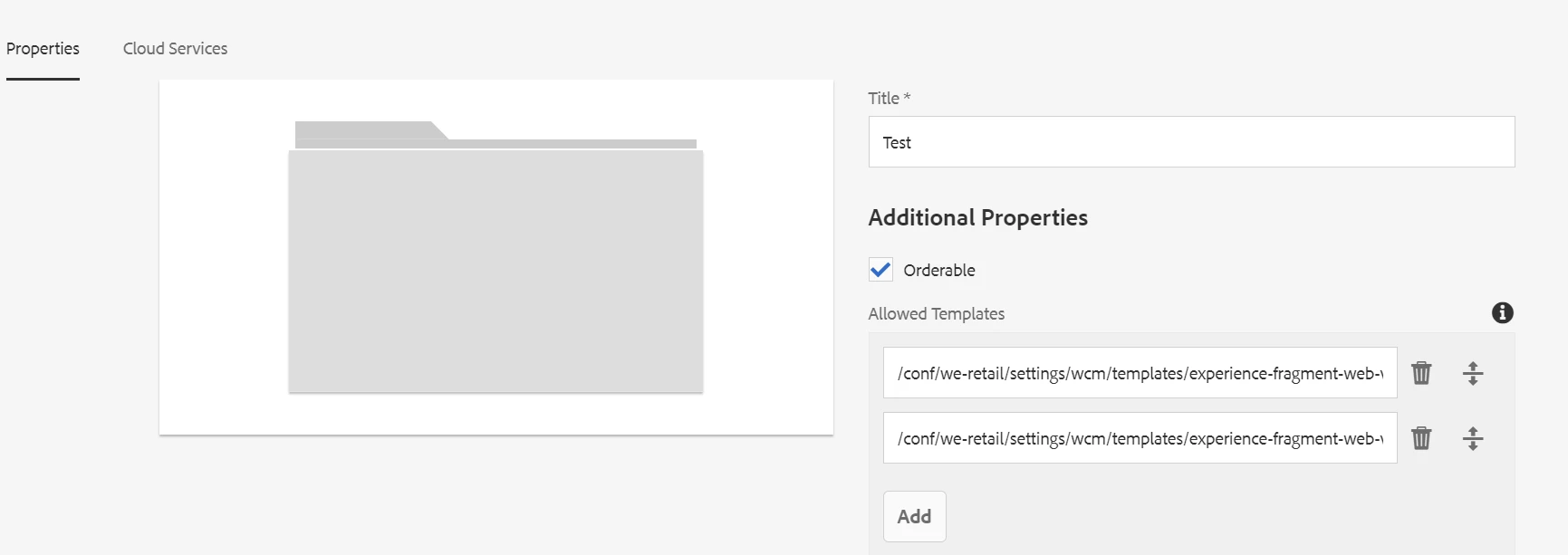
Trying to enable only specific XF templates to display while creating Experience fragments, and disable all other templates, how can this be achieved.
I have tried adding templates in the allowed templates property, still able to see all the templates. But i want to display only two templates which i have added in the allowed templates fields

Thanks,
Sai Kiran.


This post is no longer active and is closed to new replies. Need help? Start a new post to ask your question.

7 replies

Shashi_Mulugu
Community Advisor and User Group Leader
January 31, 2024

@user08015 you need to add templates at /content/experience-fragments level..


Please refer to below community post for reference 

https://experienceleaguecommunities.adobe.com/t5/adobe-experience-manager/how-to-create-experience-fragments-template/m-p/303444

Translate
user08015Author
January 31, 2024

Hi @shashi_mulugu 
I have added cq:allowedTemplates property on /content/experience-fragments node and /content/experience-fragment/test node. Along with the templates which I have added in the cq:allowedTemplates am able to see all the other template's. I want to display only the templates which I have allowed in the cq:allowedTemplates property, And I don't want other OOTB templates to be displayed while creating Experience fragments.


Thanks,
Sai kiran.


Translate
TarunKumar
Community Advisor
Community Advisor
January 31, 2024

Hi @user08015 ,

Check in your /content/experience-fragments/ " path what is the allowed templates property and then further check in your child folder under this /content/experience-fragments/" path.
Allowed templates provided at child level takes precedence.

Thanks
Tarun

Translate
arunpatidar
Community Advisor
Community Advisor
January 31, 2024

You need to all allowedPath in the XF template, wherever you want to allow
e.g. below template will only be available if you will be creating XF inside folder1 and within subfolder subfolder-name

<?xml version="1.0" encoding="UTF-8"?> <jcr:root xmlns:cq="http://www.day.com/jcr/cq/1.0" xmlns:jcr="http://www.jcp.org/jcr/1.0" jcr:primaryType="cq:Template"> <jcr:content cq:templateType="/conf/myproj/settings/wcm/template-types/empty-page-xf" jcr:primaryType="cq:PageContent" jcr:title="Demo XF Template" allowedPaths="[/content/experience-fragments/myproj/folder1/.*/.*/subfolder-name(/.*)?]" status="enabled"/> </jcr:root>


Translate
Arun Patidar
user08015Author
February 2, 2024

Hi @arunpatidar,
Tried to add "allowedPaths" property in the template which I want to display while creating Experience fragments, But along with this required template able to see all the other templates.

Thanks,
Sai Kiran.

Translate
arunpatidar
Community Advisor
Community Advisor
February 2, 2024

for other templates you can add allowedPaths as a generic path 

allowedPaths="[/content/experience-fragments/myproj/*]"


Translate
Arun Patidar
kautuk_sahni
Level 9
February 6, 2024

@user08015 Did you find the suggestions from users helpful? Please let us know if more information is required. Otherwise, please mark the answer as correct for posterity. If you have found out solution yourself, please share it with the community.

Translate
Kautuk Sahni