How to handle dropdown in multifield, after authoring dropdown text and values are Mismatched. | Community
Skip to main content
Level 3
December 29, 2023
Solved

How to handle dropdown in multifield, after authoring dropdown text and values are Mismatched.

  • December 29, 2023
  • 2 replies
  • 709 views

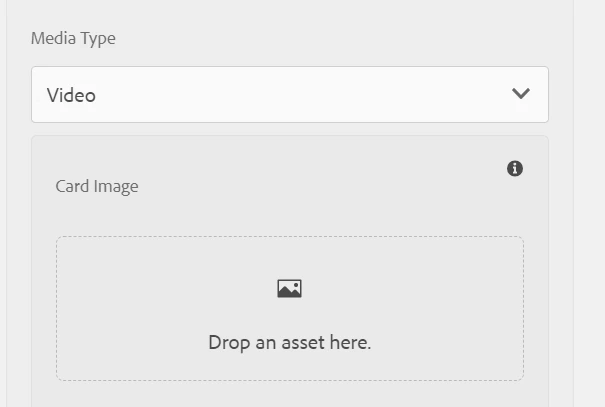
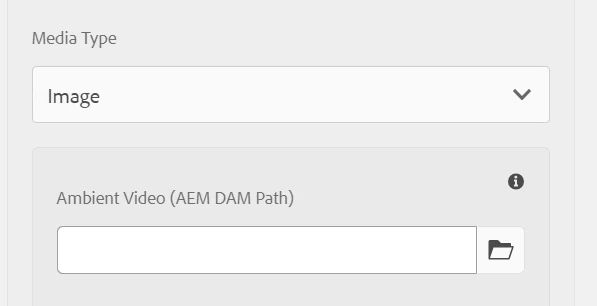
I have a dropdown in multifield with options for Image and video.

when I select an image it shows a field for image. after that I have added video it shows field for video, after authoring when I go to configure some more items , the dropdown text and values are mismatched. How to handle.


This post is no longer active and is closed to new replies. Need help? Start a new post to ask your question.
Best answer by Saravanan_Dharmaraj

@anilkumar9 Please check what values stored in jcr property after you save the dialog. Are you using custom script to show/hide the elements based on dropdown selection? If yes, check the script what values it read by printing it. 

2 replies

Saravanan_Dharmaraj
Community Advisor
Saravanan_DharmarajCommunity AdvisorAccepted solution
Community Advisor
December 29, 2023

@anilkumar9 Please check what values stored in jcr property after you save the dialog. Are you using custom script to show/hide the elements based on dropdown selection? If yes, check the script what values it read by printing it. 

Kamal_Kishor
Community Advisor
Community Advisor
January 2, 2024

@anilkumar9 : Are you updating drop-down/Select field text values in your custom JS by any chance?
If you can share the code snippet or provide some more details please.
This URL has good examples for show-hide of fields based on dropdown field change you can refer it as well:https://sadyrifat.medium.com/show-hide-aem-cq-dialog-fields-based-on-select-field-selection-a-comprehensive-guide-bee591abd24c