How to give admin access in AEMaaCS? | Community
Skip to main content
Mario248
Level 7
January 11, 2023
Solved

How to give admin access in AEMaaCS?

  • January 11, 2023
  • 3 replies
  • 1762 views

Created a program in adobe cloud and created 3 environments those are dev, stage, prod. I am the system administrator in admin console so I have full access in admin console. I want to have admin access in dev hence I enabled both AEM Users-xxxxx & AEM Administrator -xxxxx product profiles. With these settings I am able to login in aem dev server but I dont have access to /conf and /var, seems like I dont have have admin access.
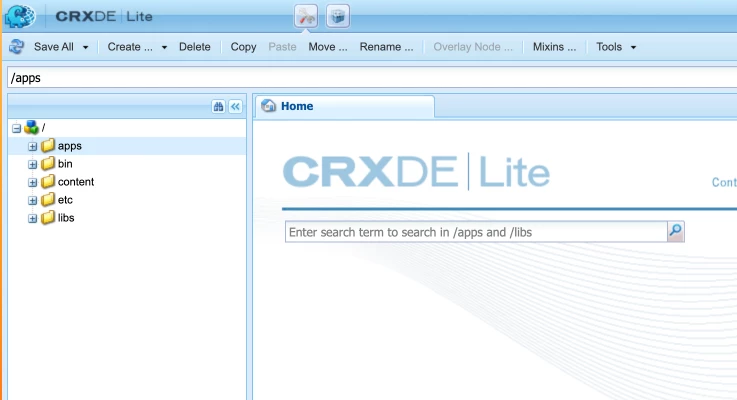
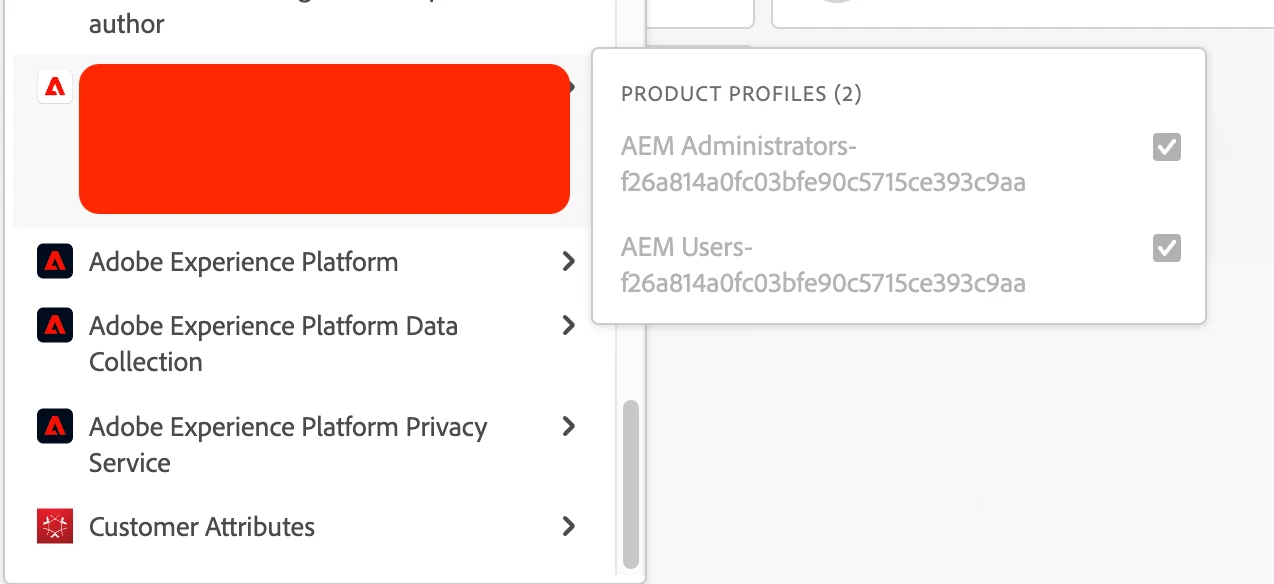


I checked the user admin in aem, I could not see AEM Administrator -xxxxx group mapped to my name. Can you tell me how to enable admin access ? Do we have any local admin for dev env? 



This post is no longer active and is closed to new replies. Need help? Start a new post to ask your question.
Best answer by nitesh_kumar-1

Hi @mario248 ,


I don't think you need to add yourself to both groups, depending upon what level of permission the user needs on the instance, the group can be assigned. Please read and go through these links to understand product profiles in detail.


https://experienceleague.adobe.com/docs/experience-manager-cloud-service/content/onboarding/concepts/aem-cs-team-product-profiles.html?lang=en 


https://experienceleague.adobe.com/docs/experience-manager-cloud-service/content/onboarding/journey/assign-profiles-aem.html?lang=en


Now, Assuming that you have followed the steps already in the above-mentioned links, I suspect that your group membership is not synced to the instance, there is no need of adding an administrator separately within AEM, it should be automatically synced from the admin console.


I would advise you to raise a support ticket so that it can be investigated in more detail.


Regards,

Nitesh


3 replies

Jagadeesh_Prakash
Community Advisor
Community Advisor
January 11, 2023

@mario248  you should add your self as a administator in user groups in admin console. Refer to below link based on your requirement, below link helps you a lot.


https://experienceleague.adobe.com/docs/experience-manager-learn/cloud-service/accessing/overview.html?lang=en


Mario248
Mario248Author
Level 7
January 11, 2023

Thanks for your response. As per this doc, I added AEM Administrator group to my name but I dont have admin access


nitesh_kumar-1
Adobe Employee
nitesh_kumar-1Adobe EmployeeAccepted solution
Adobe Employee
January 11, 2023

Hi @mario248 ,


I don't think you need to add yourself to both groups, depending upon what level of permission the user needs on the instance, the group can be assigned. Please read and go through these links to understand product profiles in detail.


https://experienceleague.adobe.com/docs/experience-manager-cloud-service/content/onboarding/concepts/aem-cs-team-product-profiles.html?lang=en 


https://experienceleague.adobe.com/docs/experience-manager-cloud-service/content/onboarding/journey/assign-profiles-aem.html?lang=en


Now, Assuming that you have followed the steps already in the above-mentioned links, I suspect that your group membership is not synced to the instance, there is no need of adding an administrator separately within AEM, it should be automatically synced from the admin console.


I would advise you to raise a support ticket so that it can be investigated in more detail.


Regards,

Nitesh


Mario248
Mario248Author
Level 7
January 11, 2023

Thanks, Let me raise a support ticket 

Himanshu_Jain
Community Advisor
Community Advisor
January 11, 2023

You can add your user within AEM Dev instance as a member of administrator group .


Himanshu Jain
Mario248
Mario248Author
Level 7
January 11, 2023

Like I mentioned in my post, I have limited access hence I can not add admin group directly on aem dev due to lack of permission