bhoang
Level 4
Apr 11, 2018 12:08 PM UTC
Solved

How to get cq:lastModified in jcr:content from HTL?

Hello,

I want to get cq:lastModified from a jcr:content. I tried there code but it doesn't work.

<div class="last-modify">

     <p>ABC ${properties.cq:lastModified}</p>

     <p>XYZ ${currentPage.properties.cq:lastModified}</p>

     <p>cdg ${currentPage.properties.jcr:lastModified}</p>

</div>

How to do that in singhtly?

Thank you so much,

BienHV

This post is no longer active and is closed to new replies. Need help? Start a new post to ask your question.
smacdonald2008
smacdonald2008Accepted solution
Level 10
Apr 11, 2018 1:38 PM UTC

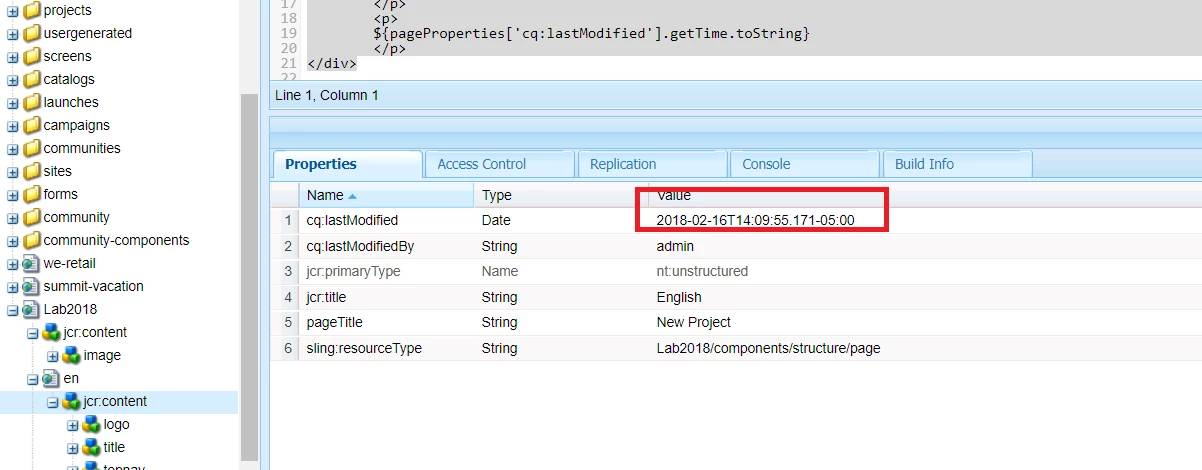
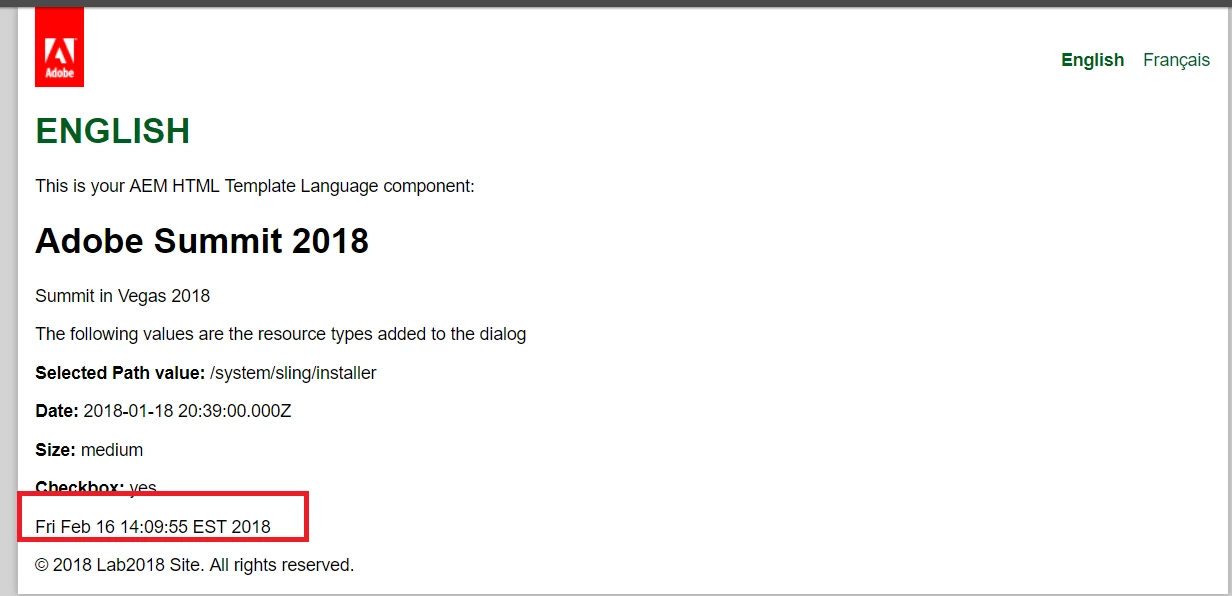
Here is that page prop - notice it is Feb 16

HTL Code:

<div>

<p>This is your AEM HTML Template Language component:</p>

      <h1>${properties.heading}</h1>

       <p>${properties.description}</p>

       <p>The following values are the resource types added to the dialog</p>

       <p><b>Selected Path value:</b> ${properties.path}</p>

       <p>

            <b>Date:</b>

                  ${'yyyy-MM-dd HH:mm:ss.SSSXXX' @ format=properties.startdate, timezone='UTC'}

        </p>

        <p>

            <b>Size:</b> ${properties.size}

        </p>

        <p>

            <b>Checkbox:</b> ${properties.show}

        </p>

        <p>

        ${pageProperties['cq:lastModified'].getTime.toString}

        </p>

</div>

Output --

9 replies

Bhuwan08
Level 2
Apr 11, 2018 12:52 PM UTC

Try -  ${pageProperties['cq:lastModified'].getTime.toString}

Translate
smacdonald2008
smacdonald2008Accepted solution
Level 10
Apr 11, 2018 1:38 PM UTC

Here is that page prop - notice it is Feb 16

HTL Code:

<div>

<p>This is your AEM HTML Template Language component:</p>

      <h1>${properties.heading}</h1>

       <p>${properties.description}</p>

       <p>The following values are the resource types added to the dialog</p>

       <p><b>Selected Path value:</b> ${properties.path}</p>

       <p>

            <b>Date:</b>

                  ${'yyyy-MM-dd HH:mm:ss.SSSXXX' @ format=properties.startdate, timezone='UTC'}

        </p>

        <p>

            <b>Size:</b> ${properties.size}

        </p>

        <p>

            <b>Checkbox:</b> ${properties.show}

        </p>

        <p>

        ${pageProperties['cq:lastModified'].getTime.toString}

        </p>

</div>

Output --

Translate
bhoang
bhoangAuthor
Level 4
Apr 13, 2018 6:35 AM UTC

Thanks you for your help,

How to format for cq:lastModifield date?

${pageProperties['cq:lastModified'].getTime.toString}

with the code above I get the string as Thu Apr 12 14:51:52 ICT 2018.

How to format for date cq:lastModified as mm-dd-yyyy h:m:s?

example 04-12-2018 14:51:52 UTC

Thank you so much,

Translate
Vijayalakshmi_S
Level 10
Apr 13, 2018 8:16 AM UTC

Hi,

We need to do the date formatting at java end using SimpleDateFormat with desired pattern/format.

Translate
Level 3
Apr 25, 2019 6:08 AM UTC

Hi,

We need to do the date formatting at java end using SimpleDateFormat with desired pattern/format. How to fetch the cq:lastmodified in java?

Translate
arunpatidar
Community Advisor
Community Advisor
Apr 25, 2019 8:23 AM UTC

Hi,

You can use sling model or WCMUsePojo to fetch page properties or properties in java.

Example :

@Model(adaptables = { SlingHttpServletRequest.class, Resource.class })

public class TestModel {

  @Inject

  private Page resourcePage;

  public String getLastModifiedDate() {

     SimpleDateFormat dateFormat = new SimpleDateFormat("dd-MM-yyyy");

     dateFormat.setTimeZone(resourcePage.getLastModified().getTimeZone());

     return dateFormat.format(resourcePage.getLastModified().getTime());

  }

}

You need Page object to retrieve the page properties in Sling Model.

Page ("The Adobe AEM Quickstart and Web Application.")

Translate
Arun Patidar
Dec 29, 2023 8:35 AM UTC

How write HTL of this Java code

Translate
Level 3
Apr 25, 2019 3:41 PM UTC

how do i display this date in htl?

Translate
arunpatidar
Community Advisor
Community Advisor
Apr 25, 2019 8:59 PM UTC

Hi,

You can directly use date in the page using below

${'MM/dd/yyyy HH:mma' @ format=currentPage.lastModified}

Or You can use Java. Please check below :

HTL Date Formatting

Translate
Arun Patidar