How to find the location of a file created in CRXDE on my Windows PC | Community
Skip to main content
Level 4
October 26, 2022
Solved

How to find the location of a file created in CRXDE on my Windows PC

  • October 26, 2022
  • 1 reply
  • 1774 views

My CRXDE and VSC are not matching up. How can I find the location of a file that I created in CRXDE on my PC? For example, I created a folder called oceantest and a file called oceantest1.html in CRXDE, clicked Save All in CRXDE and search my Windows folders, but can't locate them anywhere using File Manager.

This post is no longer active and is closed to new replies. Need help? Start a new post to ask your question.
Best answer by SantoshSai

Hi @codelime,

The folder oceantest & a file oceantest1.html you created points in the structure of CRX database, based on Oak open source framework, which is one of the base parts of AEM. Physically all this database data is stored in large tar files in crx-quickstart\repository\segmentstore folder of your AEM instance, where the jar is present.
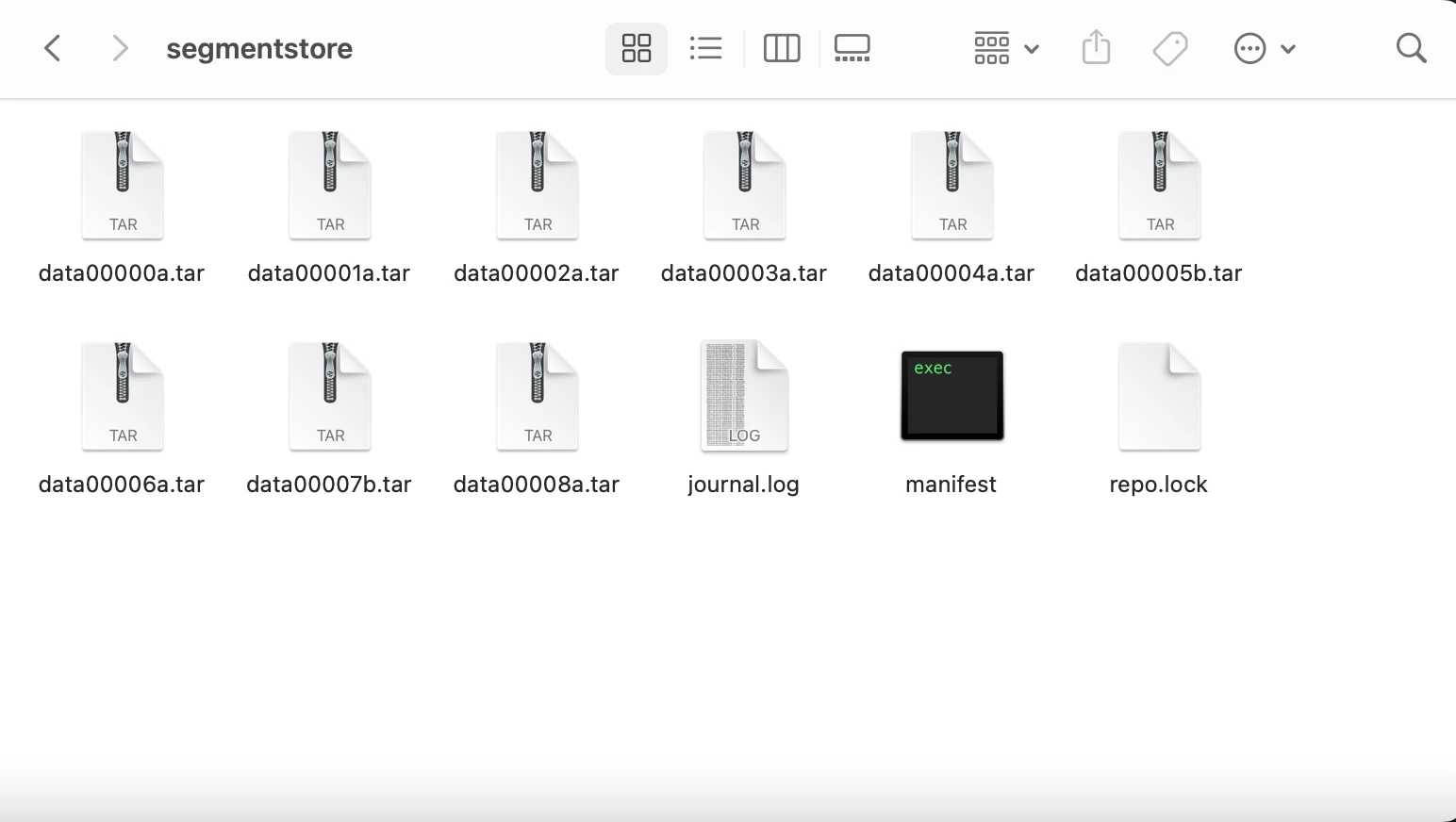
The AEM data is then not stored explicitly in your OS file system. Tar files and Oak are used by default however it is also possible to configure AEM with MongoDB database.

If you would like to access the CRX repository in filesystem way you can consider using WebDAV Access [0].

[0]: https://experienceleague.adobe.com/docs/experience-manager-65/administering/contentmanagement/webdav-access.html?lang=en

Hope that helps!

Regards,

Santosh

1 reply

SantoshSai
Community Advisor
SantoshSaiCommunity AdvisorAccepted solution
Community Advisor
October 26, 2022

Hi @codelime,

The folder oceantest & a file oceantest1.html you created points in the structure of CRX database, based on Oak open source framework, which is one of the base parts of AEM. Physically all this database data is stored in large tar files in crx-quickstart\repository\segmentstore folder of your AEM instance, where the jar is present.

The AEM data is then not stored explicitly in your OS file system. Tar files and Oak are used by default however it is also possible to configure AEM with MongoDB database.

If you would like to access the CRX repository in filesystem way you can consider using WebDAV Access [0].

[0]: https://experienceleague.adobe.com/docs/experience-manager-65/administering/contentmanagement/webdav-access.html?lang=en

Hope that helps!

Regards,

Santosh

Santosh Sai