"TEMPLATE EDITOR: This template is not a draft anymore and might already be referenced by one or more pages. Editing the structure will affect all the pages referencing it."
- This is a generic warning message, to inform a template editor that his actions will affect all pages.
Required field
To enforce a mandatory field for all pages generated from this template, it's essential to specify the required attribute for the field within the page component utilized by this template.
Go to the template in CRXDE. look for sling:resourceType attribute on structure node.
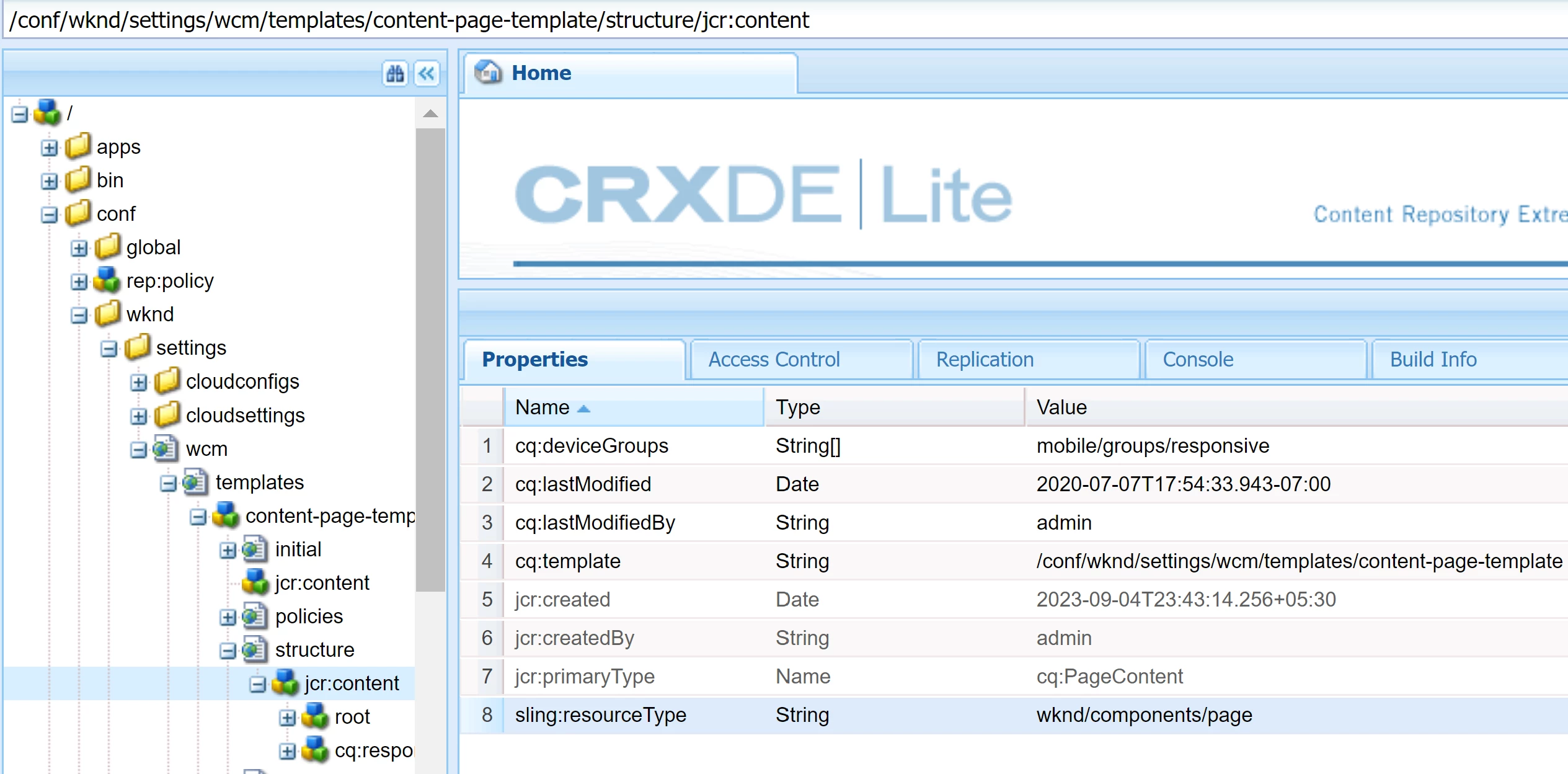
- Go to this page component. Drill down to the field that you want to make mandatory. Add the required attribute, based on the documentation for that field. Example: for a textfield (granite/ui/components/coral/foundation/form/textfield), documentation is https://developer.adobe.com/experience-manager/reference-materials/6-5/granite-ui/api/jcr_root/libs/granite/ui/components/coral/foundation/form/textfield/index.html
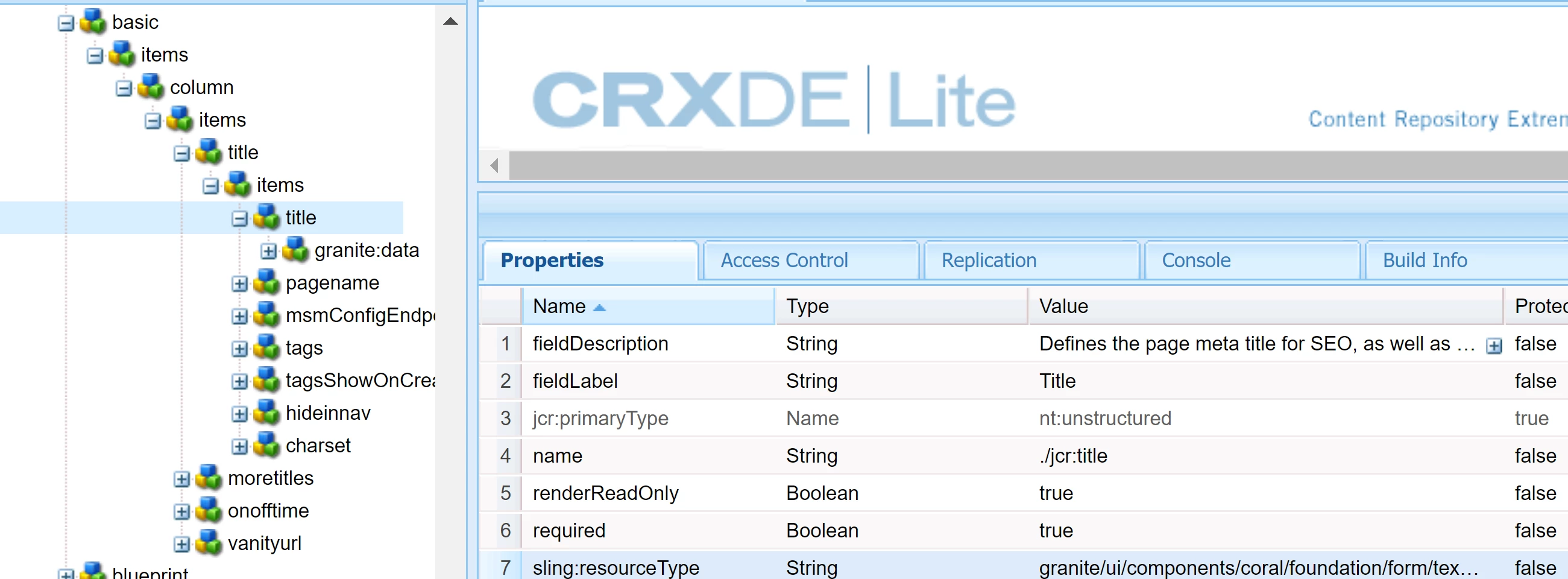
OOTB example of mandatory field is Title field for pages
