How to download font load for Open Sans Medium and Open Sans MediumItalic | Community
Skip to main content
Level 2
May 4, 2023
Solved

How to download font load for Open Sans Medium and Open Sans MediumItalic

  • May 4, 2023
  • 1 reply
  • 3614 views

Hi All,


I my project i want to replace "HelveticaNeueLTPro-Medium.ttf" and "HelveticaNeueLTPro-MediumItalic.ttf" with "Open Sans Medium" and "Open Sans MediumItalic" all extension like ( .eot,.otf,.svg,.ttf,.woff,.woff2).


I have check on google for this but i didn't find, Please any one know from where i can found this font load.

I want to replace at " /clientlibs/clientlib-base/resources/fonts" these all HelveticaNeueLTPro to Open Sans with all extension type.
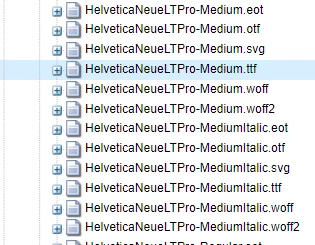


Please let me it is possible to do same for "Open Sans" font or not.


Thanks.

This post is no longer active and is closed to new replies. Need help? Start a new post to ask your question.
Best answer by Anmol_Bhardwaj

Hi @user00181 ,

  1. Download the Open Sans font files in the desired formats (eot, otf, svg, ttf, woff, woff2). You can find these files on Google Fonts, Font Squirrel, or other font websites.

  2. Rename the Open Sans font files to match the names of the HelveticaNeueLTPro fonts you want to replace. For example, rename "OpenSans-Medium.ttf" to "HelveticaNeueLTPro-Medium.ttf".

  3. Replace the existing HelveticaNeueLTPro font files with the renamed Open Sans font files in the "/clientlibs/clientlib-base/resources/fonts" directory of your AEM project. Make sure to replace all formats of the fonts (.eot, .otf, .svg, .ttf, .woff, .woff2).

  4. Update the CSS styles in your AEM project to reference the new Open Sans font files. For example, if the original CSS had a font-family rule of "HelveticaNeueLTPro-Medium", change it to "Open Sans Medium". Be sure to update all references to the old font names.

1 reply

Anmol_Bhardwaj
Community Advisor
Anmol_BhardwajCommunity AdvisorAccepted solution
Community Advisor
May 4, 2023

Hi @user00181 ,

  1. Download the Open Sans font files in the desired formats (eot, otf, svg, ttf, woff, woff2). You can find these files on Google Fonts, Font Squirrel, or other font websites.

  2. Rename the Open Sans font files to match the names of the HelveticaNeueLTPro fonts you want to replace. For example, rename "OpenSans-Medium.ttf" to "HelveticaNeueLTPro-Medium.ttf".

  3. Replace the existing HelveticaNeueLTPro font files with the renamed Open Sans font files in the "/clientlibs/clientlib-base/resources/fonts" directory of your AEM project. Make sure to replace all formats of the fonts (.eot, .otf, .svg, .ttf, .woff, .woff2).

  4. Update the CSS styles in your AEM project to reference the new Open Sans font files. For example, if the original CSS had a font-family rule of "HelveticaNeueLTPro-Medium", change it to "Open Sans Medium". Be sure to update all references to the old font names.