How to do DAM and Replication Audit Log Purging | Community
Skip to main content
June 18, 2021
Solved

How to do DAM and Replication Audit Log Purging

  • June 18, 2021
  • 1 reply
  • 1666 views

Hi I have configured the Audit Log Purging for the below audits

  1. Page Audit Log Purging
  2. DAM Audit Log Purging
  3. Replication Audit Log Purging

I have referred this page for configuring it - https://experienceleague.adobe.com/docs/experience-manager-65/administering/operations/operations-audit-log.html?lang=en


While Page audit Log Purging is working fine, the other 2 (DAM and Replication) is not working. 

For Page Audit Log Purge we have a job already configured OOTB at tools -> Operations -> Maintenance -> Weekly maintenance. But for other 2 ther is no jobs available in Maintenance page.


So how AEM is reading the configuration for DAM and Replication and purging.


Regards,

Niraj
This post is no longer active and is closed to new replies. Need help? Start a new post to ask your question.
Best answer by Asutosh_Jena_

Hi @niraj2 


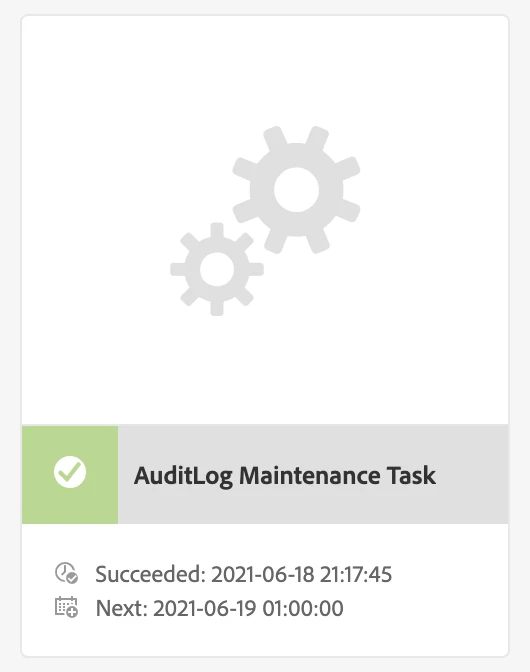
If you configure all the 3 below mentioned Purging rules and run the weekly "AuditLog Maintenance Task" on all the 3 rules will run internally. You will be able to see the same on error.log.

  1. Page Audit Log Purging
  2. DAM Audit Log Purging
  3. Replication Audit Log Purging

Please see below:

18.06.2021 21:17:45.236 *INFO* [pool-21-thread-1] com.day.cq.audit.AbstractAuditLogPurgeRule {name = your-project, eventTypes = [ASSET_EXPIRING, ASSET_EXPIRED, ACCEPTED, ASSET_REMOVED, ASSET_CREATED, ASSET_MOVED, VERSIONED, REJECTED], contentPath = /com.day.cq.dam/content/dam/your-project, minimumAge = 60} activated
18.06.2021 21:17:45.236 *INFO* [pool-21-thread-1] com.day.cq.audit.AbstractAuditLogPurgeRule {name = your-project, eventTypes = [Delete, Reverse, Activate, Test, Deactivate, Internal Poll], contentPath = /com.day.cq.replication/content/your-project, minimumAge = 60} activated
18.06.2021 21:17:45.236 *INFO* [pool-21-thread-1] com.day.cq.audit.AbstractAuditLogPurgeRule {name = your-project, eventTypes = [PageRestored, PageValid, PageMoved, PageDeleted, PageModified, PageCreated, PageInvalid, PageRolled Out, VersionCreated], contentPath = /com.day.cq.wcm.core.page/content/your-project, minimumAge = 60} activated


If all works well then you will see status in green.


Thanks!


1 reply

Asutosh_Jena_
Community Advisor
Asutosh_Jena_Community AdvisorAccepted solution
Community Advisor
June 18, 2021

Hi @niraj2 


If you configure all the 3 below mentioned Purging rules and run the weekly "AuditLog Maintenance Task" on all the 3 rules will run internally. You will be able to see the same on error.log.

  1. Page Audit Log Purging
  2. DAM Audit Log Purging
  3. Replication Audit Log Purging

Please see below:

18.06.2021 21:17:45.236 *INFO* [pool-21-thread-1] com.day.cq.audit.AbstractAuditLogPurgeRule {name = your-project, eventTypes = [ASSET_EXPIRING, ASSET_EXPIRED, ACCEPTED, ASSET_REMOVED, ASSET_CREATED, ASSET_MOVED, VERSIONED, REJECTED], contentPath = /com.day.cq.dam/content/dam/your-project, minimumAge = 60} activated
18.06.2021 21:17:45.236 *INFO* [pool-21-thread-1] com.day.cq.audit.AbstractAuditLogPurgeRule {name = your-project, eventTypes = [Delete, Reverse, Activate, Test, Deactivate, Internal Poll], contentPath = /com.day.cq.replication/content/your-project, minimumAge = 60} activated
18.06.2021 21:17:45.236 *INFO* [pool-21-thread-1] com.day.cq.audit.AbstractAuditLogPurgeRule {name = your-project, eventTypes = [PageRestored, PageValid, PageMoved, PageDeleted, PageModified, PageCreated, PageInvalid, PageRolled Out, VersionCreated], contentPath = /com.day.cq.wcm.core.page/content/your-project, minimumAge = 60} activated


If all works well then you will see status in green.


Thanks!