How to build package .zip of AEM project that can be shared & installed by other person also? | Adobe Higher Education
Skip to main content
sesmic
Level 4
August 21, 2022
Risolto

How to build package .zip of AEM project that can be shared & installed by other person also?

  • August 21, 2022
  • 2 risposte
  • 3228 visualizzazioni

Hi!
I am done building the project in my system which consists of custom components, experience fragments, templates, tags, polices, styling, etc. Now, I need to share this project with acquaintances of mine.
So, I wanted to know that how can I build the final single .zip of this project which can be installed via -PautoInstallPackage or CRXDE Lite such it works/looks in their as same as mine including style applied to components & EXf?

Can anyone please tell what the proper procedure to create the Package?

Questo argomento è stato chiuso alle risposte.
Migliore risposta di B_Sravan

Hi @sesmic 

Follow the steps for building a package:

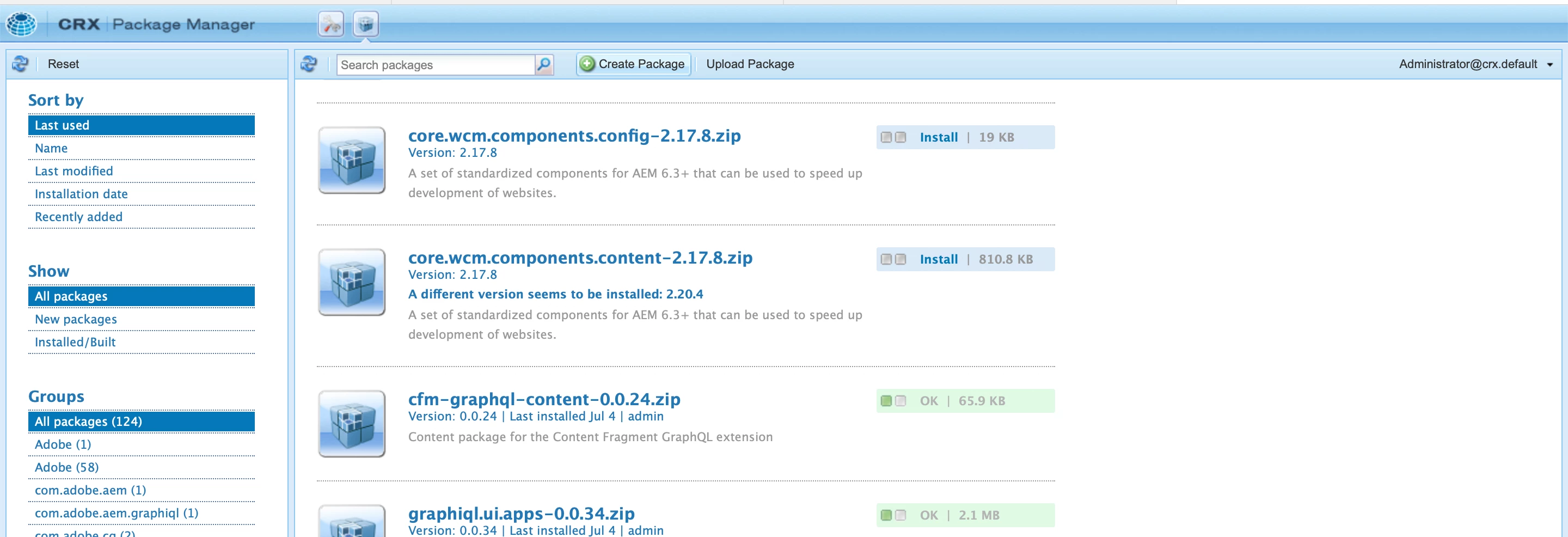
  1. go to http://localhost:4502/crx/packmgr/index.jsp 
  2.  and click on create a package on the top navigation, just beside the search bar.
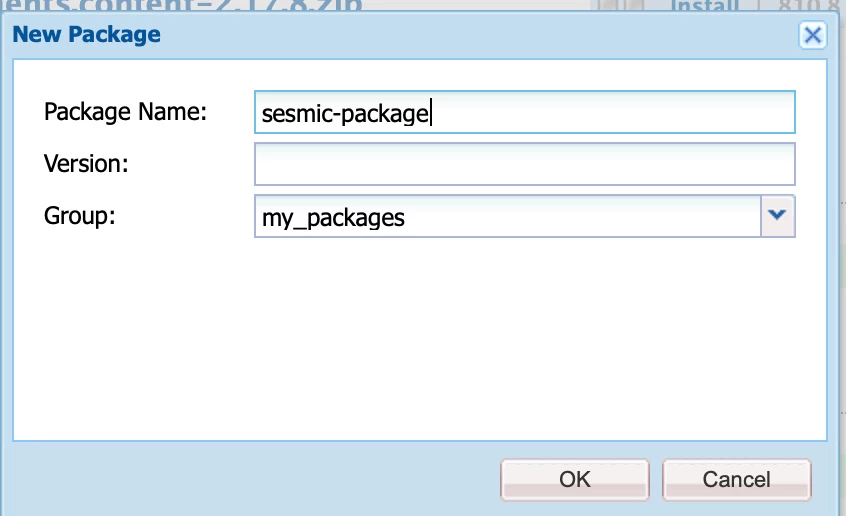
  3.  give a proper package name and other details and click on OK.

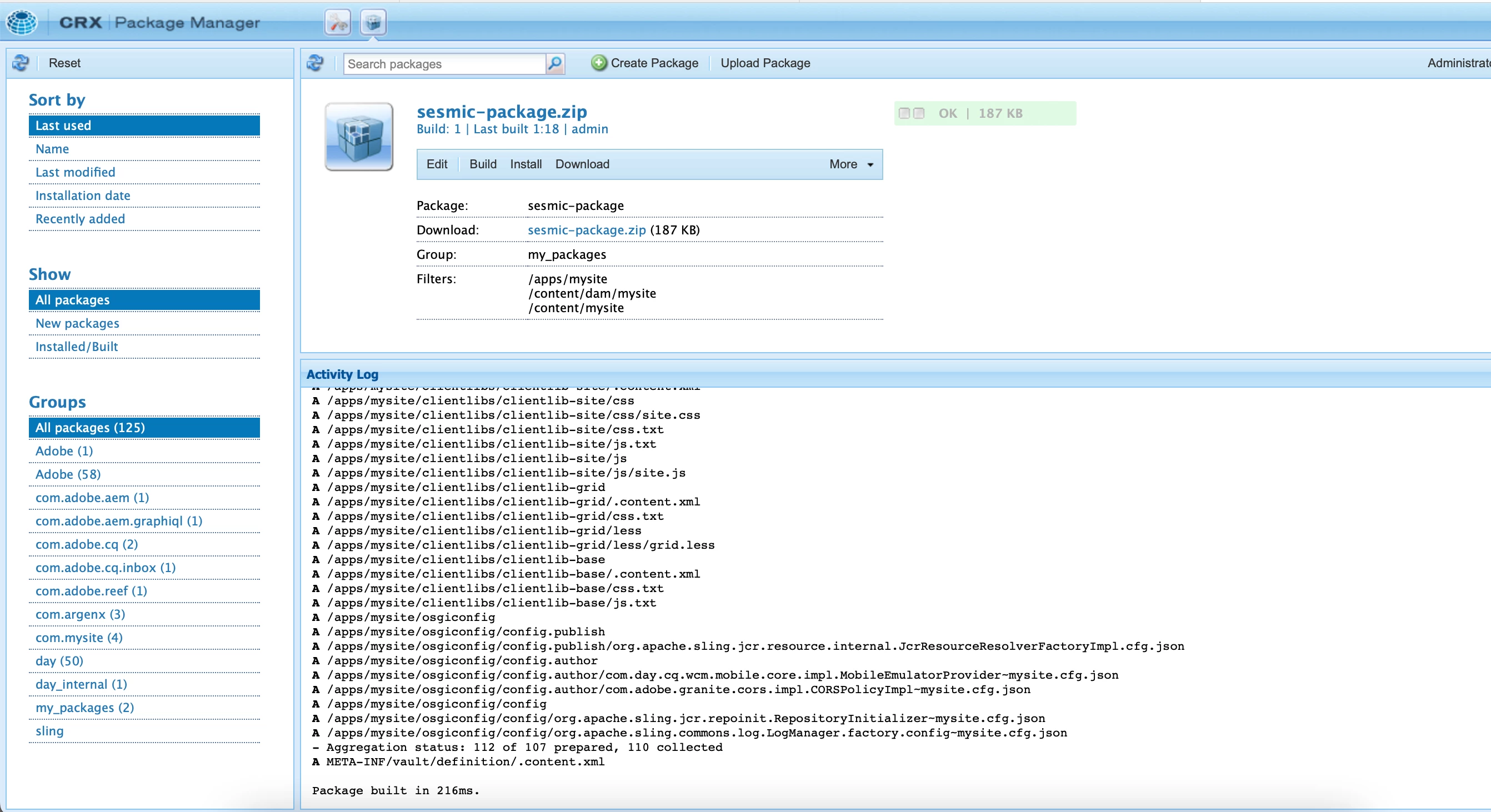
  4.   a package will be created as show in the picture.
  5.  

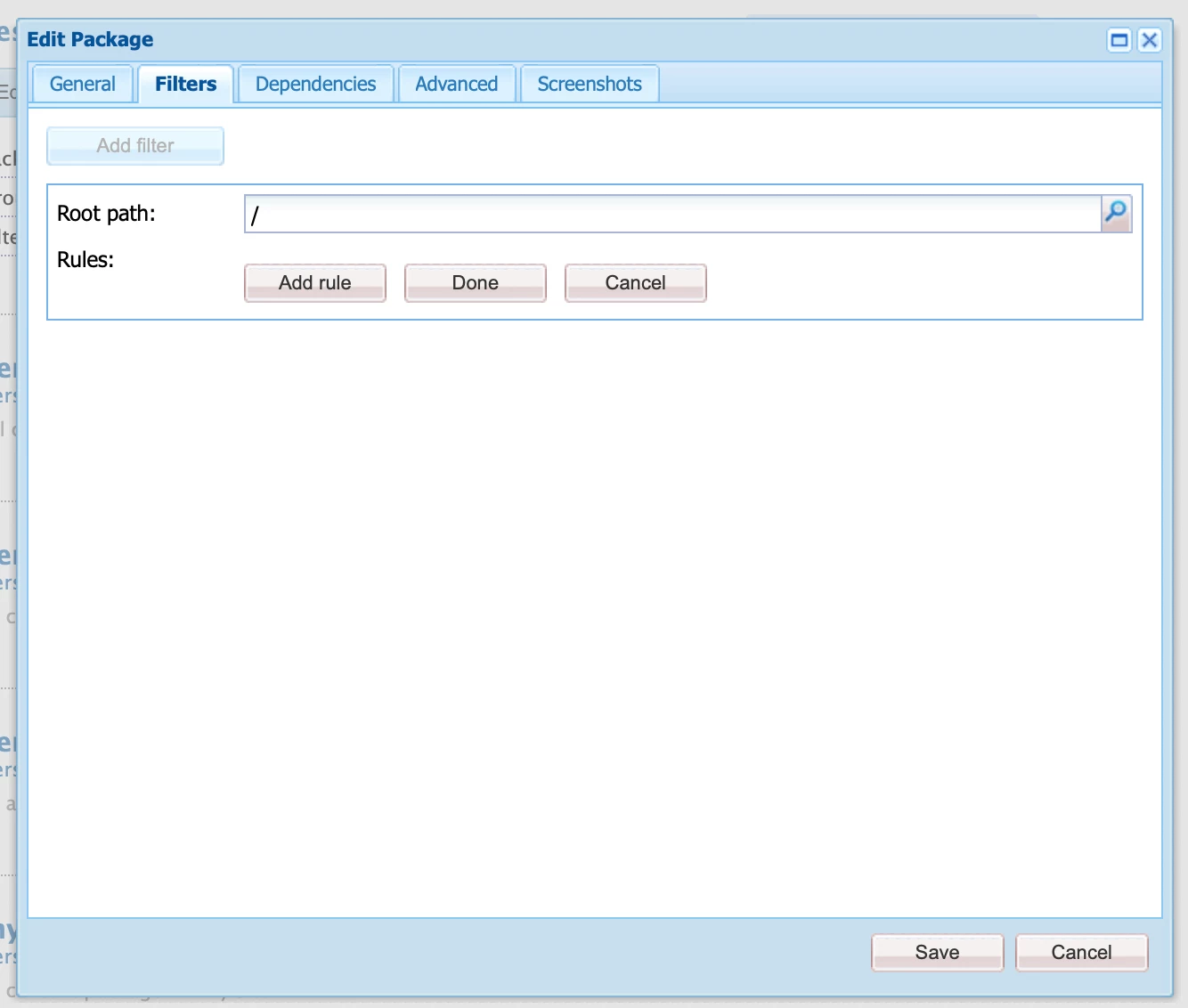
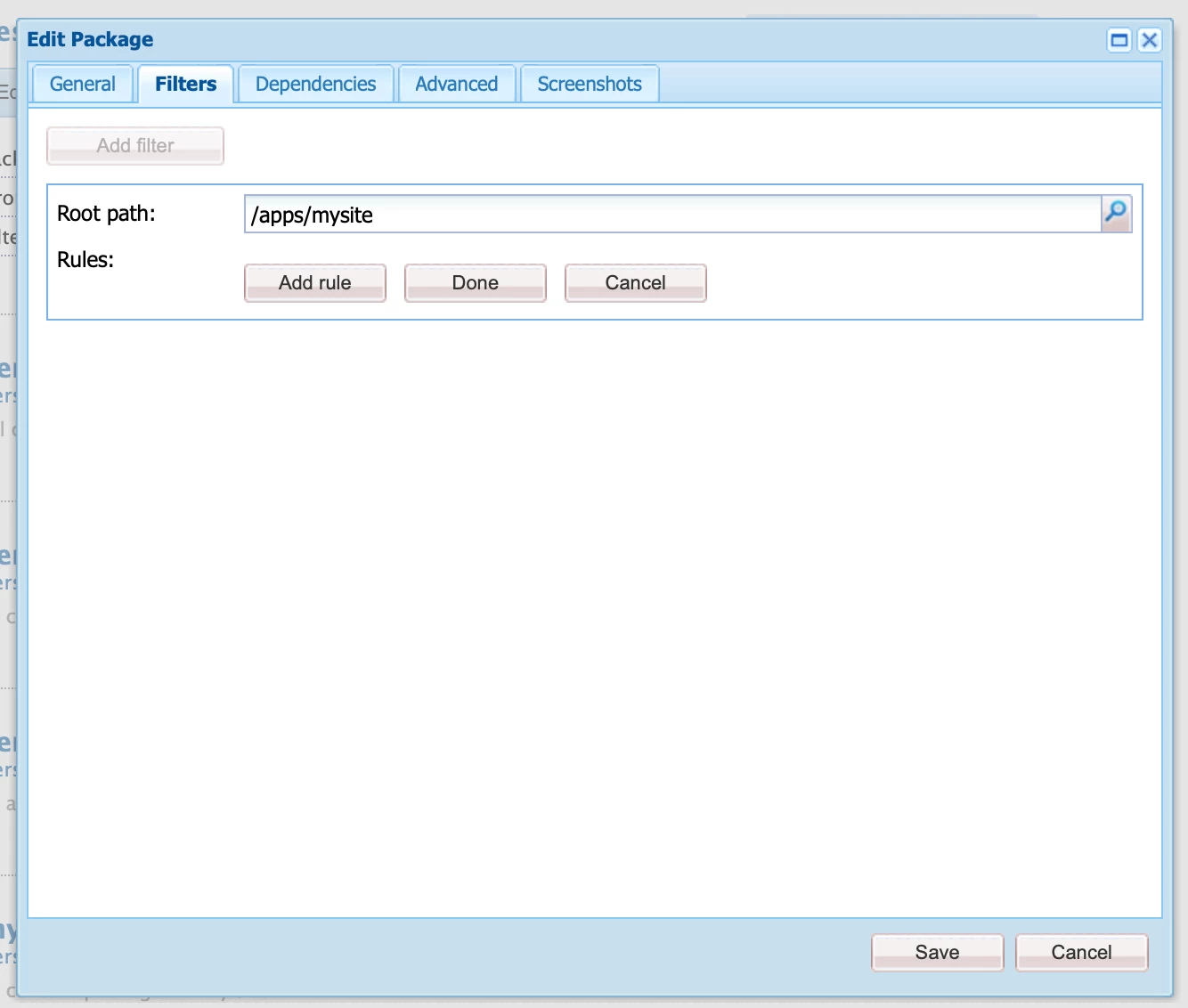
    Click on the edit option and a window opens that looks like this, 

     
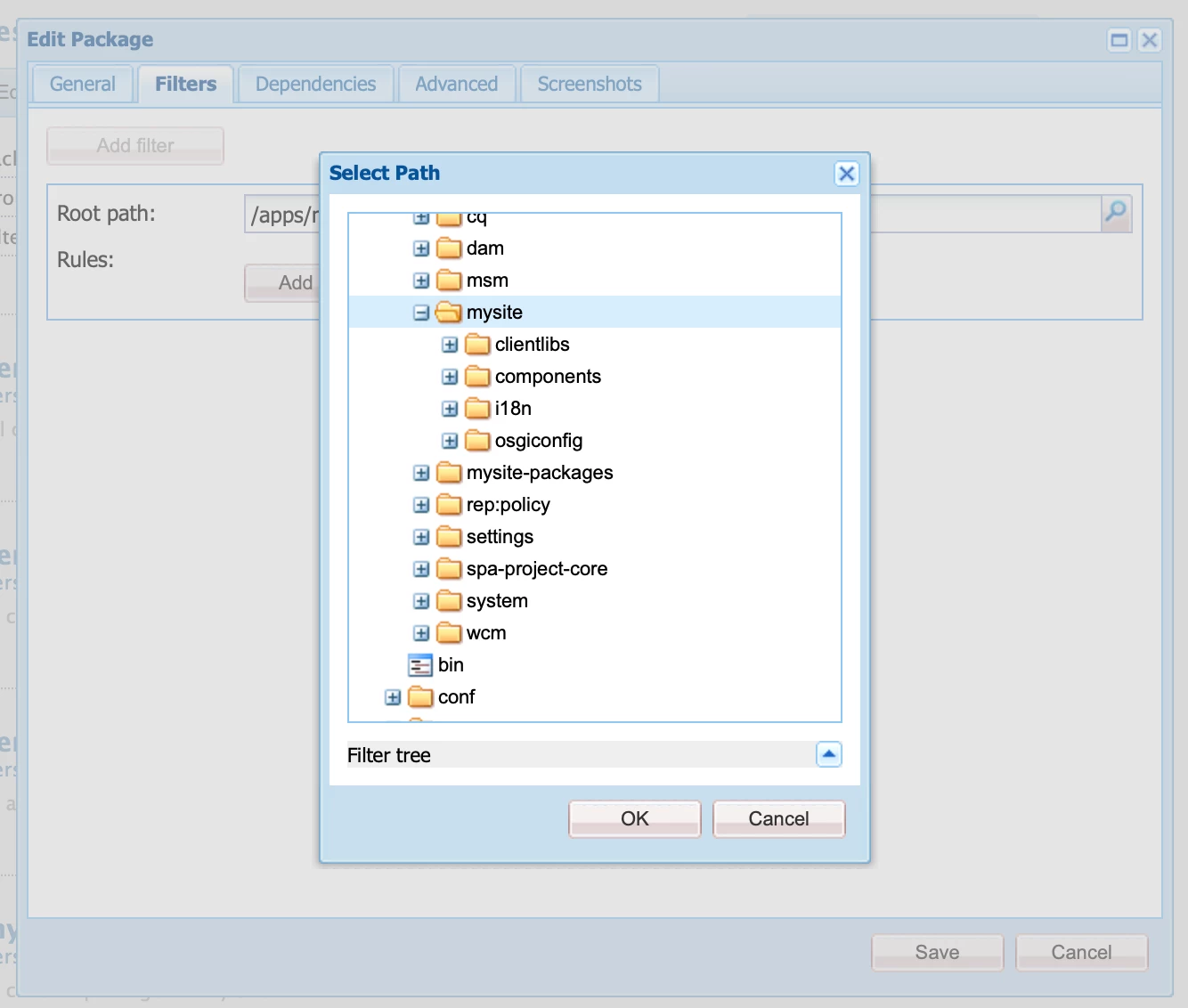
    navigate to the second tab called filters, and click on the "add filter" button, which opens a widget to choose your desired paths.
  6. Select what all you need as a filter, in this example, I am selecting my project called "mysite". (when you select a folder/node all the child nodes will also be included).

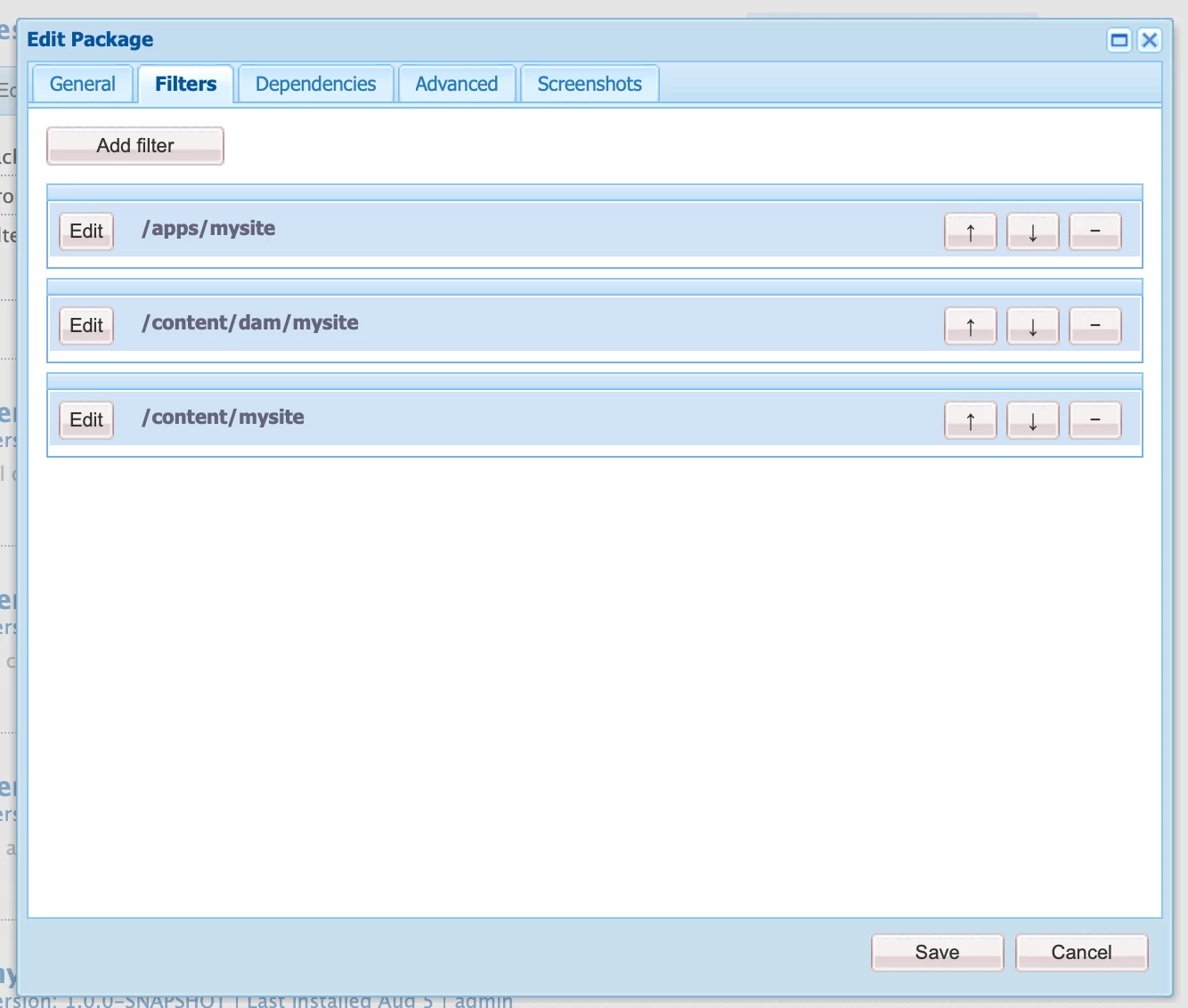
  7.  after selecting your path, the filter looks like this.
  8.  

    Now select all the paths which are necessary for you, including content and dam assets .

  9. example:

  10. Click on Save, the window closes, now on your package, you will find an option called "build", please proceed with the build. (By clicking build, AEM will package all your filter paths into a zip file) In the activity log, you can see the message regarding your build as well.

  11. Now you can download the same, which downloads as a zip file, which can be shared with your colleagues. 

Steps to Install :

  1. Go to http://localhost:4502/crx/packmgr/index.jsp 
  2. Select upload package
  3. Upload your shared package and click on install.


Note: Please be careful while selecting the selectors and be aware that selecting a folder/node includes the child nodes/folders as well.

Please have a back of your current work, before installing any provided packages as they might override your instance work.

Please be specific with your filters.

I hope this helps,

Thanks,

Sravan


2 risposte

B_Sravan
Community Advisor
B_SravanCommunity AdvisorRisposta
Community Advisor
August 21, 2022

Hi @sesmic 

Follow the steps for building a package:

  1. go to http://localhost:4502/crx/packmgr/index.jsp 
  2.  and click on create a package on the top navigation, just beside the search bar.
  3.  give a proper package name and other details and click on OK.

  4.   a package will be created as show in the picture.

  5.  

    Click on the edit option and a window opens that looks like this, 

     
    navigate to the second tab called filters, and click on the "add filter" button, which opens a widget to choose your desired paths.
  6. Select what all you need as a filter, in this example, I am selecting my project called "mysite". (when you select a folder/node all the child nodes will also be included).

  7.  after selecting your path, the filter looks like this.
  8.  

    Now select all the paths which are necessary for you, including content and dam assets .

  9. example:

  10. Click on Save, the window closes, now on your package, you will find an option called "build", please proceed with the build. (By clicking build, AEM will package all your filter paths into a zip file) In the activity log, you can see the message regarding your build as well.

  11. Now you can download the same, which downloads as a zip file, which can be shared with your colleagues. 

Steps to Install :

  1. Go to http://localhost:4502/crx/packmgr/index.jsp 
  2. Select upload package
  3. Upload your shared package and click on install.


Note: Please be careful while selecting the selectors and be aware that selecting a folder/node includes the child nodes/folders as well.

Please have a back of your current work, before installing any provided packages as they might override your instance work.

Please be specific with your filters.

I hope this helps,

Thanks,

Sravan


Sachin_Arora_
Community Advisor
Community Advisor
August 22, 2022

As you have mentioned style and experience fragments as well, you have to create package of following filters :

  • /apps/project -> Components
  • /conf/project -> Templates,Styles 
  • /content/dam/project -> Assets
  • /content/project -> Website/pages
  • /content/experience-fragments/project -> Experience Fragments

You can refer below videos to create/install package and share the same with your acquaintance.
https://www.youtube.com/watch?v=1cpzkjR112c

https://www.youtube.com/watch?v=Zq5YO2XlWdA