How to add new site to a project that already has 3 sites | Community
Skip to main content
Level 2
July 11, 2023
Solved

How to add new site to a project that already has 3 sites

  • July 11, 2023
  • 3 replies
  • 857 views

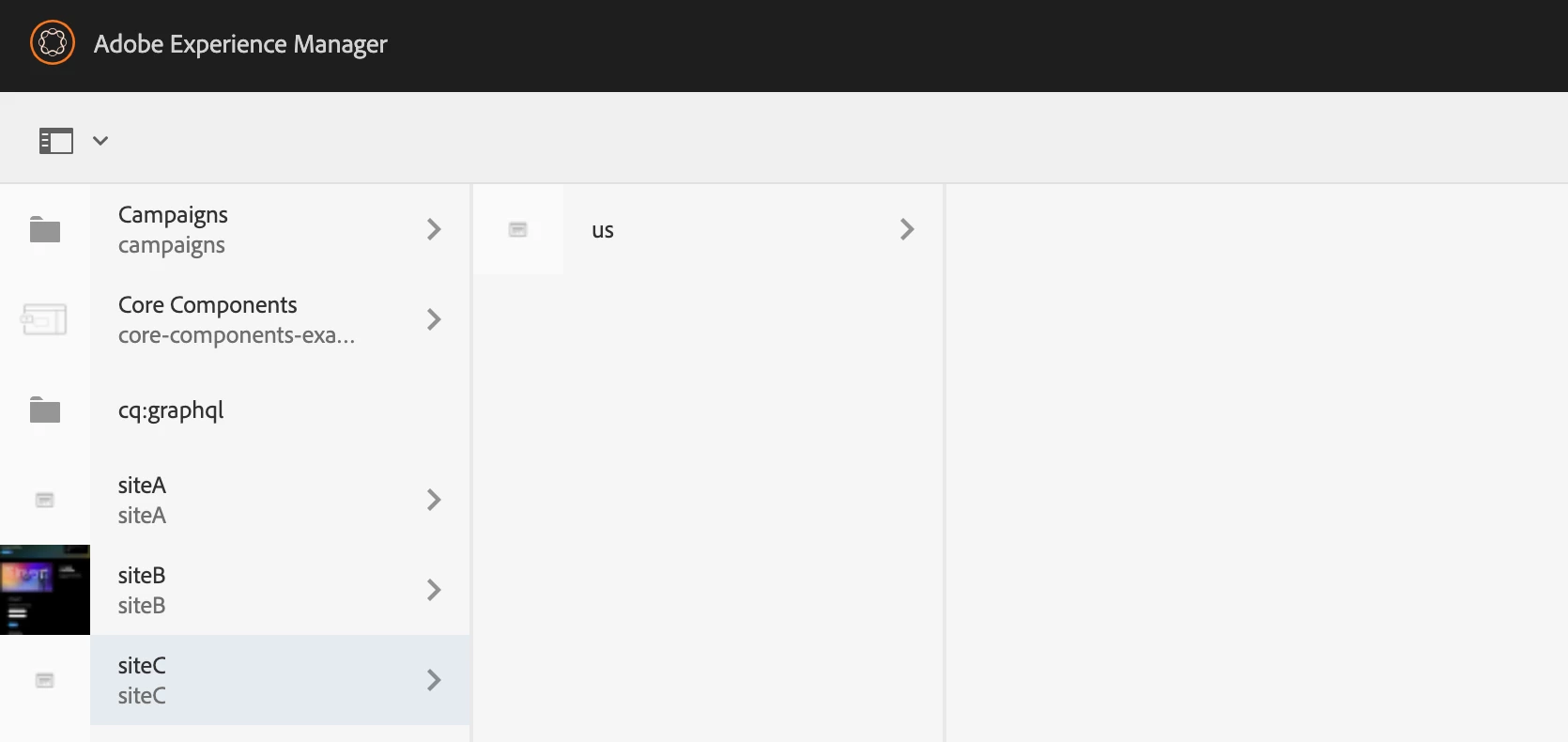
The attached screenshot has 3 sites. Now I want to add siteD as 4th site with just one page. Can you please help me with how to get started with this and the steps needed to achieve this.?


This post is no longer active and is closed to new replies. Need help? Start a new post to ask your question.
Best answer by BrianKasingli

it is important to familiarize yourself with industry-recommended practices when it comes to web development. When spinning up a new Adobe Experience Manager (AEM) website, the easiest approach is to utilize the Adobe-recommended and best-practice website boilerplate. This boilerplate can be accessed from the following GitHub repository: https://github.com/adobe/aem-project-archetype.


By using the AEM website boilerplate, you gain access to a pre-configured project structure that adheres to industry best practices. This project archetype provides you with numerous benefits and features, simplifying the process of creating a new website. Here are some key advantages of utilizing this boilerplate:

  • Utilize Adobe-recommended AEM website boilerplate.
  • Simplifies website creation process.
  • Define namespace for better code organization.
  • Predefined templates for consistent styling and layout.
  • Support for proxied components for enhanced functionality.
  • Easy setup and configuration of entry log support.
  • Extensibility for integrating additional features.
  • Aligns with industry best practices for maintainability and scalability.
3 replies

BrianKasingli
Community Advisor and Adobe Champion
BrianKasingliCommunity Advisor and Adobe ChampionAccepted solution
Community Advisor and Adobe Champion
July 11, 2023

it is important to familiarize yourself with industry-recommended practices when it comes to web development. When spinning up a new Adobe Experience Manager (AEM) website, the easiest approach is to utilize the Adobe-recommended and best-practice website boilerplate. This boilerplate can be accessed from the following GitHub repository: https://github.com/adobe/aem-project-archetype.


By using the AEM website boilerplate, you gain access to a pre-configured project structure that adheres to industry best practices. This project archetype provides you with numerous benefits and features, simplifying the process of creating a new website. Here are some key advantages of utilizing this boilerplate:

  • Utilize Adobe-recommended AEM website boilerplate.
  • Simplifies website creation process.
  • Define namespace for better code organization.
  • Predefined templates for consistent styling and layout.
  • Support for proxied components for enhanced functionality.
  • Easy setup and configuration of entry log support.
  • Extensibility for integrating additional features.
  • Aligns with industry best practices for maintainability and scalability.

DPrakashRaj
Community Advisor
Community Advisor
July 11, 2023

Follow this document for creating a new site. I am expecting that you already have template and component already created for new site or you might be using the template, component of existing site.

https://experienceleague.adobe.com/docs/experience-manager-cloud-service/content/sites/administering/site-creation/create-site.html?lang=en

Nikhil-Kumar
Community Advisor
Community Advisor
July 12, 2023

If you want to have multiple website with reusable components then go for multimodule projects. Where you can proxy out the already created components and reuse the code.