
How to Add, delete, move rows and columns in the table component? | Community
Skip to main content
bhoang
Level 4
November 24, 2022
Solved

How to Add, delete, move rows and columns in the table component?

  • November 24, 2022
  • 1 reply
  • 2235 views

I create a table component to config content. Now, I want to insert a row between existing rows in the table as below image.
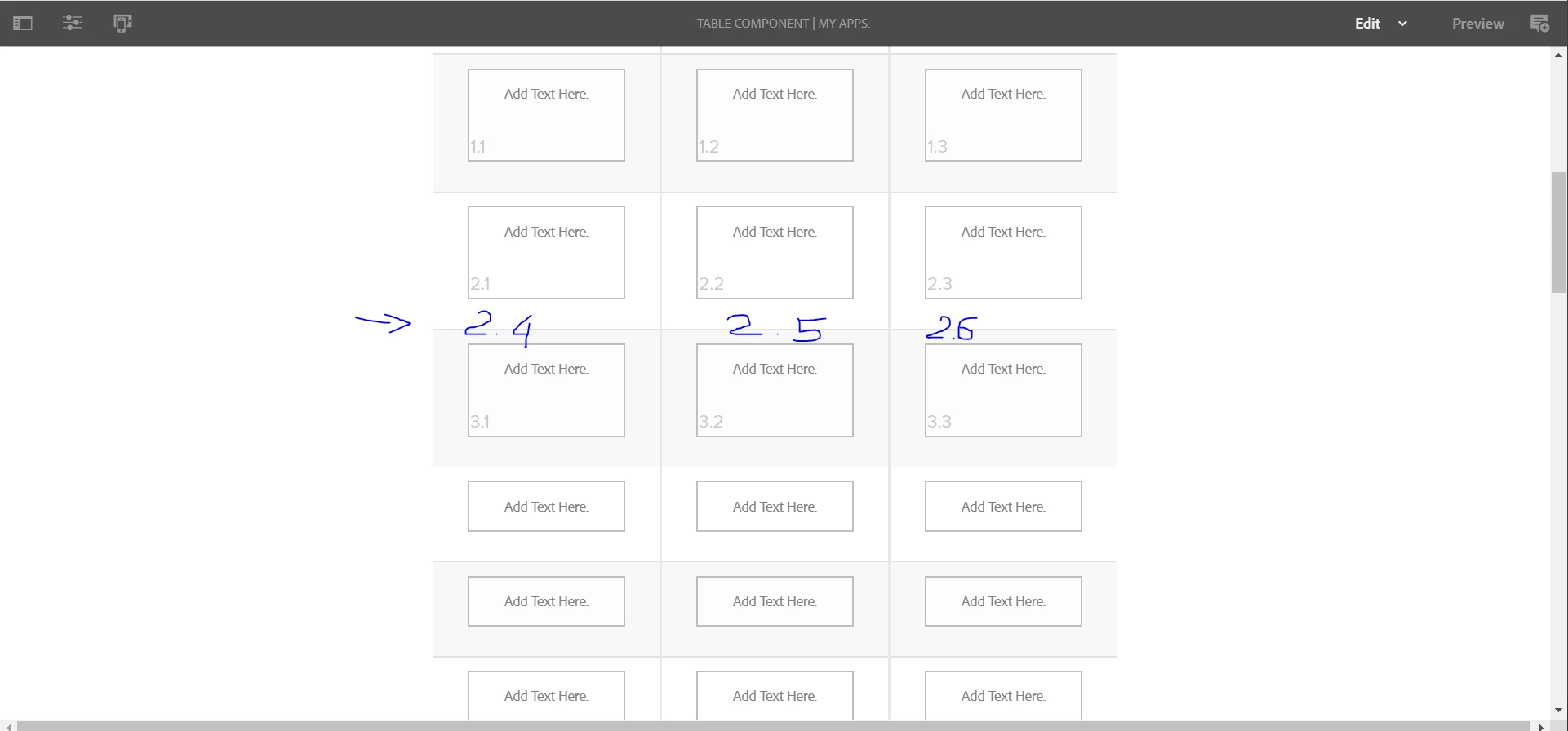
 

I found the table in adaptive forms can do that. How to make the table component can do as table in adaptive forms?

https://experienceleague.adobe.com/docs/experience-manager-65/forms/adaptive-forms-basic-authoring/adaptive-forms-tables.html?lang=en 


Thanks & Best regards,

bhoang


This post is no longer active and is closed to new replies. Need help? Start a new post to ask your question.

1 reply

Adobe Employee
November 24, 2022

hi @bhoang , Have you created custom table component to achieve the above layout or the core components?

 https://experienceleague.adobe.com/docs/experience-manager-core-components/using/components/tableofcontents.html


bhoang
bhoangAuthor
Level 4
November 24, 2022

Hi @nikita___garg I create a custom component.


Nikita___GargAdobe EmployeeAccepted solution
Adobe Employee
November 24, 2022