How to add debug configuration | Community
Skip to main content
April 26, 2022
Solved

How to add debug configuration

  • April 26, 2022
  • 1 reply
  • 771 views

Hi,


I have started my AEM instance in debug mode using the below command. But not getting how to add debug configuration in my IDE. Could you please guide me on this?

command I used


java -agentlib:jdwp=transport=dt_socket,server=y,suspend=n,address=5005 -jar AEM_6.5_Quickstart.jar


Thanks.
This post is no longer active and is closed to new replies. Need help? Start a new post to ask your question.
Best answer by MayurSatav

Hi @tanmay_varade ,


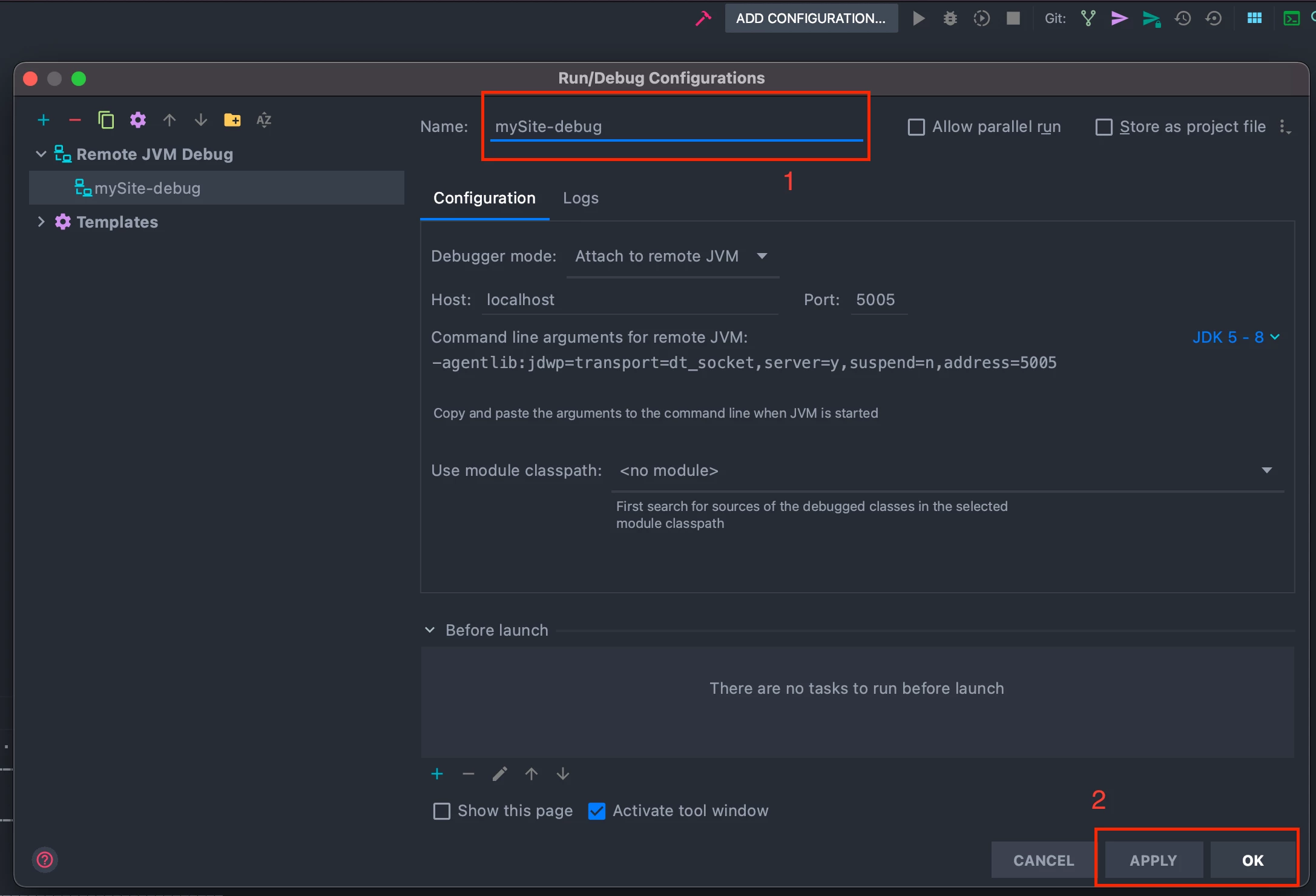
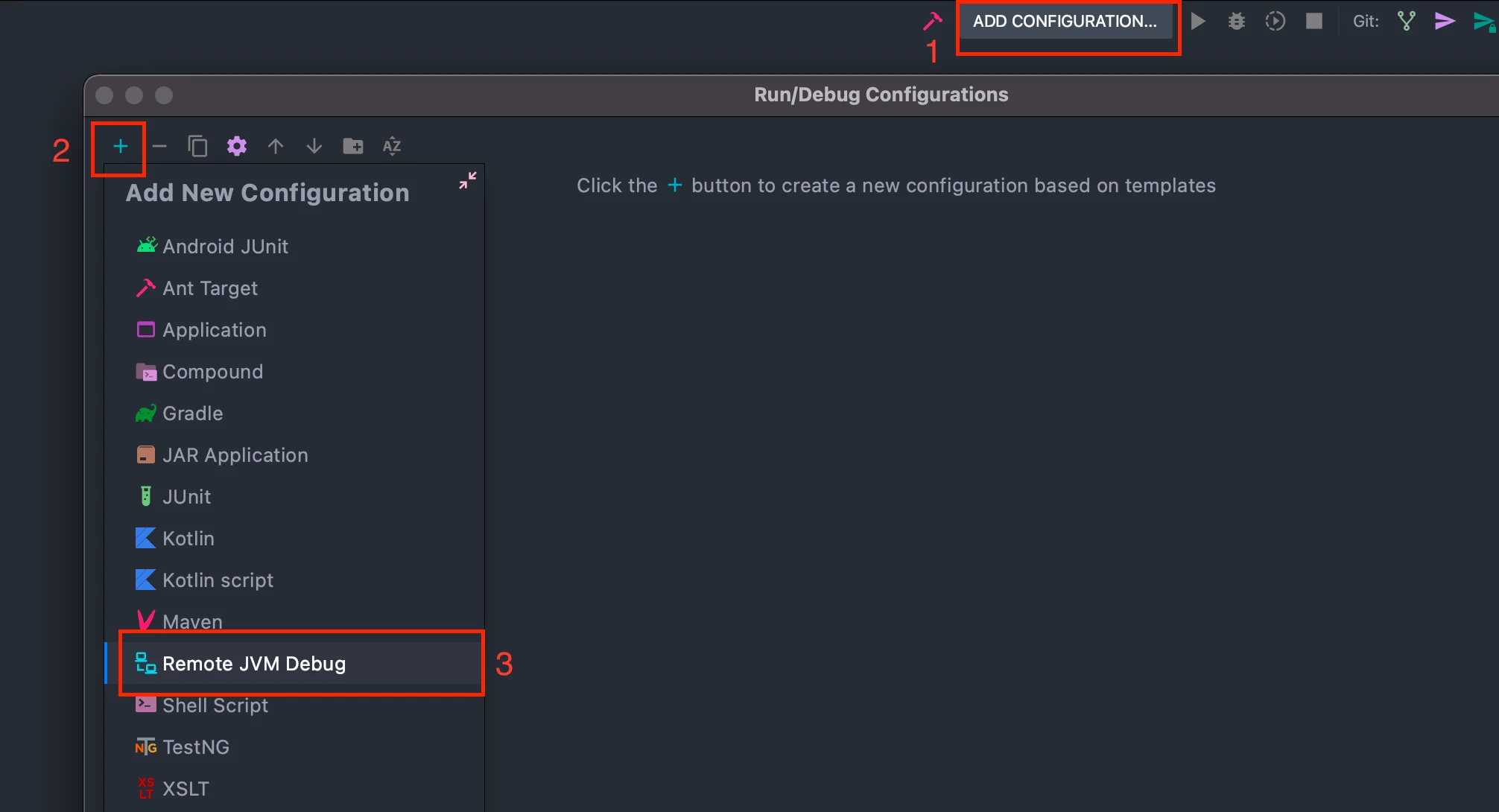
Could you please share which IDE you are using?. If you are using IntelliJ then please follow the below steps as shown in screenshots.


1. click Add Configuration

2. click Add

3. select Remote JVM Debug


4. Give any name to your configuration. 

If you are using a different port then update it otherwise keep it default.

5. Apply the changes and then select Ok.


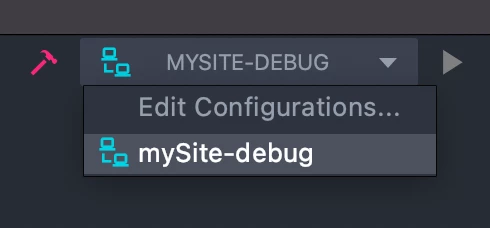
Then simply select your debug point and RUN


Thanks

1 reply

MayurSatav
Community Advisor and Adobe Champion
MayurSatavCommunity Advisor and Adobe ChampionAccepted solution
Community Advisor and Adobe Champion
April 26, 2022

Hi @tanmay_varade ,


Could you please share which IDE you are using?. If you are using IntelliJ then please follow the below steps as shown in screenshots.


1. click Add Configuration

2. click Add

3. select Remote JVM Debug


4. Give any name to your configuration. 

If you are using a different port then update it otherwise keep it default.

5. Apply the changes and then select Ok.


Then simply select your debug point and RUN


Thanks

Mayur Satav | www.mayursatav.in
April 26, 2022

Thanks, @mayursatav. it worked 👍.