how to add custom tile to the report wizard screen for custom report generation. | Community
Skip to main content
May 26, 2022
Solved

how to add custom tile to the report wizard screen for custom report generation.

  • May 26, 2022
  • 2 replies
  • 664 views

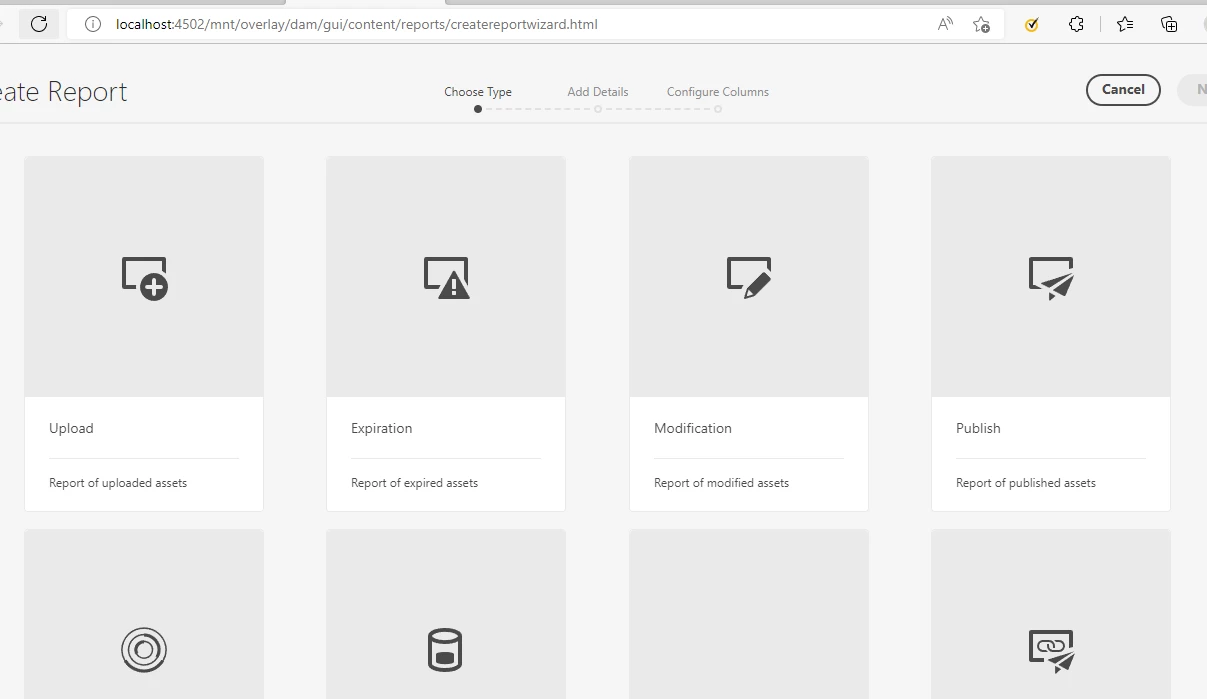
Hi , I need some pointers on how can we add the custom tile to the report wizard screen as shown tp generate a report. e.g. if i have to generate report for all sku's added within particular time frame so how can i add it to this screen. If anyone has implemented or has any idea about it please let me know.
 

This post is no longer active and is closed to new replies. Need help? Start a new post to ask your question.
Best answer by Anmol_Bhardwaj

Hi @ssawaikar ,


To do this, you would need to overlay the existing report creating wizard in AEM.

As you can notice in your URL, the component you are looking for is present in dam/gui/content/reports...


By this way, you can overlay many things in AEM.


I have gone ahead and looked at this and the exact file which you would need to overlay is :

/libs/dam/gui/coral/components/admin/reports/createreportwizard/selectreportcard/selectreportcard.jsp

This is responsible for rendering all the different options present in the createreportwizard.

You would need to add a new button(div) in this JSP and add your custom logic/class to it. 

2 replies

Anmol_Bhardwaj
Community Advisor
Anmol_BhardwajCommunity AdvisorAccepted solution
Community Advisor
May 26, 2022

Hi @ssawaikar ,


To do this, you would need to overlay the existing report creating wizard in AEM.

As you can notice in your URL, the component you are looking for is present in dam/gui/content/reports...


By this way, you can overlay many things in AEM.


I have gone ahead and looked at this and the exact file which you would need to overlay is :

/libs/dam/gui/coral/components/admin/reports/createreportwizard/selectreportcard/selectreportcard.jsp

This is responsible for rendering all the different options present in the createreportwizard.

You would need to add a new button(div) in this JSP and add your custom logic/class to it. 

sunil_kumar_
Level 5
May 31, 2022

Hi @ssawaikar ,
If you want to create additional Tile in Report Create Wizard, Overlay this path in apps "/libs/dam/content/reports/availablereports" and add a node for your tile under  overlaid path "/apps/dam/content/reports/availablereports"