
How to Add Custom Item in AEM Dashboard Tools section | Community
Skip to main content
MayurSatav
Community Advisor and Adobe Champion
April 26, 2022
Solved

How to Add Custom Item in AEM Dashboard Tools section

  • April 26, 2022
  • 1 reply
  • 1465 views

Hi,


I am curious about how can I add a custom item/option in the Tools section?. I have already gone through different blogs and documentation but haven't got a clear view of this. Can someone please guide me or give me a high-level understanding?.
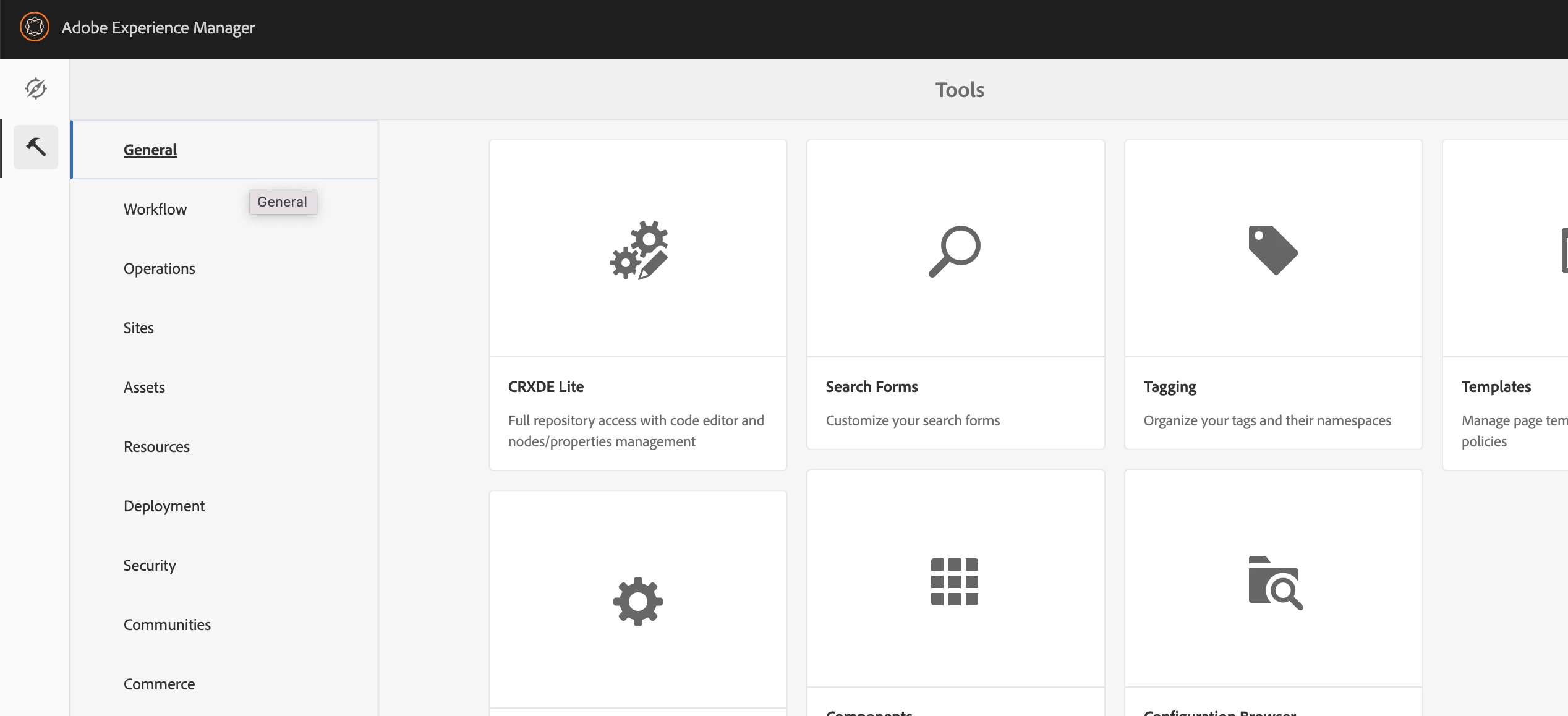


Thanks


This post is no longer active and is closed to new replies. Need help? Start a new post to ask your question.
Best answer by DEBAL_DAS

could you please try this https://hashouttech.com/blog/creating-a-tool-in-adobe-experience-manager and I will try this from my end.

1 reply

DEBAL_DAS
DEBAL_DASAccepted solution
New Member
April 26, 2022

could you please try this https://hashouttech.com/blog/creating-a-tool-in-adobe-experience-manager and I will try this from my end.

Debal Das, Senior AEM Consultant
MayurSatav
Community Advisor and Adobe Champion
April 26, 2022

Hi @debal_das ,


The issue is resolved actually I was trying to overlay /libs/cq/core/content/nav/tools this node but it kept showing me unable to overlay the node but after restarting the AEM instance it worked.

But thank you for your reply.