
How to Add a Custom Step to the Workflow Wizard in AEM Projects Console?
I am working on customizing the workflow wizard in the AEM Projects Console in AEMaaCS.. Currently, the wizard includes two steps: Workflow and Properties. I want to introduce an additional custom step to this wizard.
I have reviewed the official documentation (Develop AEM Projects) and found details about associating a workflow wizard using the project template. However, there is no clear guidance on how to add a new step to the wizard.
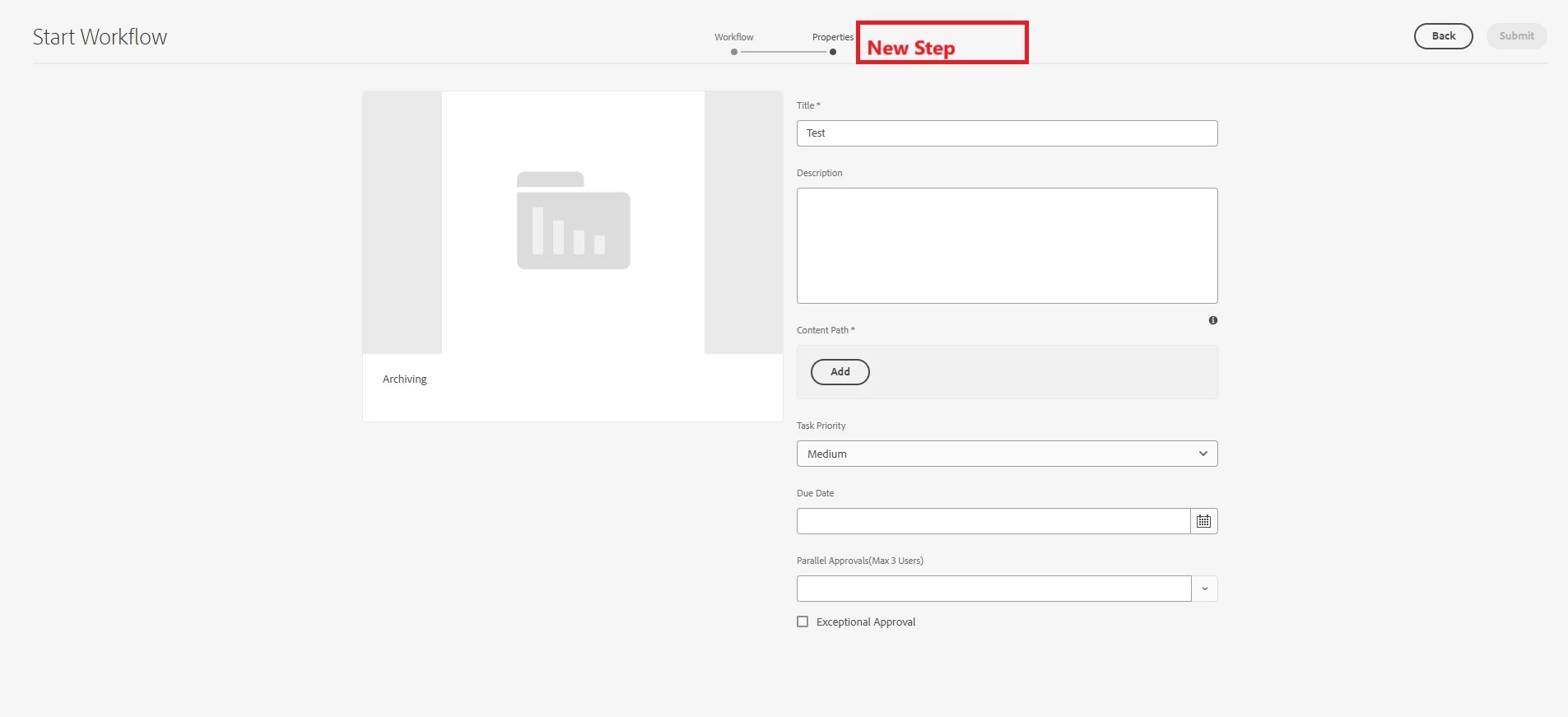
As per my analysis, the current wizard is displayed from /libs/cq/core/content/projects/wizard/startwork/jcr:content/body/items/form/items/wizard, but this is of mixin type granite:InternalArea, which makes it unavailable for overlaying. So I am not sure whether it is recommended to customize this or not.
Has anyone successfully customized the workflow wizard to include a new step? If so, could you please share the approach or any documentation and best practices?
Thank you in advance for your help!