Level 2
Mar 30, 2016 2:41 PM UTC
Solved

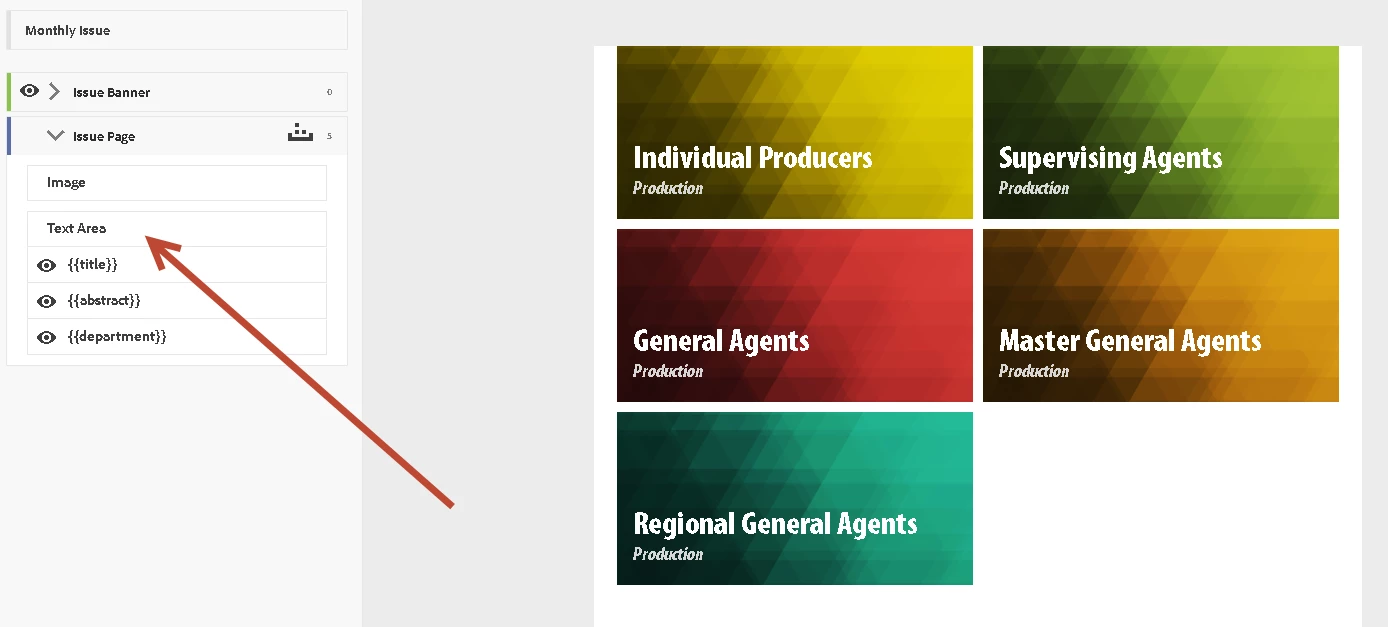
How do you add additional text areas to a card template in AEM Mobile?

How do you add additional text areas to a card template in AEM Mobile? There are only three default text areas from the metadata of the article. I need to add 4 or 5 separate metadata text areas to my card.

Thank you.

Here is a screen shot:
This post is no longer active and is closed to new replies. Need help? Start a new post to ask your question.
bobbr3212Accepted solution
Adobe Employee
Mar 30, 2016 2:47 PM UTC

You're allowed only three lines of metadata. However, you can add multiple metadata fields to each line, like this:

{{Title}} by {{Author}}

{{Abstract}}

{{Department}}, {{Category}}

2 replies

bobbr3212Adobe EmployeeAccepted solution
Adobe Employee
Mar 30, 2016 2:47 PM UTC

You're allowed only three lines of metadata. However, you can add multiple metadata fields to each line, like this:

{{Title}} by {{Author}}

{{Abstract}}

{{Department}}, {{Category}}

Translate
Level 2
Mar 30, 2016 4:55 PM UTC

Thank you.

Translate