How do i reset default admin the password, which has been set via command prompt | Community
Skip to main content
Var
Level 4
August 17, 2017

How do i reset default admin the password, which has been set via command prompt

  • August 17, 2017
  • 1 reply
  • 3547 views

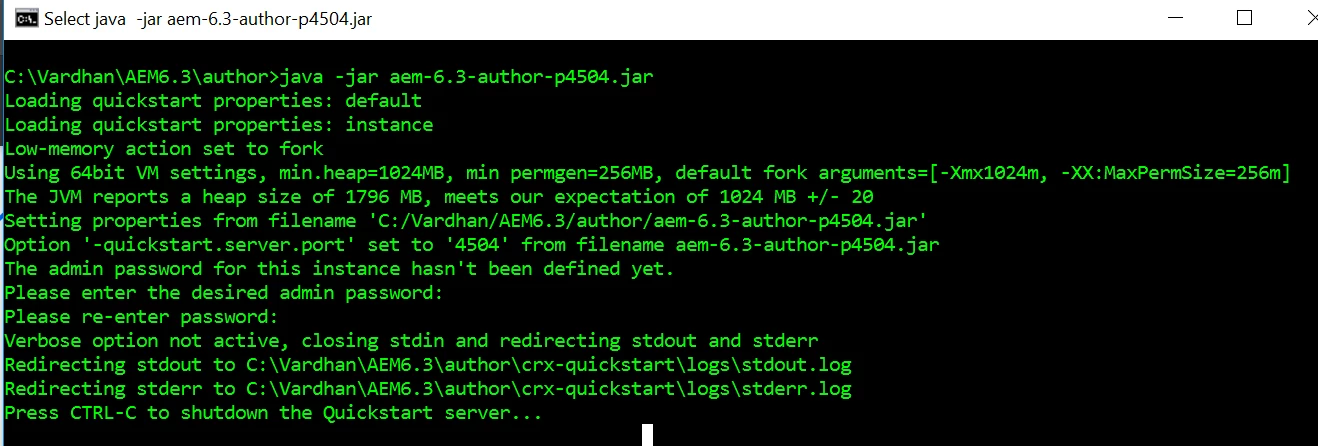
I have set up an admin password via command prompt as shown in the AEM documentation, but unfortunately i have forgot the password of the admin, is there any way to recover the admin password.?
Thanks,

VAr

This post is no longer active and is closed to new replies. Need help? Start a new post to ask your question.

1 reply

kautuk_sahni
Community Manager
Community Manager
August 18, 2017

Please have a look at this post:-Changing User Passwords in AEM 6.1 via cURL | 6D Labs

// It covers Changing User Passwords in AEM 6.1 via cURL

If you know the user's path then try, curl -u admin:admin -F rep:password="aem6dev" -F:currentPassword="admin" http://<<<CUT>>>:4502/home/users/a/admin.rw.html

Source:- #AEM #CURL Change Admin Password · GitHub

~kautuk

Kautuk Sahni
Var
VarAuthor
Level 4
August 18, 2017

Thanks Kautuk,

but unfortunate is i don't remember the exact node path of admin user as AEM creates the user node with random node some thing like  example " /home/users/H/H7K-n3ZqABjdb0Wesk0w". Is there any other way to reset the password.?

VAr

kautuk_sahni
Community Manager
Community Manager
August 21, 2017

Did you chek Changing User Passwords in AEM 6.1 via cURL | 6D Labs ?

//

1. call the Query Builder via cURL to get the path to the user:

    curl -s -u admin:admin -X GET "http://localhost:4502/bin/querybuilder.json?path=/home/users&1_property=rep:authorizableId&1_property.value={USER_NAME}&p.limit=-1" > user.json

2. Read the path from the JSON result:

USER_PATH=`ruby -rjson -e 'j = JSON.parse(File.read("user.json")); puts j["hits"][0]["path"]'`

3. USER_PATH variable can be used to set the user's password:

curl -s -u admin:admin -Fplain={NEW_PASSWORD} -Fverify={NEW_PASSWORD}  -Fold={OLD_PASSWORD} -FPath=$USER_PATH http://localhost:4502/crx/explorer/ui/setpassword.jsp

Putting it all together, if I wanted to change the admin user's password I would call:

curl -s -u admin:admin -X GET "http://localhost:4502/bin/querybuilder.json?path=/home/users&1_property=rep:authorizableId&1_property.value=admin&p.limit=-1" > user.json

USER_PATH=`ruby -rjson -e 'j = JSON.parse(File.read("user.json")); puts j["hits"][0]["path"]'`

curl -s -u admin:admin -Fplain=admin1 -Fverify=admin1  -Fold=admin -FPath=$USER_PATH http://localhost:4502/crx/explorer/ui/setpassword.jsp

~kautuk

Kautuk Sahni