How can I make the select panel of the Accordion component show both the component name and the component title? | Community
Skip to main content
Level 2
February 15, 2022
Solved

How can I make the select panel of the Accordion component show both the component name and the component title?

  • February 15, 2022
  • 1 reply
  • 670 views

Hi All,

I have created a custom accordion component by using slingresourceSupertype:core/wcm/components/accordion/v1/accordion .

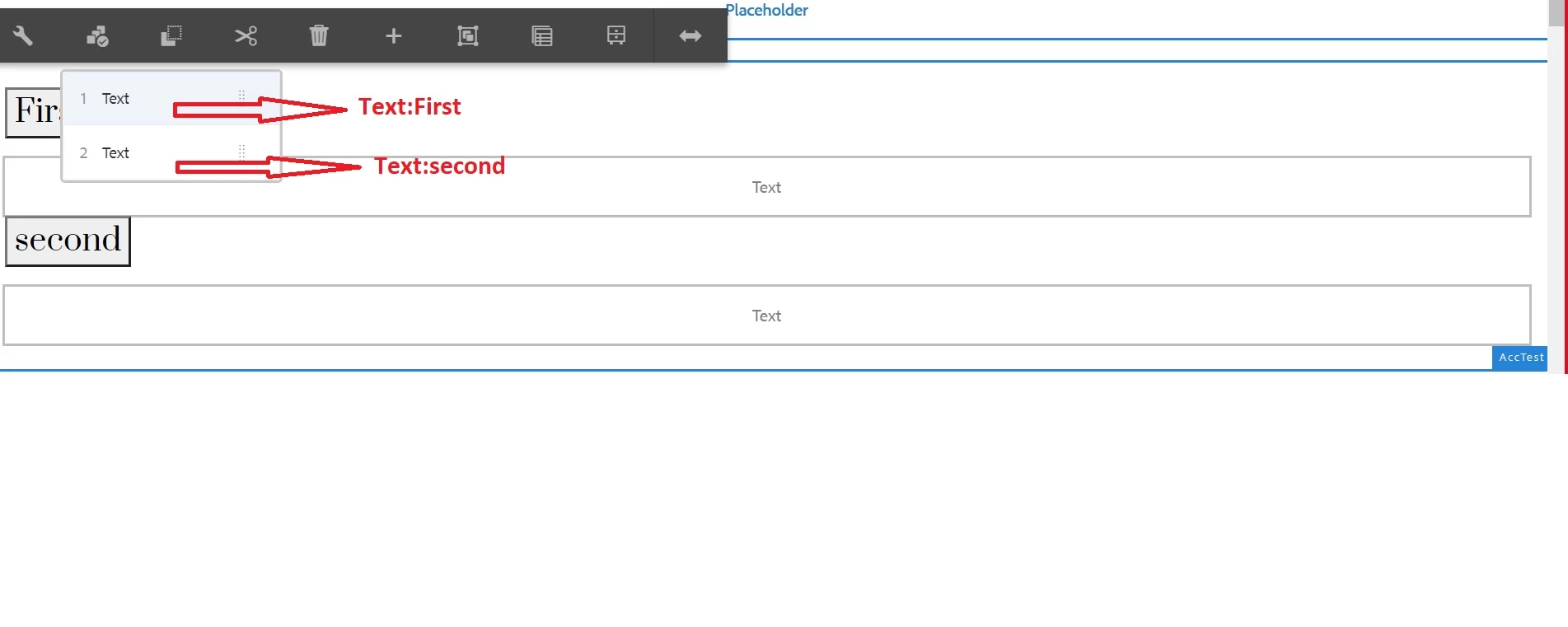
I have added two text component inside the Accordion Component. And tried to show that title of each component that I putted inside the Accordion component along with the component name on the select panel .

Could you please tell me what the problem is?

For your convenience, I have included a few screenshots.
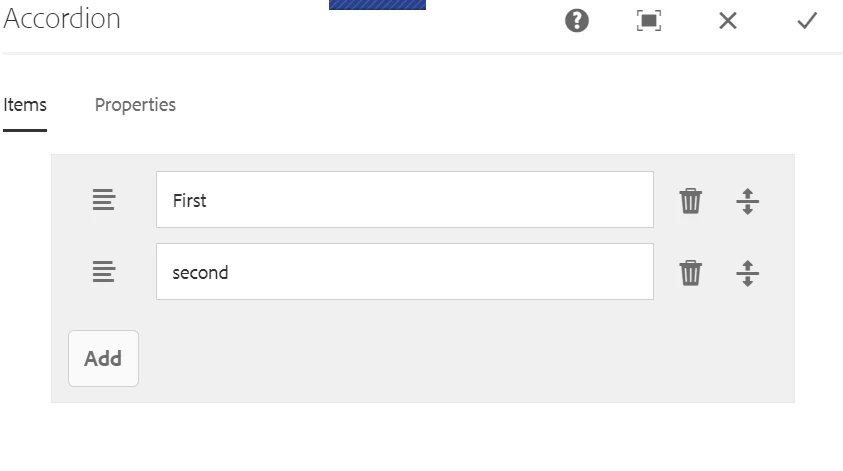
 

I want to show how the title should look like in the screenshot above.


Thank you in advance.

This post is no longer active and is closed to new replies. Need help? Start a new post to ask your question.
Best answer by ibishika

@jenakaibalya You need to customize your component to be able to show any custom behaviour that you want. Here is the documentation for the same:

https://experienceleague.adobe.com/docs/experience-manager-core-components/using/developing/customizing.html?lang=en 

1 reply

ibishika
ibishikaAccepted solution
Level 4
February 15, 2022

@jenakaibalya You need to customize your component to be able to show any custom behaviour that you want. Here is the documentation for the same:

https://experienceleague.adobe.com/docs/experience-manager-core-components/using/developing/customizing.html?lang=en