Graphiql IDE not present on author instance on cloud manager | Community
Skip to main content
mirza_akram
Level 2
June 9, 2022
Solved

Graphiql IDE not present on author instance on cloud manager

  • June 9, 2022
  • 1 reply
  • 1030 views

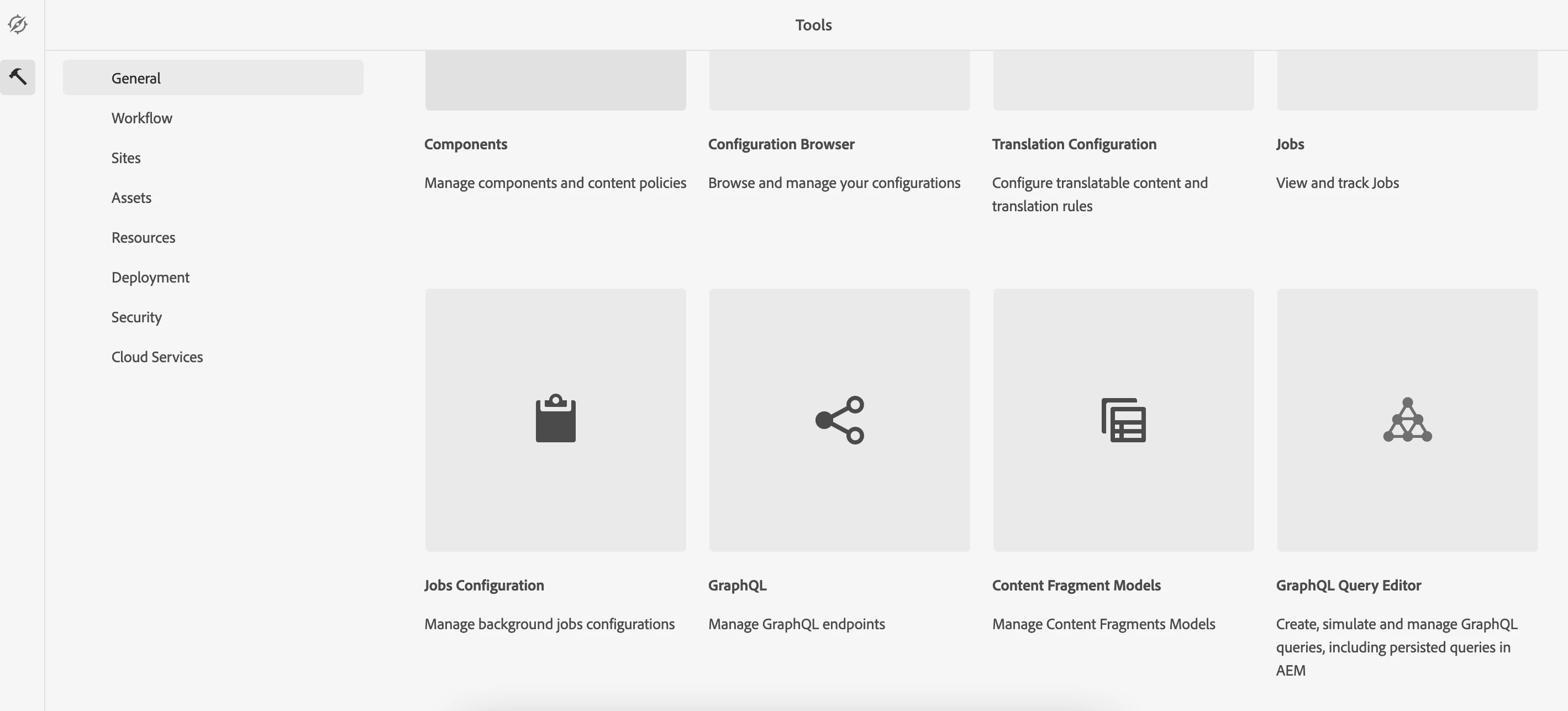
When I download the latest cloud sdk from software distribution I could see the Graphiql Editor under General tab but when I am looking for the same on cloud author instance I am unable to find the same.


I have updated the author instance to latest update available( release ID mentioned below)

My Author instance release is AEM RELEASE: 2022.5.7575.20220530T152407Z


As per https://experienceleague.adobe.com/docs/experience-manager-cloud-service/content/headless/graphql-api/graphiql-ide.html?lang=en it is now included in all aem versions by default and we dont have to install any separate package which we had to install earlier.


FYI: my graphql persistent queries are working fine.


Any help would be much appreciated.



This post is no longer active and is closed to new replies. Need help? Start a new post to ask your question.
Best answer by lukasz-m

Hi @mirza_akram,

I did some quick check on my local instance using exactly the same version like you. Here are some conclusions:

I get the same issue GraphQL Query Editor is not visible, and when I ma trying to access it via url aem/graphiql.html, I am getting following message: 

URL is blocked.

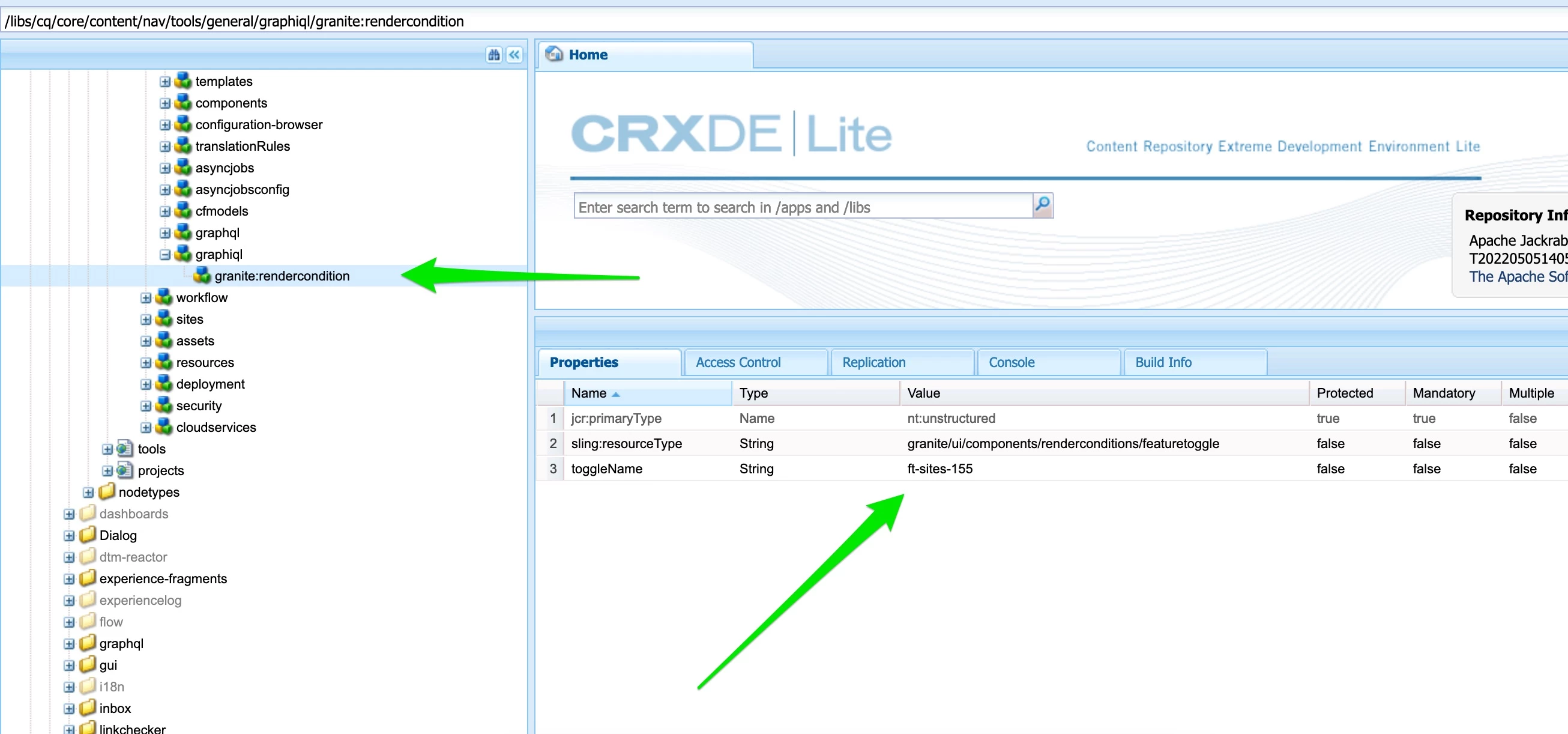
The reason of above is a fact that GraphQL Query Editor is restricted by render condition that relays on feature toggle: ft-sites-155.

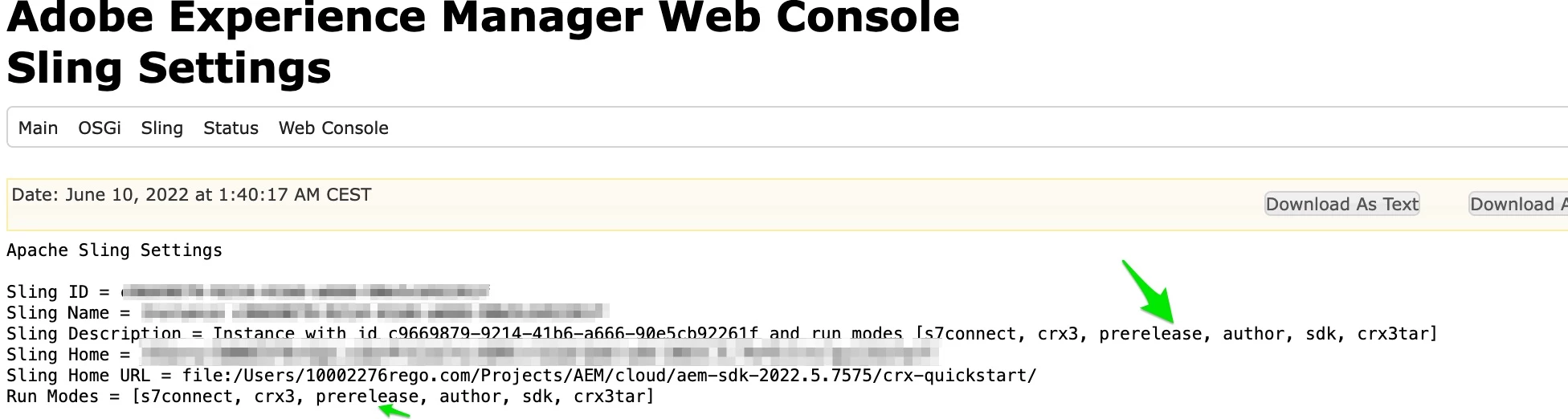
Unfortunately in version 2022.5.7575.20220530T152407Z, above feature toggle is enabled only in prerelease run mode. You can read about this specific run mode here.

When I run my instance using prerelease run mode I get access to GraphQL Query Editor

You can find the instructions how to run your instance using prerelease run mode under this link.

Please be aware that you may need to setup up your instance from scratch to be able to use prerelease run mode. You can check under /system/console/status-slingsettings if prerelease run mode has been applied correctly.

Base on Adobe documentation it looks that features available in prereleae mode will be normally available int the next future release. You can also raise Adobe Support ticket in case of any doubts int terms of this or other features availability.

Alternatively you can try to disable following OSGi component com.adobe.aem.graphiql.core.filters.SitesGraphiqlDevModeFilter

1 reply

lukasz-m
Community Advisor
lukasz-mCommunity AdvisorAccepted solution
Community Advisor
June 10, 2022

Hi @mirza_akram,

I did some quick check on my local instance using exactly the same version like you. Here are some conclusions:

I get the same issue GraphQL Query Editor is not visible, and when I ma trying to access it via url aem/graphiql.html, I am getting following message: 

URL is blocked.

The reason of above is a fact that GraphQL Query Editor is restricted by render condition that relays on feature toggle: ft-sites-155.

Unfortunately in version 2022.5.7575.20220530T152407Z, above feature toggle is enabled only in prerelease run mode. You can read about this specific run mode here.

When I run my instance using prerelease run mode I get access to GraphQL Query Editor

You can find the instructions how to run your instance using prerelease run mode under this link.

Please be aware that you may need to setup up your instance from scratch to be able to use prerelease run mode. You can check under /system/console/status-slingsettings if prerelease run mode has been applied correctly.

Base on Adobe documentation it looks that features available in prereleae mode will be normally available int the next future release. You can also raise Adobe Support ticket in case of any doubts int terms of this or other features availability.

Alternatively you can try to disable following OSGi component com.adobe.aem.graphiql.core.filters.SitesGraphiqlDevModeFilter

mirza_akram
Level 2
June 10, 2022

Thank you @lukasz-m This is very insightful.