Solved
Generating and saving Excel Files using Apache POI XSSFWorkbook and Assetmanager API
Hello folks,
Hope you all having a great Holiday,
We have a requirement to dynamically generate an Excel file and save it to the DAM.
Below is the code snippet I have written, to save it to DAM using AssetManager API.
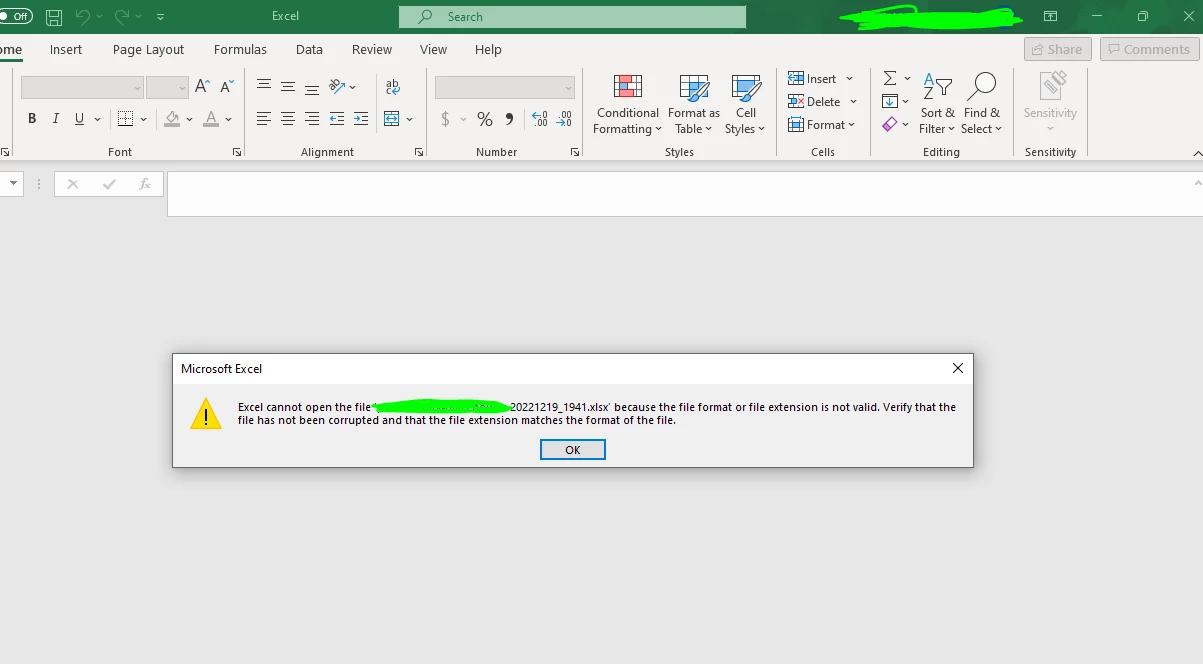
Currently, it is only creating an xlsx file in the DAM with 0 bytes and when I try to download it to my windows and open I get the below error shown in the screenshot.
Please note that the same input stream I am using to create an excel and send it as an attachment, in which I can open the Excel file and see all the formatting.
Can you please advise what's wrong here?
String EXCEL_MIME_TYPE = "application/vnd.openxmlformats-officedocument.spreadsheetml.sheet";
	String fileName = "my-customexcel-2022-12.xlsx";
            XSSFWorkbook workbook =  MyPJWorkbookUtils.generateWorkbook(resolver, idCurrentValue, idsCountL);
            //Write the workbook into DAM
            String destinationPath = "/content/dam/mypj/" + fileName;
            AssetManager manager = resolver.adaptTo(AssetManager.class);

            ByteArrayOutputStream bos = new ByteArrayOutputStream();
            workbook.write(bos);
            ByteArrayInputStream is = new ByteArrayInputStream(bos.toByteArray());
            ByteArrayDataSource byteDataSource = new ByteArrayDataSource(is, EXCEL_MIME_TYPE);  // This is byteDataSource is used to create an attachment in email which is working fine.
            Asset asset = manager.createAsset(destinationPath, is, EXCEL_MIME_TYPE, Boolean.TRUE);
		 if (asset == null) {
                log.error("Cannot create asset: asset is null on path '{}'", destinationPath);
                return Boolean.FALSE;
            } else {
                log.debug("Excel Spreadsheet saved successfully '{}'", asset);
                emailService.sendHtmlEmailWithAttachment(Arrays.asList(toUsers), Arrays.asList(ccUsers), from, "PL - Test subject", "Test message body", byteDataSource, "Dataaa" , fileName); // This is working fine and i can open the Excel using same inputStream
                workbook.close();
                is.close();
                bos.close();
                return Boolean.TRUE;
            }
TIA!
