From where locale properties are coming in AEM and can we change this property? | Community
Skip to main content
Level 2
January 15, 2025
Solved

From where locale properties are coming in AEM and can we change this property?

  • January 15, 2025
  • 2 replies
  • 594 views

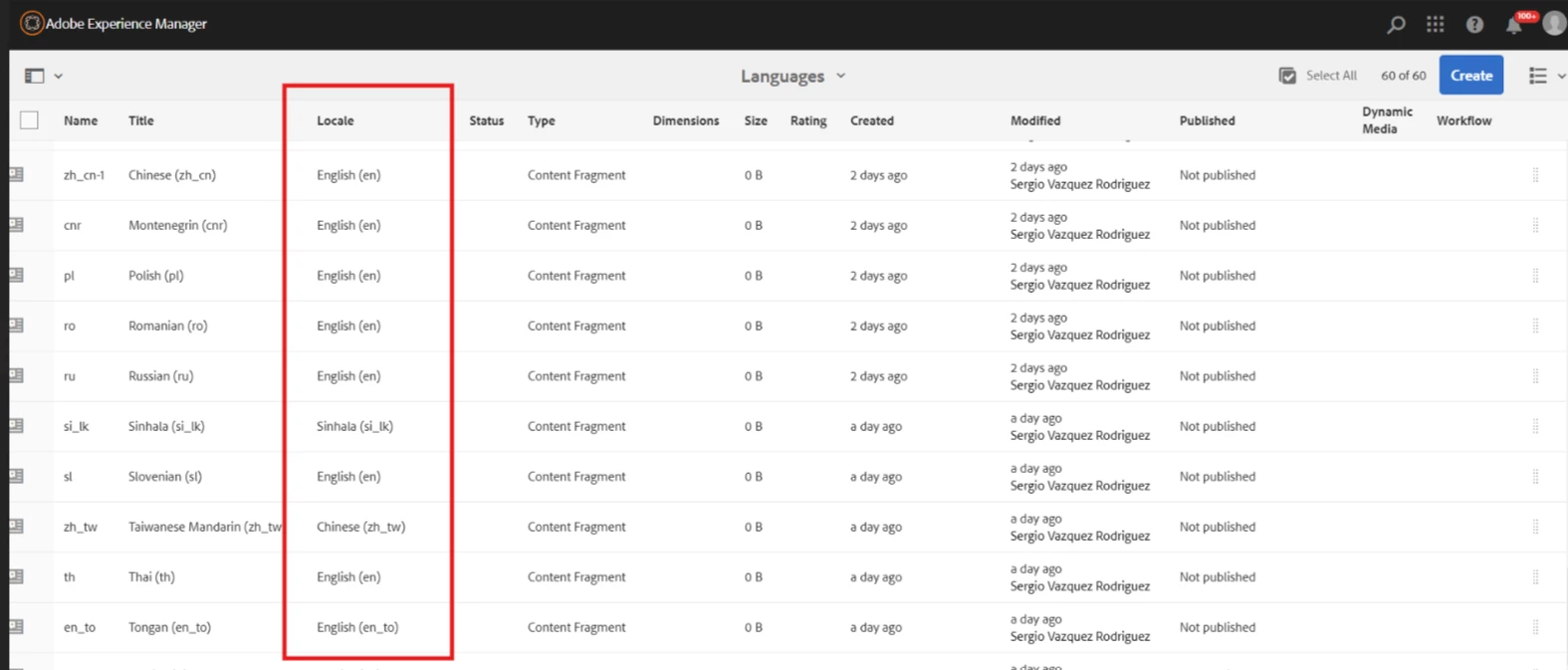
I have authored these content fragments in AEM , but these all are taking a locale property when viewed as list (List View of CF).

From where this these locale properties are coming and can we change this property?
 

Best answer by PRATHYUSHA_VP

Hi @vanitana 


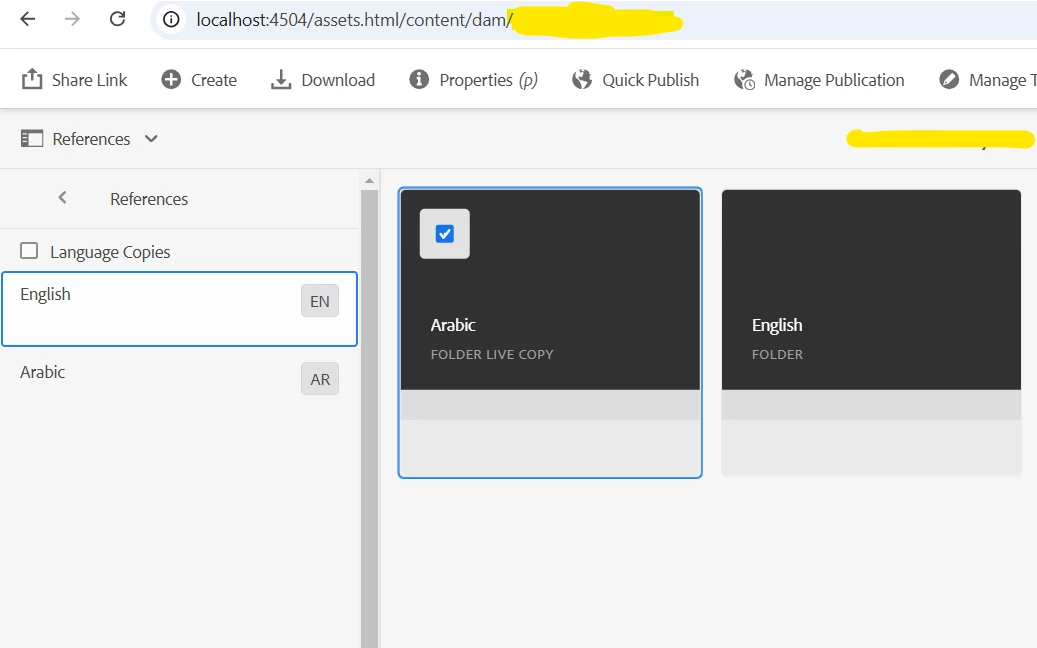
The root content fragments folders inside the project folder that is created will define the language root of your fragments.

It is necessary to define the language node for the root asset folder for translation projects in ISO language code format


/content
/- dam

/my-project
|- en
|- fr
|- de
|- es
|- it
|- ja
|- zh

All content fragments that are created under en will take English as language. And the same will be applicable to other languages

Example below -


References : 

https://experienceleague.adobe.com/en/docs/experience-manager-cloud-service/content/assets/admin/translate-assets


Hope this helps


Thanks


2 replies

PRATHYUSHA_VP
Community Advisor
PRATHYUSHA_VPCommunity AdvisorAccepted solution
Community Advisor
January 15, 2025

Hi @vanitana 


The root content fragments folders inside the project folder that is created will define the language root of your fragments.

It is necessary to define the language node for the root asset folder for translation projects in ISO language code format


/content
/- dam

/my-project
|- en
|- fr
|- de
|- es
|- it
|- ja
|- zh

All content fragments that are created under en will take English as language. And the same will be applicable to other languages

Example below -


References : 

https://experienceleague.adobe.com/en/docs/experience-manager-cloud-service/content/assets/admin/translate-assets


Hope this helps


Thanks


AmitVishwakarma
Community Advisor
Community Advisor
January 19, 2025

The locale properties in AEM for content fragments are typically derived from the language variants (e.g., /content/mycontent/en, /content/mycontent/de) or the content fragment model.

You can change these properties by:

  1. Creating/Editing Language Variants in the content fragment.
  2. Modifying the Content Fragment Model to update locale-related fields.
  3. Adjusting the Folder Structure to reflect the desired locale.

This allows you to control and change the locale properties.