Level 3
October 23, 2021
Solved

Fonts not loading in Network tab showing 404 AEM 6.5

Fonts not loading in Network tab showing 404



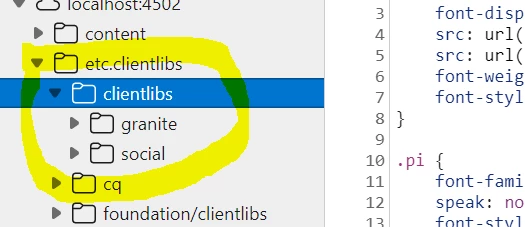
is there any other way to call fonts. Because on "etc.clientlibs" im not able to see fonts there its not creating folder there 


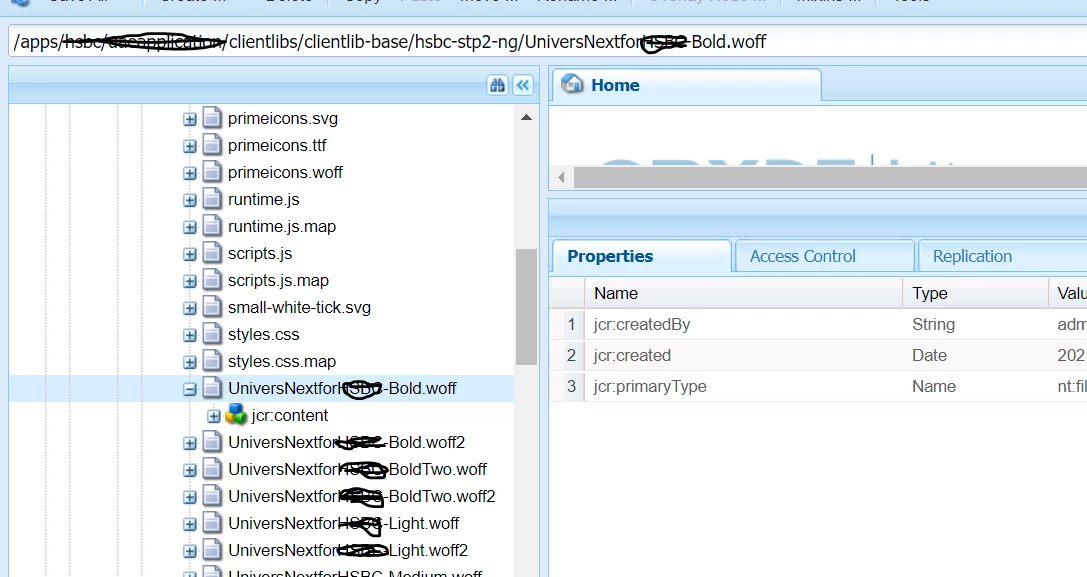
But in CRXDE console i can see the fonts there


This post is no longer active and is closed to new replies. Need help? Start a new post to ask your question.
Asutosh_Jena_
Asutosh_Jena_Accepted solution
Community Advisor
October 23, 2021

Hi @keshav_goud 


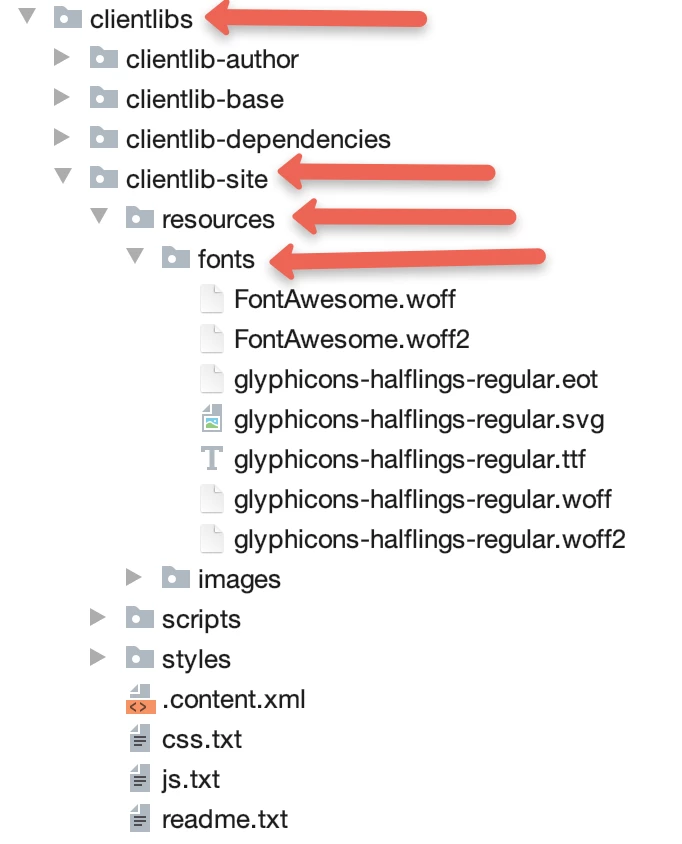
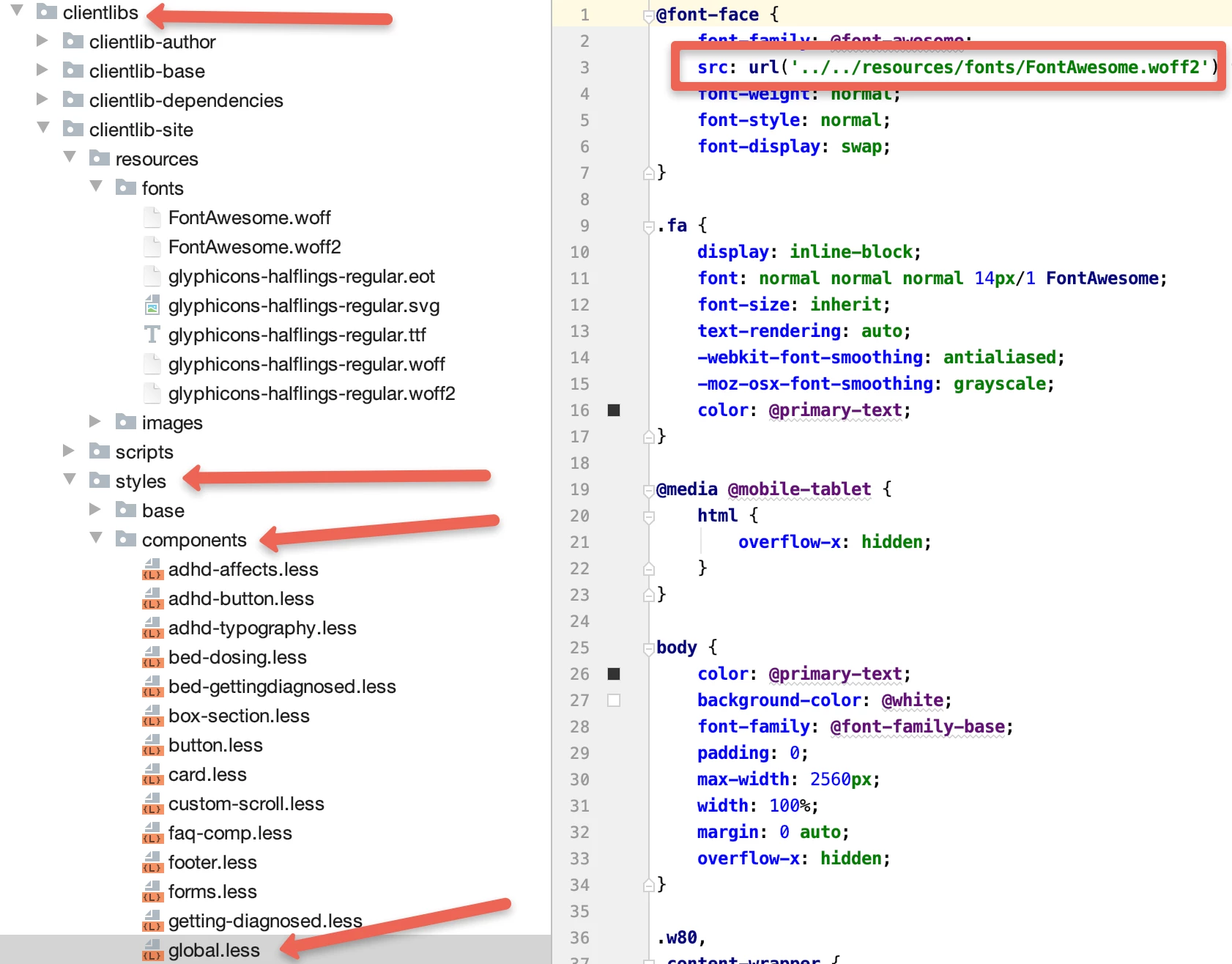
Please ensure the fonts are loaded in the correct folder, i.e., under resources/fonts folder in crx/de and the relative path is used properly in CSS/LESS.


Please see the screenshot below from code base.


here is how it should be referenced. Ensure the relative path is correct. Folder names can be anything.


Now the fonts will be loaded with the below URL;


https://www.website.com/etc.clientlibs/websitename/clientlibs/clientlib-site/resources/fonts/FontAwesome.woff2


Hope this helps!


Thanks! 

2 replies

Asutosh_Jena_
Community Advisor
Asutosh_Jena_Community AdvisorAccepted solution
Community Advisor
October 23, 2021

Hi @keshav_goud 


Please ensure the fonts are loaded in the correct folder, i.e., under resources/fonts folder in crx/de and the relative path is used properly in CSS/LESS.


Please see the screenshot below from code base.


here is how it should be referenced. Ensure the relative path is correct. Folder names can be anything.


Now the fonts will be loaded with the below URL;


https://www.website.com/etc.clientlibs/websitename/clientlibs/clientlib-site/resources/fonts/FontAwesome.woff2


Hope this helps!


Thanks! 

Translate
Sanjay_Bangar
Community Advisor
Community Advisor
October 23, 2021

Hi @keshav_goud ,

       Did you checked CSS file where  you have included the font path.

Please make sure that this clientlibs getting executed.

Try to debug js as well may be the client libs having issues.


Regards,

Sanjay

Translate