Folders not visible on Templates page at /libs/wcm/core/content/sites/templates.html/conf | Community
Skip to main content
poo21488
Level 2
June 12, 2018
Solved

Folders not visible on Templates page at /libs/wcm/core/content/sites/templates.html/conf

  • June 12, 2018
  • 3 replies
  • 2938 views

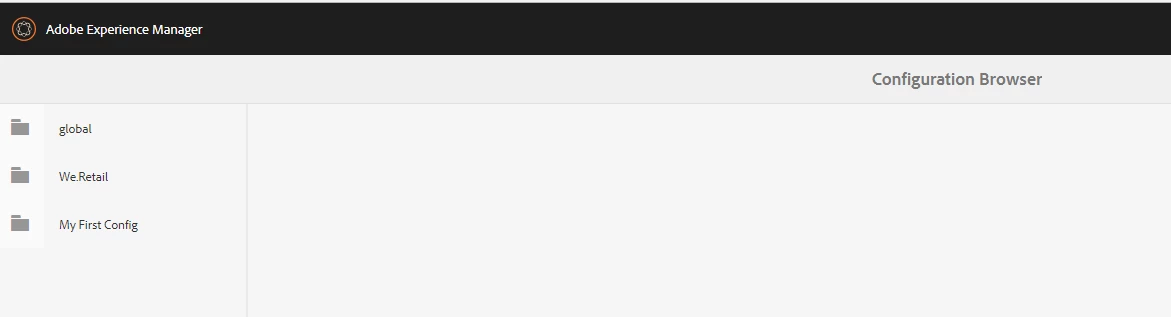
I created a new configuration of type Editable templates using Configuration Browser

http://localhost:4502/libs/granite/configurations/content/view.html/conf

When I try to look up the new folder in Templates (/libs/wcm/core/content/sites/templates.html/conf), I see only the We.Retail folder and not the new folder.

Screenshot of Configuration Browser:
Screenshot from Templates:
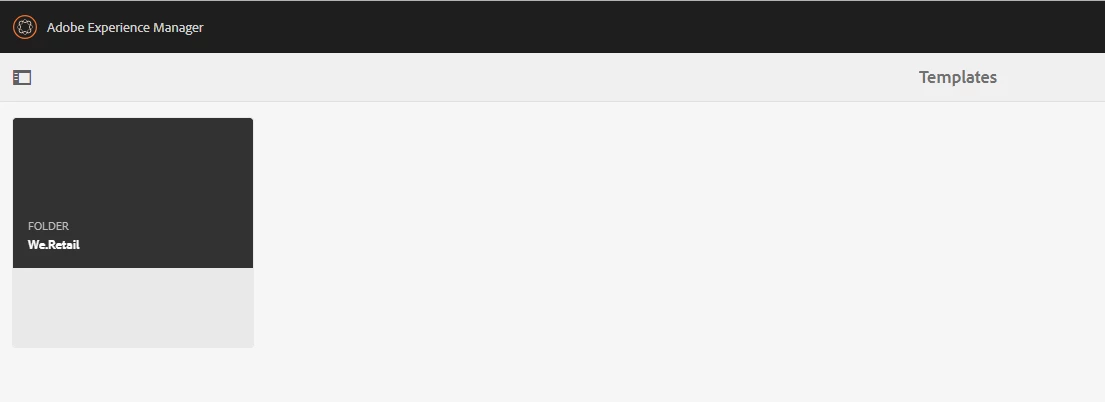
Can anyone help me with problem of new folder not getting displayed on Templates page?

This post is no longer active and is closed to new replies. Need help? Start a new post to ask your question.
Best answer by poo21488

Thanks Kautuk!

I'm using AEM 6.3.

The issue got resolved by re-indexing the page lucene index.

3 replies

arunpatidar
Community Advisor
Community Advisor
June 13, 2018

Hi,

Which AEM version are you using?

It could be a permission issue, could you please check permission /conf/ folder permission?

Thanks

Arun

Arun Patidar
kautuk_sahni
Community Manager
Community Manager
June 13, 2018

Just tested on the fresh AEM 6.4. I can see it.

Can you please check it once again? If problem persist then do share with us the steps to reproduce this and also the errors in AEM error.log.

-Kautuk

Kautuk Sahni
poo21488
poo21488AuthorAccepted solution
Level 2
June 19, 2018

Thanks Kautuk!

I'm using AEM 6.3.

The issue got resolved by re-indexing the page lucene index.

June 17, 2021

Also worked for me.

In crx/de

/oak:index/cqPageLucene

Set reindex=true

Save