Find and replace tool | Community
Skip to main content
key-key
Level 4
February 6, 2019
Solved

Find and replace tool

  • February 6, 2019
  • 6 replies
  • 8284 views

is the find and replace tool in the classic a VALID way for content authors to find sentences on pages in AEM and replace them?

Obviously the touch UI does not have this feature.

AEM 6.1 version - we need to use the classic UI find and replace tool

Does this tool find and replace full sentences in sections or do we need to add some code?

Need to change:

Change "Sending money abroad?" to "Sending money outside the UK"

Where are the instructions from this tool?

thanks.
This post is no longer active and is closed to new replies. Need help? Start a new post to ask your question.
Best answer by smacdonald2008

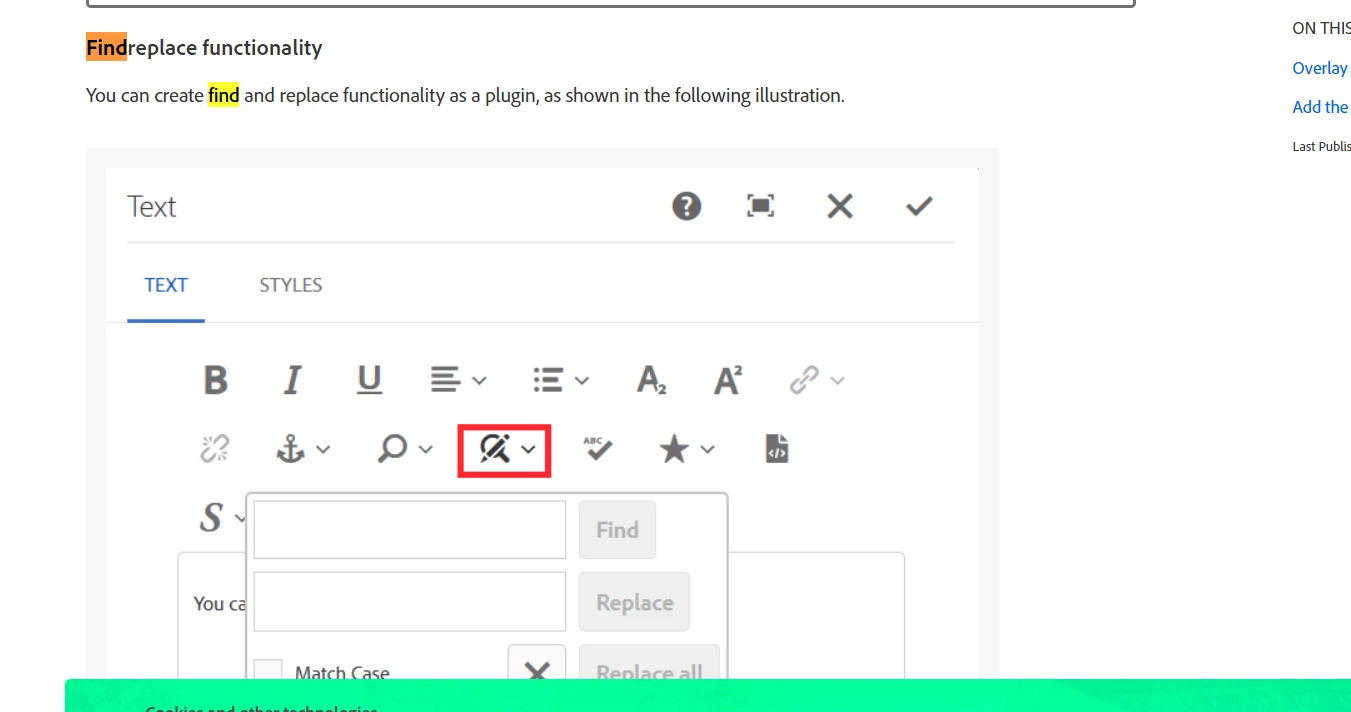
IN AEM Touch UI - the RTE supports this - see this document:

Configuring Experience Manager Rich Text Editor Plugins in a Touch UI Component Dialog

6 replies

Gaurav-Behl
Level 10
February 6, 2019

Have you checked this - On-Deploy Scripts

smacdonald2008
smacdonald2008Accepted solution
Level 10
February 6, 2019

IN AEM Touch UI - the RTE supports this - see this document:

Configuring Experience Manager Rich Text Editor Plugins in a Touch UI Component Dialog

smacdonald2008
Level 10
February 6, 2019

SO text is changed at the component level using the RTE plugin.

key-key
key-keyAuthor
Level 4
February 7, 2019

very useful thank you - i will send all of our mass content updates over to the developers!  However it would be helpful if AEM 6.4 they introduce a tool for authors to use considering this is a CMS software where this type of use case is regular.

key-key
key-keyAuthor
Level 4
February 7, 2019

thank you this component is useful at a page level, however we need something like this to do whole sections of pages or sites in mass updates of find and replace by the business, eg swapping a telephone number across multiple pages. 

The find and replace tool in classic can help here but apparently only works for rich text editors and doesn't pick up any other fields in components. also - risky incase somebody changes something and it is already embedded in a url within the rich text editor so ends up breaking any CTAs in the rich texts.

so for instance if a url www.here-we-go.com is already embedded in a rich text and somebody uses the find and replace tool in classic UI to change 'here' to 'there then the risk is that they would change the URL and break links www.there.we.go.com

Gaurav-Behl
Level 10
February 7, 2019

In my mind, that would require a custom component with specific business rules.