Facing issues in node_modules in photoshop api
Hi,
I am integrating the photoshop firefly action in app builder. I have the photoshop action file that will do
Convert Colour Profile – sRGB (layers)
Deep Etch (Flattened Image) Single Layer Mask
Clipping Path (post Deep Etch)
So i am calling applyPhotoshopActions (input, outputs, options) method which is from @61380/aio-lib-photoshop-api file. From AEM using the post processing profile, i am calling the app builder worker with the photoshop action file, i am getting 2 renditions, one as psd and another one is png. I want to save the psd rendition applied with above mentioned actions also with mask applied(editing/croping mask), then for png rendition i want to save as a transparent background. Example output image i need is below.
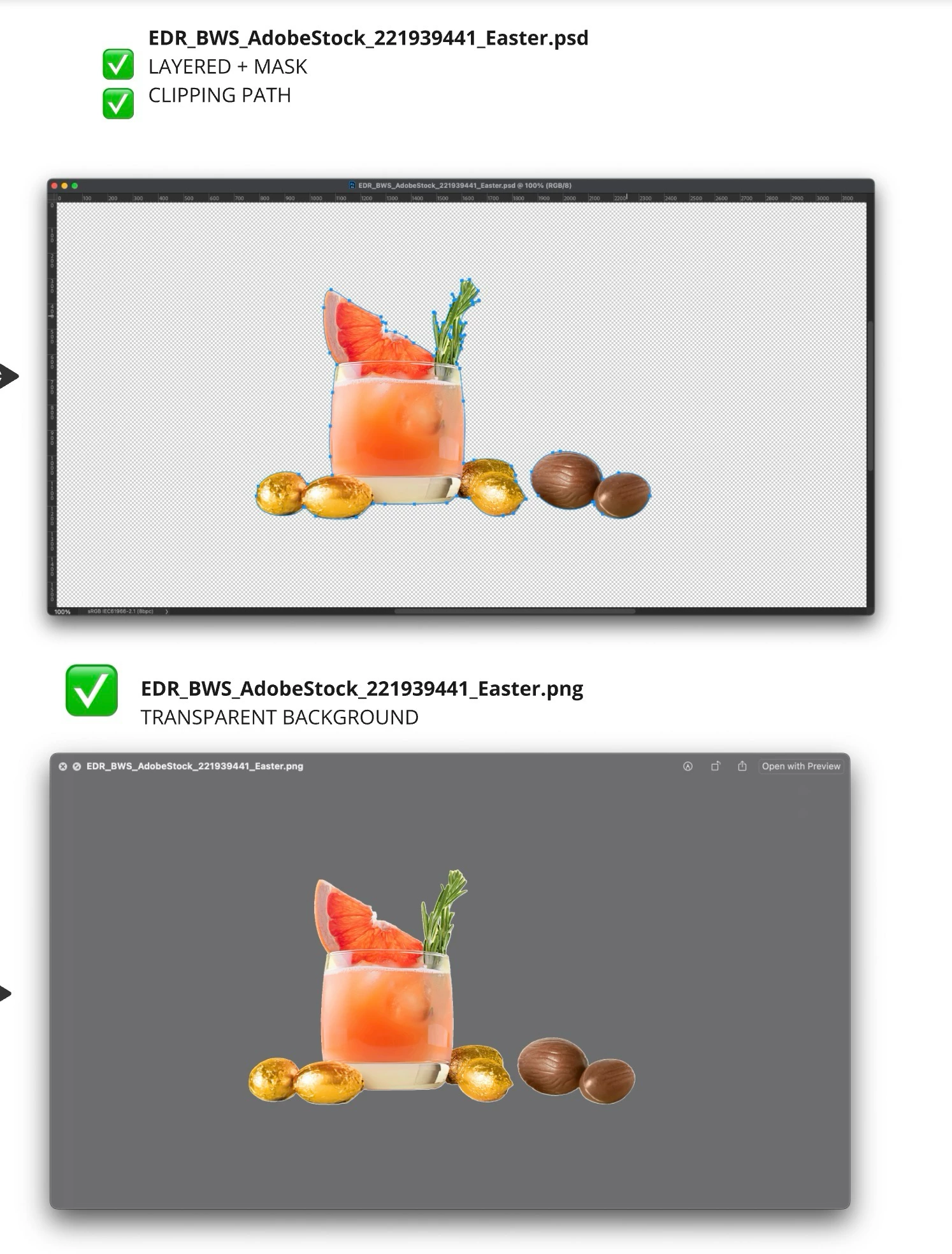
Hope i need to apply the transparent background and layered mask for the output which is generated from applyphotoshopactions method. But when i debug the code, i am not getting any logs or methods are getting executed after this applyphotoshopactions function. So i checked the node modules, i can see that some poll() method and setTimeout() method itself not working as expected.
I checked the params i am passing to applyphotoshopaction -> which is having the options, input file, output filename. Also i can see the output in AEM( removed background image). Below is the params:
Options: {
actions: [
{
href: '0883e0c7-fcd1-47c9-9ec2-b73f9af3242e/photoshopActions.atn'
}
]
}
Source URL: https://sa0156990shared0f1db3b77.blob.core.windows.net/aem-blob-ns-team-aem-cm-prd-n11370-cm-p15699-e36869/4db4-aefb-9bc1-49e2-b674-290deb370b8f-1730458240438?sig=eKje9lqWqvzXVT3UoyyQHQ2SAWum4Ufj1iDxckx86QQ%3D&se=2024-11-01T22%3A50%3A45Z&sv=2019-02-02&rscc=private%2C%20max-age%3D43200%2C%20immutable&rsct=image%2Fjpeg&sp=r&sr=b
2024-11-01T10:51:06.112Z
Temp Filename: 93f38b74-7402-4993-83c1-c1ccfe718450/rendition.jpg
Anyone knows how to solve this issue, please let me know..
Thanks in advance!
Regards,
Bhavani Bharanidharan