March 15, 2023
Solved

Experience Fragment on AEM SPA (React) language recognition does not work

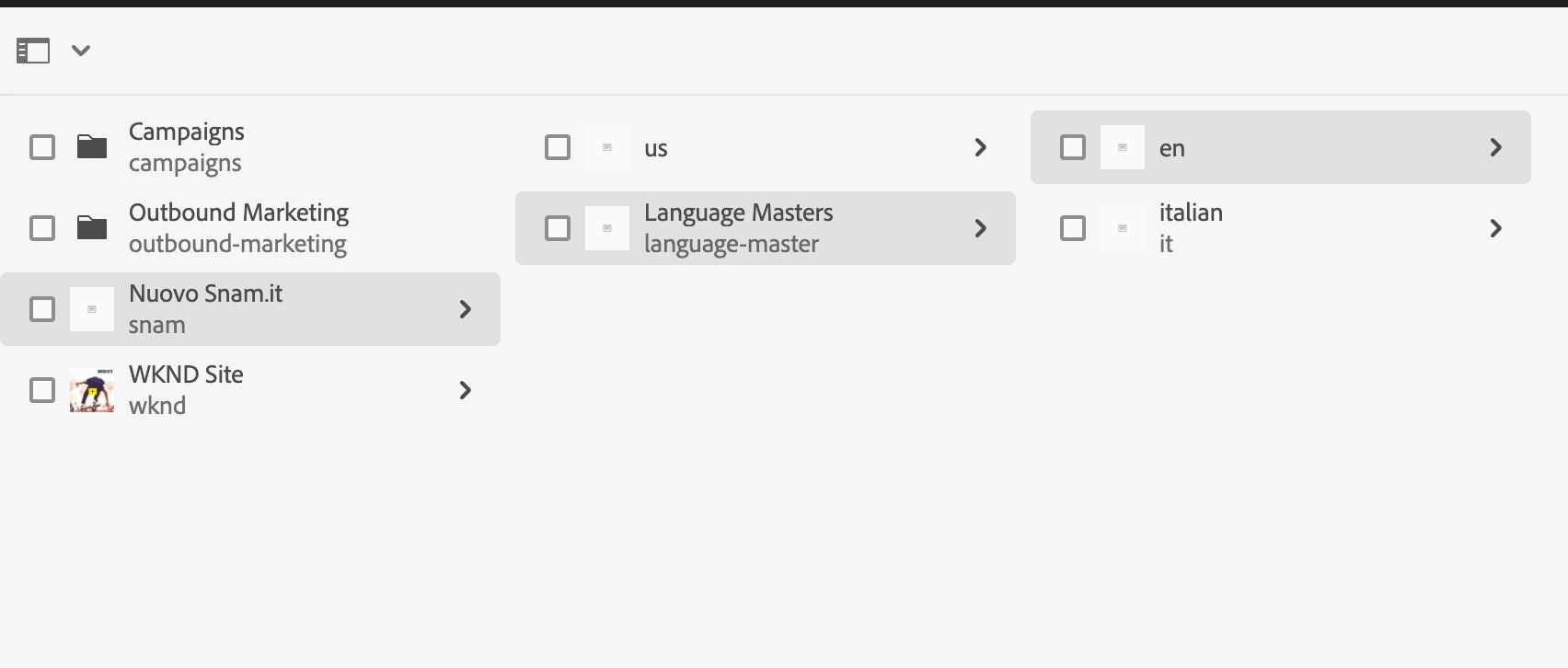
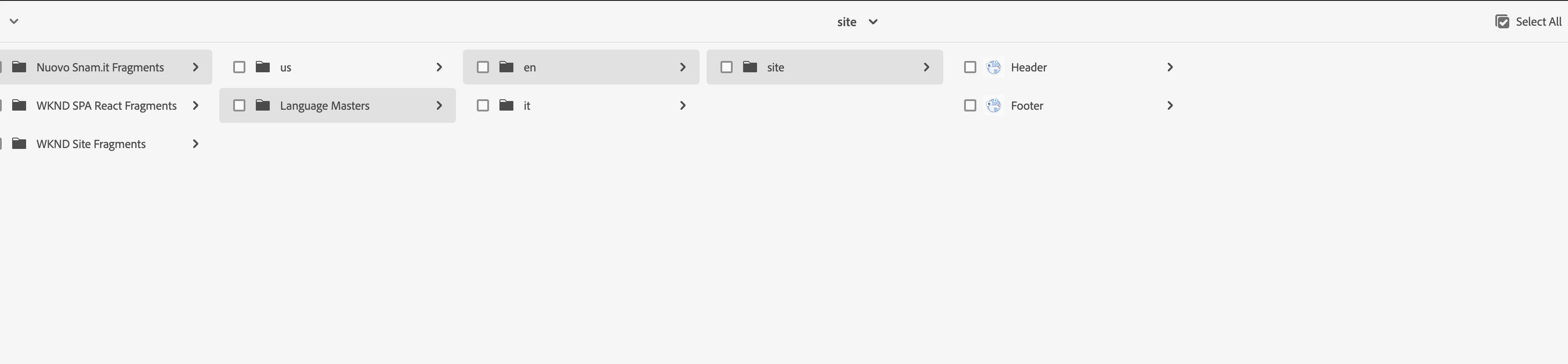
After configuring the pages and Experience Fragment tree, as per the documentation, I noticed that changing language does not start the language change. in the sense that if I am in the English language and I move into the Italian language the footer that is located in Experience Fragment, I always return to the English language.
I did several tests I tried on a project of WIKED sensa spa but native and li the localization of the Experience Fragment works perfectly, things that does not happen in a project with SPA

This post is no longer active and is closed to new replies. Need help? Start a new post to ask your question.
Nishant-Singh
Nishant-SinghAccepted solution
Adobe Employee
July 17, 2023

The way the localized variation path is created is:
1. find the current page language root path: /content/snam/language-master/it
2. replace /content with /content/experience-fragments: /content/experience-fragments/snam/language-master/it
3. append the relative fragment variation path: /site/footer/master/jcr:content: /content/experience-fragments/snam/language-master/it/site/header/master/jcr:content

The fragment content doesn't exist at this location, so it is falling back to the original reference.

1 reply

Nishant-Singh
Adobe Employee
Nishant-SinghAdobe EmployeeAccepted solution
Adobe Employee
July 17, 2023

The way the localized variation path is created is:
1. find the current page language root path: /content/snam/language-master/it
2. replace /content with /content/experience-fragments: /content/experience-fragments/snam/language-master/it
3. append the relative fragment variation path: /site/footer/master/jcr:content: /content/experience-fragments/snam/language-master/it/site/header/master/jcr:content

The fragment content doesn't exist at this location, so it is falling back to the original reference.

Translate