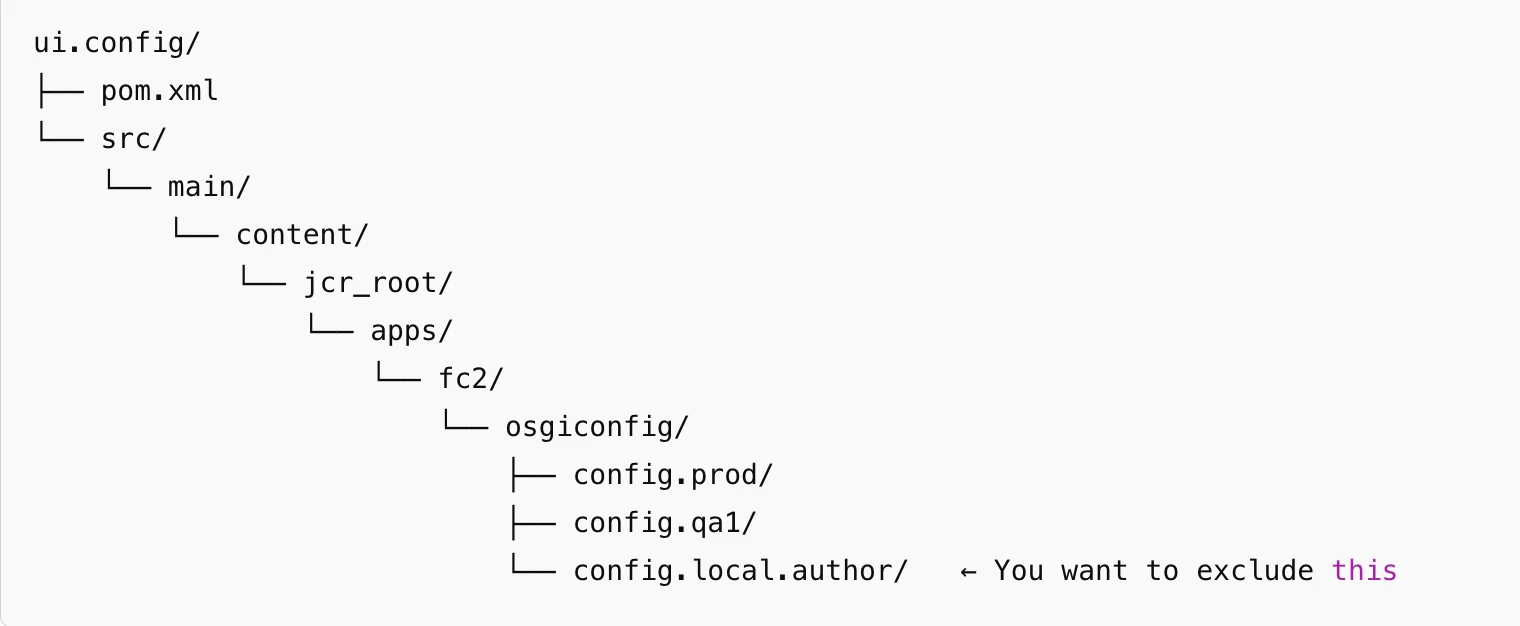
Hi @meenurajput ,
Try below solution:
1. Update the filter.xml File
The first step is to ensure that the exclude pattern in your filter.xml file is correctly defined. When using regex, special characters like the period (.) must be escaped to ensure proper matching. Here’s the corrected pattern:
<?xml version="1.0" encoding="UTF-8"?>
<workspaceFilter version="1.0">
<filter root="/apps/fc2/osgiconfig">
<exclude pattern="/apps/fc2/osgiconfig/config\.local\.author(/.*)?"/>
</filter>
</workspaceFilter>
Escaped dot (\.): The . character is a regex wildcard, so we need to escape it to match the literal . in config.local.author.
Recursive exclusion ((/.*)?): This ensures that not only the config.local.author folder but also any files or subfolders within it will be excluded.
By making this change, the config.local.author folder and its contents will be excluded from the deployment process.
2. Remove the Folder from the Codebase
If the folder /apps/fc2/osgiconfig/config.local.author/ still exists in your project’s source code, it will be included in the package, even if excluded in filter.xml. This is why you need to ensure it is physically removed from your source directory.
Steps:
Delete the folder: Remove /apps/fc2/osgiconfig/config.local.author/ from the src/main/content/jcr_root/ directory.
Check for .content.xml or OSGi config files: If there are any .content.xml or OSGi configuration files inside config.local.author, remove them as well to prevent their inclusion during deployment.
3. (Optional) Exclude via Maven Build Configuration
If, for any reason, you need to keep the folder in your codebase (for example, for documentation purposes or local development), you can ensure that it is excluded at build time using the Maven build configuration.
In your pom.xml file, configure the content-package-maven-plugin to exclude this folder from the packaged ZIP:
<plugin>
<groupId>com.day.jcr.vault</groupId>
<artifactId>content-package-maven-plugin</artifactId>
<version>1.1.6</version>
<configuration>
<filesExcludes>
<file>**/config.local.author/**</file>
</filesExcludes>
</configuration>
</plugin>
This will exclude the config.local.author folder from the final package, even if it is still present in your source.
4. Validate the Build
After implementing the above changes, follow these steps to ensure everything is working correctly:
- Build the project: Run mvn clean install to rebuild your project.
- Inspect the ZIP file: Once the build is complete, unzip the generated package located in the target/ directory.
- Confirm exclusion: Check that the config.local.author folder is not present in the unzipped package. If it’s absent, your exclusion pattern is correctly configured.
Regards,
Amit